Learning HTML becomes much easier when you build real projects instead of only reading tutorials. While understanding HTML tags is important, applying that knowledge in practical projects helps you remember concepts faster and develop confidence as a web developer.
Many beginners make the mistake of trying to memorize every HTML tag before creating anything. In reality, the best way to learn HTML is by building simple websites step by step. Every project teaches you something new, from organizing content to creating well-structured webpages.
The good news is that you don’t need to be an expert to start. Even with basic knowledge of headings, paragraphs, images, links, and lists, you can begin creating useful HTML projects.
In this beginner-friendly guide, you’ll discover why practice projects matter, how they improve your coding skills, and several evergreen HTML project ideas that you can build to strengthen your understanding of web development.
This article focuses on simple explanations instead of lots of code, making it ideal for beginners.
Why Practice Projects Matter
Reading about HTML teaches you the theory.
Building projects teaches you how everything works together.
When you create projects, you naturally learn how different HTML elements connect to form a complete webpage.
Instead of asking:
“What does this tag do?”
You’ll begin asking:
“How can I use this tag to solve a problem?”
That shift is what turns beginners into web developers.
Benefits of Building HTML Projects
Working on HTML projects offers many advantages.
Some of the biggest benefits include:
- Better understanding of HTML structure
- Improved problem-solving skills
- More confidence in coding
- Hands-on learning experience
- Easier transition into CSS and JavaScript
- A growing portfolio you can showcase later
Even simple projects contribute to your learning journey.
Project 1: Personal Profile Page
One of the easiest HTML projects for beginners is a personal profile page.
This project introduces you to the basic building blocks of HTML.
Your page can include:
- Your name
- A short biography
- A profile picture
- Your hobbies
- Favorite books or movies
- Contact information
This project helps you practice organizing content using headings, paragraphs, images, and lists.
Although simple, it teaches many essential HTML skills.
Project 2: Simple Portfolio Website
Every web developer eventually needs a portfolio website.
A beginner version can contain:
- Welcome section
- About Me
- Skills
- Projects
- Contact details
At first, the portfolio does not need advanced styling.
The goal is simply to organize information using proper HTML structure.
As your skills improve, you can keep updating the same portfolio with CSS and JavaScript.
Project 3: Restaurant Landing Page
A restaurant webpage is another excellent beginner project.
Your page might include:
- Restaurant name
- Hero image
- Menu categories
- Opening hours
- Contact information
- Location
This project helps you understand how different content sections work together.
Project 4: Travel Destination Page
Choose your favorite city or country and create a webpage about it.
Include information such as:
- Tourist attractions
- Local food
- History
- Popular activities
- Interesting facts
This project teaches you how to organize long-form content into readable sections.
Project 5: Recipe Website
Food websites are perfect HTML practice projects.
Each recipe page can contain:
- Recipe title
- Ingredients
- Preparation steps
- Cooking time
- Difficulty level
- Finished meal photo
This project gives you practice with lists, headings, and images.
Project 6: Movie Review Page
Create a webpage reviewing one of your favorite movies.
Include:
- Movie poster
- Plot summary
- Main characters
- Personal rating
- Favorite scenes
This teaches you how to structure reviews and long paragraphs effectively.
Project 7: Book Review Website
Instead of movies, you can review books.
Your webpage may include:
- Book cover
- Author information
- Summary
- Favorite chapters
- Overall opinion
This project also improves your writing and content organization.
Project 8: Product Showcase
Imagine you’re creating an online store.
Build a simple product page containing:
- Product image
- Product name
- Description
- Price
- Features
Even without payment functionality, this project helps you understand webpage organization.
Project 9: Photography Gallery
If you enjoy photography, create an image gallery.
Organize pictures into categories such as:
- Nature
- Cities
- Animals
- Food
- Travel
This project helps you work with images and captions.
Project 10: Simple Blog Homepage
Blogs are among the most common websites on the internet.
A beginner blog homepage may contain:
- Website title
- Featured article
- Recent posts
- Categories
- About section
This project prepares you for creating larger content-based websites later.
Project 11: Frequently Asked Questions (FAQ) Page
Create a page answering common questions about any topic.
Examples include:
- HTML
- Web development
- Gaming
- Fitness
- Photography
This project teaches logical organization and clear content presentation.
Project 12: Event Invitation Page
Build a webpage for:
- Birthday party
- Conference
- Workshop
- Wedding
- Meetup
Include:
- Date
- Time
- Location
- Event schedule
This project helps you practice formatting information clearly.
Project 13: School or College Information Page
Design a webpage introducing a school.
Include sections such as:
- History
- Courses
- Facilities
- Teachers
- Contact details
This project teaches structured layouts.
Project 14: Business Homepage
Create a homepage for a fictional company.
Include:
- Company introduction
- Services
- Team members
- Testimonials
- Contact information
Business websites are excellent HTML practice.
Project 15: News Website Layout
Build a basic news homepage.
Sections might include:
- Breaking news
- Technology
- Sports
- Entertainment
- Politics
This project helps you understand webpage hierarchy(Ranking).
Project 16: Music Artist Page
Create a webpage for your favorite artist.
Include:
- Biography
- Albums
- Songs
- Awards
- Tour dates
This project combines text and media organization.
Project 17: Sports Team Website
Choose your favorite sports team.
Your webpage may contain:
- Team history
- Players
- Stadium
- Achievements
- Upcoming matches
Sports websites provide excellent practice for organizing large amounts of information.
Project 18: Animal Information Page
Choose an animal and create an educational webpage.
Include:
- Habitat
- Diet
- Lifespan
- Interesting facts
- Images
This project is both educational and beginner-friendly.
Project 19: Technology Tutorial Website
Since you’re learning HTML, why not build tutorials yourself?
Each page can explain one HTML tag.
Include:
- Definition
- Purpose
- Example
- Common mistakes
- Best practices
This project reinforces your own learning.
Project 20: Simple Documentation Website
Documentation websites are widely used in software development.
Create pages explaining:
- HTML basics
- CSS basics
- JavaScript basics
This project teaches structured navigation and organized content.
Skills You’ll Practice
By completing these beginner projects, you’ll gain experience with many important HTML concepts, including:
- Headings
- Paragraphs
- Lists
- Images
- Hyperlinks
- Tables
- Forms
- Semantic elements
- Navigation
- Page organization
Each project builds on the previous one.
Common Beginner Mistakes
Many beginners encounter similar challenges.
Here are a few to watch out for.
1. Trying to Build Complex Websites Too Early
Don’t begin with large social media platforms or online stores.
Start with smaller projects and gradually increase the difficulty.
2. Copying Without Understanding
It’s fine to look at examples, but always understand why something works before copying it.
Learning happens through understanding, not memorization.
3. Ignoring Semantic HTML
Instead of placing everything inside generic containers, use meaningful HTML elements whenever appropriate.
Examples include:
These improve readability and organization.
4. Giving Up Too Quickly
Every developer gets stuck sometimes.
Errors are a normal part of learning.
The important thing is to keep experimenting and improving.
Tips for Successful Practice
To get the most out of your projects:
- Build one project at a time.
- Finish what you start.
- Improve older projects instead of abandoning them.
- Keep your code organized.
- Practice consistently, even if only for 30 minutes a day.
- Challenge yourself with new ideas regularly.
Small improvements made consistently lead to big results over time.
Why These Projects Are Evergreen
The ideas in this article remain useful because they teach universal HTML skills rather than following temporary trends.
Whether you build a portfolio, a recipe website, or a travel page, you’ll continue practicing the same core concepts that every web developer needs.
As HTML evolves, these foundational skills remain relevant.
Moving Beyond HTML
Once you’re comfortable building static HTML pages, the next step is learning CSS.
CSS allows you to:
- Add colors
- Change fonts
- Create layouts
- Build responsive designs
- Improve visual appearance
After CSS, you can begin learning JavaScript to make your webpages interactive.
By mastering HTML first, you’ll find these technologies much easier to understand.
Building beginner-friendly HTML projects is one of the fastest and most effective ways to learn web development. Every project teaches you something valuable, whether it’s organizing content, using semantic HTML, or creating clean webpage structures.
You don’t need to build complex applications to become a better developer. Simple projects like a personal profile page, a portfolio website, a recipe page, or a blog homepage provide enough practice to strengthen your HTML skills while preparing you for CSS and JavaScript.
Remember that consistency matters more than complexity. Completing one small project each week will teach you far more than reading dozens of tutorials without practicing.
The more projects you build, the more confident you’ll become. Over time, those simple practice websites will grow into a strong portfolio that showcases your progress and prepares you for more advanced web development challenges.
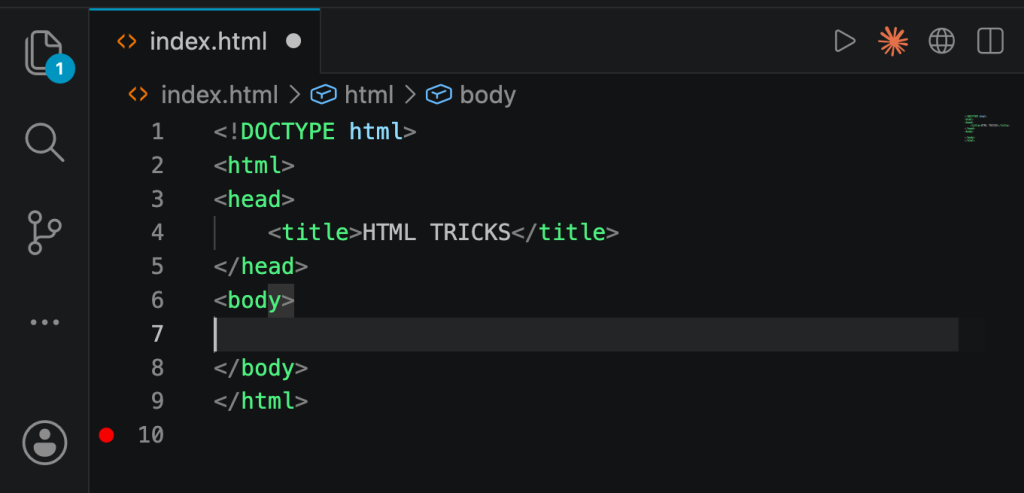
Try it yourself
Change the code, then run it to see the result.
The graphics are top notch and the bonus offers are actually fair. I’ve had a couple of big wins already and the withdrawal was instant. Love slotpixbetio