
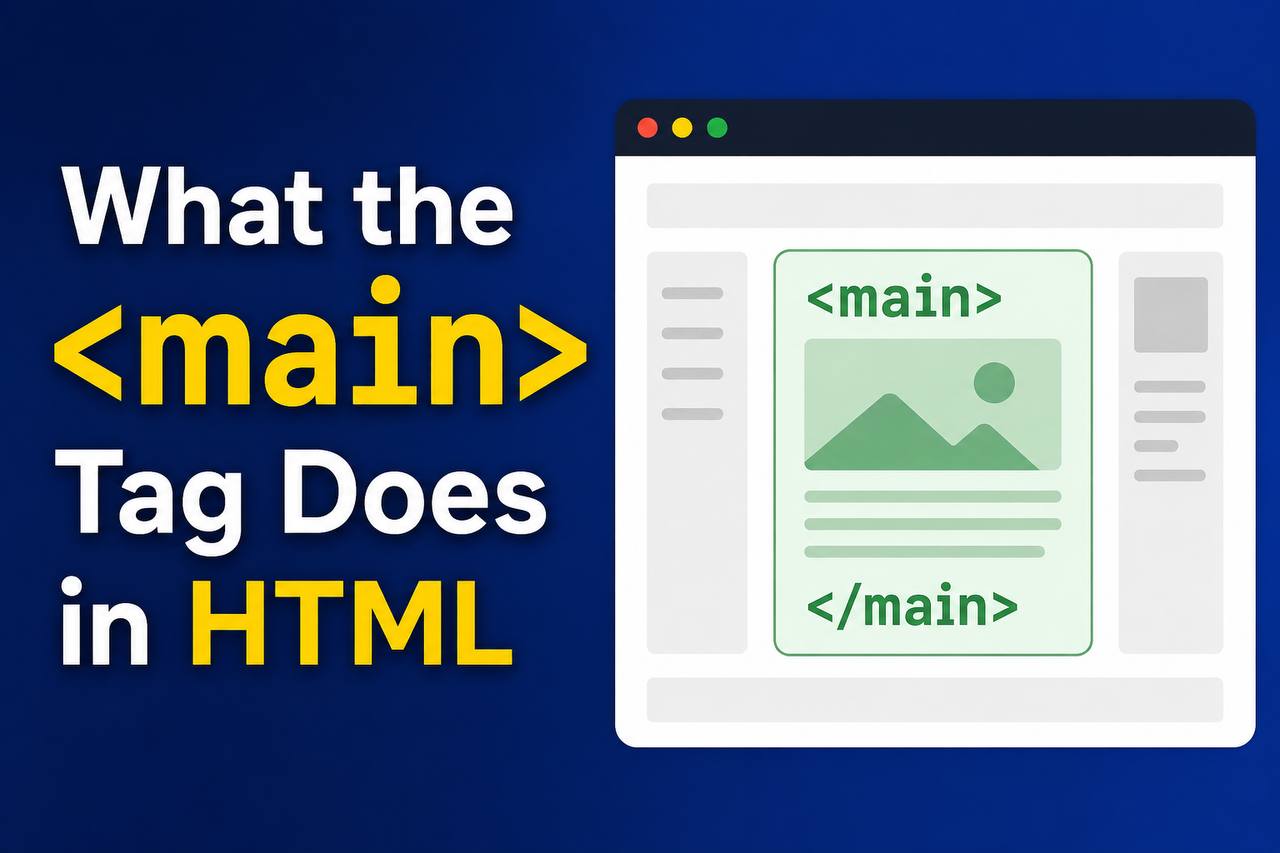
When learning HTML, one of the most important things to understand is webpage structure. Modern websites are built using semantic HTML elements that help organize content clearly. One of those important elements is the <main> tag.
The HTML <main> element helps developers identify the primary content of a webpage. It tells browsers, search engines, and screen readers which content is the most important on the page.
If you are a beginner, the <main> tag may seem simple at first, but it plays a very important role in creating clean, accessible, and professional websites.
In this article, you will learn what the HTML <main> tag does, why it matters, where to use it, common beginner mistakes, and how it improves webpage structure.
This guide explains everything mainly in simple words so you can understand it easily without getting overwhelmed by too much code.
What is the HTML <main> Tag?
The HTML <main> tag is used to contain the main content of a webpage.
It represents the central topic or the most important part of the page.
In simple words, the <main> element holds the content visitors came to see.
For example:
- Blog article content
- Main tutorial text
- Product descriptions
- News articles
- Main webpage information
The <main> tag does not usually contain repeated sections like:
- Navigation menus
- Sidebars
- Website footers
- Logos
- Advertisements
Those sections belong to other semantic elements.
Simple Syntax of the <main> Tag
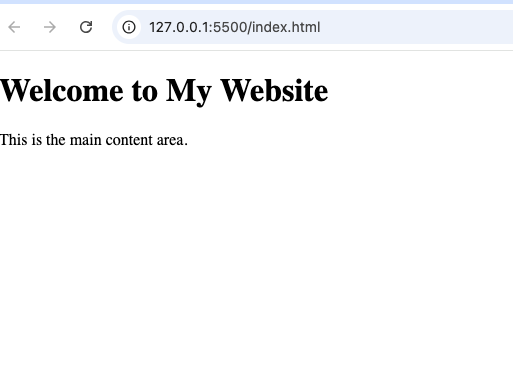
<main>
  <h1>Welcome to My Website</h1>
  <p>This is the main content area.</p>
</main>
This tells browsers that the content inside the <main> element is the primary content of the page.
Why the <main> Tag is Important
Many beginners ask:
“Why not just use a <div> element?”
The answer is semantic meaning.
The <main> tag gives meaning to your webpage structure.
Here are some major reasons why it matters.
1. It Identifies the Main Content Clearly
The <main> element tells browsers:
“This is the central content of the webpage.”
This helps organize the page better.
Without semantic HTML, developers used many generic <div> tags that gave no meaning.
Old method:
<div id="content">
Modern method:
<main>
The modern version is cleaner and easier to understand.
2. Improves Accessibility
Screen readers used by visually impaired users can quickly jump to the <main> content.
This improves website accessibility greatly.
Instead of listening to menus repeatedly on every page, users can go directly to the important content.
3. Helps Search Engines Understand Your Page
Search engines like Google analyze webpage structure.
Using the <main> element helps search engines understand what content matters most on your page.
This improves content organization and can support SEO.
4. Makes HTML Easier to Read
Developers can instantly recognize the main content section.
This makes teamwork and website maintenance easier.
What Kind of Content Goes Inside <main>?
The <main> tag should contain content directly related to the main topic of the webpage.
Examples include:
- Blog posts
- Tutorials
- Articles
- Product information
- Main text content
- Important images
- Videos related to the page topic
Example:
<main>
  <h1>Learn HTML</h1>

  <p>HTML is the foundation of web development.</p>
</main>
What Should NOT Go Inside <main>?
The <main> element should not contain content repeated across multiple pages.
Avoid placing these inside <main>:
- Navigation bars
- Sidebars
- Footer sections
- Website logos
- Repeated menus
Example of incorrect structure:
<main>
  <nav>
    <a href="#">Home</a>
  </nav>
</main>
Navigation usually belongs outside the <main> element.
Difference Between <main> and <body>
Beginners sometimes confuse these two tags.
They are not the same.
<body> | <main> |
|---|---|
| Contains all visible webpage content | Contains only the primary content |
| Includes header, footer, sidebar, menus | Focuses on the main topic |
| Entire webpage structure | Main content section only |
Example:
<body>

<header>
  <h1>My Website</h1>
</header>

<main>
  <p>Main article content goes here.</p>
</main>

<footer>
  Copyright 2026
</footer>

</body>
The <body> contains everything visible.
The <main> contains the central content only.
Difference Between <main> and <section>
Another common confusion is between <main> and <section>.
Here is the difference.
<main> | <section> |
|---|---|
| Holds the primary webpage content | Divides content into sections |
| Usually used once per page | Can appear multiple times |
| Represents overall main content | Represents smaller grouped content |
Example:
<main>

<section>
  <h2>Introduction</h2>
</section>

<section>
  <h2>Examples</h2>
</section>

</main>
The <main> contains the full central content while <section> organizes smaller parts inside it.
Can a Page Have Multiple <main> Tags?
No.
A webpage should normally have only one visible <main> element.
This is because the page should only have one primary content area.
Using multiple <main> elements can confuse browsers and accessibility tools.
Correct:
<main>
  <h1>Main Content</h1>
</main>
Incorrect:
<main>
  Content One
</main>

<main>
  Content Two
</main>
Stick to one <main> element per webpage.
Common Structure of a Modern Webpage
Modern HTML webpages often look like this:
<body>

<header>
  Website Header
</header>

<nav>
  Navigation Menu
</nav>

<main>
  Main Content
</main>

<footer>
  Footer Content
</footer>

</body>
This structure is clean, readable, and professional.
Real-Life Example of the <main> Tag
Imagine a blog website.
The page contains:
- Header with logo
- Navigation menu
- Main article
- Sidebar
- Footer
The blog article itself belongs inside <main>.
Example:
<main>
  <h1>How to Learn HTML</h1>

  <p>HTML is easy to learn when practiced regularly.</p>
</main>
The main article is the primary focus of the page.
Why Semantic HTML Matters
The <main> element is part of semantic HTML.
Semantic HTML means using tags that describe their purpose clearly.
Examples include:
<header><nav><main><section><article><footer>
Benefits include:
- Cleaner code
- Better accessibility
- Easier maintenance
- Improved SEO
- Better webpage structure
Semantic HTML makes websites more professional.
HTML5 and the <main> Tag
The <main> element was introduced in HTML5.
Before HTML5, developers often used:
<div id="main-content">
Modern HTML uses:
<main>
This provides better meaning and structure.
Browser Support for <main>
The <main> element is supported by all modern browsers including:
- Google Chrome
- Firefox
- Safari
- Microsoft Edge
- Opera
You can safely use it in modern websites.
Styling the <main> Element with CSS
The <main> element can be styled using CSS just like other HTML elements.
Example:
<main>
  <h1>Welcome</h1>
</main>
main {
padding: 20px;
background-color: lightgray;
}This adds spacing and background color to the main content area.
Common Beginner Mistakes
Let us look at mistakes beginners often make when using <main>.
1. Using Multiple <main> Elements
A page should only have one main content area.
Avoid multiple <main> tags.
2. Putting Navigation Inside <main>
Menus and repeated navigation sections usually belong outside <main>.
3. Using <main> for Small Content Areas
The <main> element should represent the central page content, not tiny sections.
4. Replacing All <div> Elements with <main>
Not every container should become <main>.
Use it only for the primary content area.
<main> and Accessibility
Accessibility is one of the biggest reasons the <main> tag exists.
Screen readers can skip repeated content and go directly to the important content.
This creates a better browsing experience for users with disabilities.
Modern web development strongly encourages accessible design.
<main> and SEO
Although the <main> element alone will not magically improve rankings, it helps search engines understand webpage structure better.
Clear structure can improve:
- Content understanding
- Crawling
- Page organization
Semantic HTML supports better SEO practices overall.
Example of a Full Beginner-Friendly Webpage
Here is a simple webpage example using <main> correctly.
<!DOCTYPE html>
<html>

<head>
  <title>Main Tag Example</title>
</head>

<body>

<header>
  <h1>My Website</h1>
</header>

<nav>
  <a href="#">Home</a>
  <a href="#">Blog</a>
</nav>

<main>
  <h2>Learning HTML</h2>

  <p>HTML helps build webpages.</p>
</main>

<footer>
  Copyright 2026
</footer>

</body>
</html>
This example has:
- Header
- Navigation
- Main content
- Footer
It follows modern semantic HTML structure.
Best Practices for Using <main>
Here are some helpful tips.
Use Only One <main> Element
Keep one primary content section per page.
Keep Repeated Content Outside <main>
Headers, footers, and navigation usually stay outside.
Organize Content Properly
Use <section> and <article> inside <main> when necessary.
Write Clear Main Content
The content inside <main> should focus on the page’s primary topic.
Combine with Other Semantic Elements
Use <main> together with:
This creates clean webpage structure.
The HTML <main> tag is one of the most useful semantic elements in modern web development. It helps identify the central content of a webpage clearly and professionally.
Instead of relying on generic <div> containers, using <main> improves webpage organization, accessibility, readability, and SEO structure.
For beginners, learning how the <main> element works is an important step toward creating professional websites that follow modern HTML standards.
The more you practice using semantic HTML elements like <main>, the easier it becomes to build clean, user-friendly, and accessible webpages.