
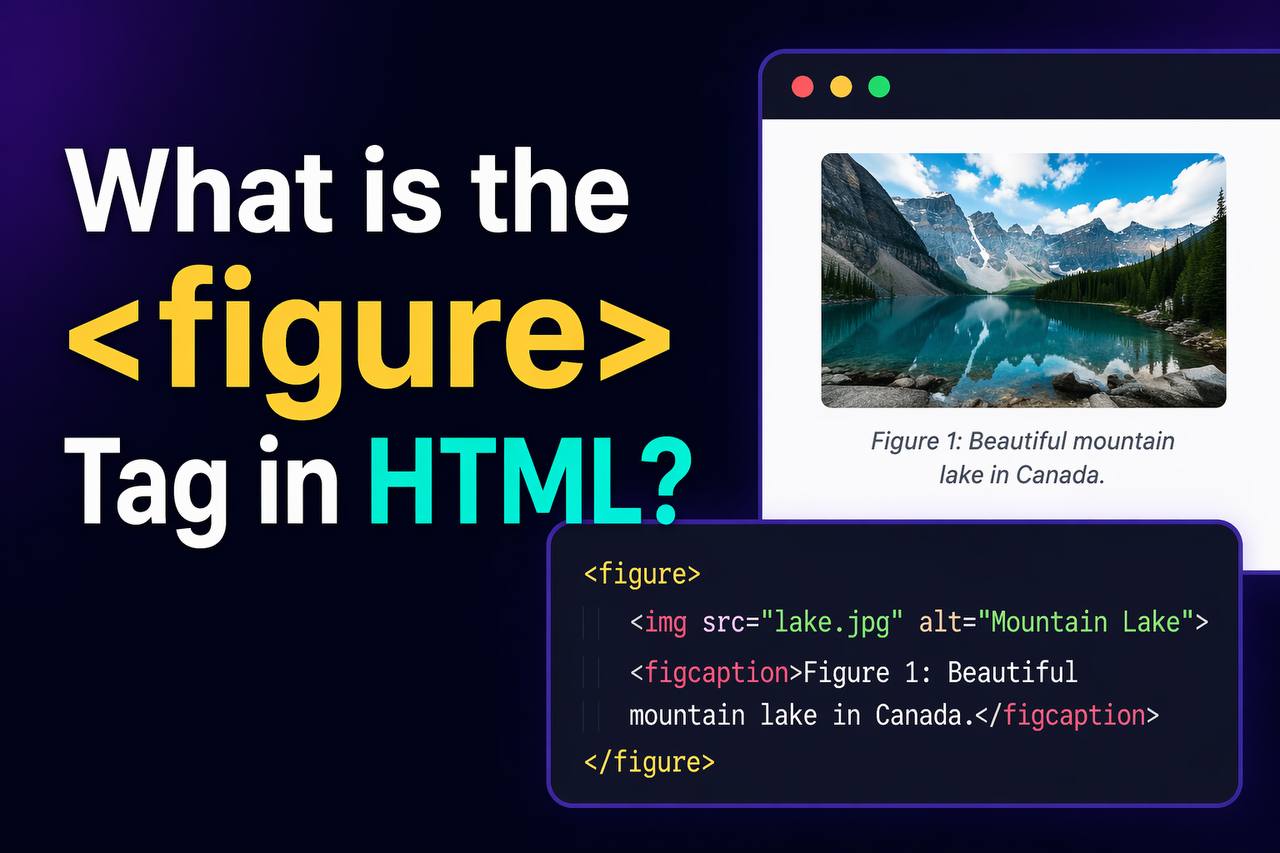
The <figure> tag in HTML is used to group media content like images, diagrams, charts, code snippets, or illustrations together with a caption. It helps you organize content in a clean and meaningful way on a web page.
The <figure> tag is part of HTML5, and it improves how content is structured. It tells the browser and search engines that the content inside it is related and should be treated as a single unit.
In simple terms, if you have an image and you want to add a caption to explain it, the <figure> tag is the right tool to use.
Basic Syntax of the <figure> Tag
Here is a simple example:
<figure>
  <img src="image.jpg" alt="A beautiful landscape">
  <figcaption>This is a beautiful landscape.</figcaption>
</figure>
Why Use the <figure> Tag
The <figure> tag is useful for several reasons:
- It groups related content together
- It improves the structure of your HTML
- It makes your content easier to understand
- It helps search engines understand your page better
- It improves accessibility for users
Instead of just placing an image randomly on a page, wrapping it inside <figure> makes your code more organized and meaningful.
When to Use the <figure> Tag
You should use the <figure> tag when the content:
- Is referenced in the main text
- Can stand on its own
- Needs a caption or explanation
Examples of content you can use inside <figure>:
Tables
Images
Charts or graphs
Code snippets
Diagrams
Videos
Example with Image and Caption
<figure>
  <img src="team.jpg" alt="Our team working together">
  <figcaption>Our team during a project meeting.</figcaption>
</figure>
This example shows how an image and its caption are grouped together.
Using <figure> Without <figcaption>
You can also use <figure> without a caption:
<figure>
  <img src="logo.png" alt="Company logo">
</figure>
Even without a caption, the <figure> tag still groups the content.
<figure> vs <div>
| Feature | <figure> | <div> |
|---|---|---|
| Meaningful | Yes | No |
| Semantic | Yes | No |
| Groups media | Yes | Not specific |
Example using <div>:
<div>
  <img src="image.jpg">
  <p>This is a caption</p>
</div>
This works, but it is not semantic. The browser does not know that the image and text are related.
Using <figure> is better:
<figure>
  <img src="image.jpg">
  <figcaption>This is a caption</figcaption>
</figure>
Position of <figcaption>
The <figcaption> tag can be placed either at the top or bottom.
Caption at the top:
<figure>
<figcaption>Top caption</figcaption>
<img src=”image.jpg”>
</figure>
Caption at the bottom:
<figure>
  <img src="image.jpg">
  <figcaption>Bottom caption</figcaption>
</figure>
Both are correct. It depends on your design.
Using <figure> with Other Content
The <figure> tag is not limited to images.
Example with Code:
<figure>
<pre>
<code>
console.log(“Hello World”);
</code>
</pre>
<figcaption>Example of JavaScript output</figcaption>
</figure>
Example with Video:
<figure>
  <video controls>
    <source src="video.mp4" type="video/mp4">
  </video>
  <figcaption>Demo video of the product</figcaption>
</figure>
This shows how flexible the <figure> tag is.
Styling the <figure> Tag with CSS
You can style <figure> to make it look better.
Example:
<figure style=”text-align: center;”>
<img src=”image.jpg” style=”max-width: 100%;”>
<figcaption style=”font-size: 14px; color: gray;”>
Sample caption text
</figcaption>
</figure>
What this does:
- Centers the content
- Makes the image responsive
- Styles the caption
Default Browser Behavior
By default:
<figure>behaves like a block element<figcaption>is displayed as text
Browsers may add small spacing around <figure>, but you can change it using CSS.
Accessibility Benefits
Using <figure> improves accessibility.
Screen readers can:
- Understand that the image and caption are related
- Read the caption as part of the figure
This helps users who rely on assistive technologies.
SEO Benefits
Search engines use semantic tags to understand content.
Using <figure>:
Can support better ranking when used properly
Helps search engines understand images better
Improves content structure
Best Practices for Using <figure>
1. Always Use <figcaption> When Needed
If your content needs explanation, add a caption.
2. Keep Content Relevant
Only group related content inside <figure>.
3. Use Proper Alt Text
Always include alt attributes for images.
4. Avoid Overusing <figure>
Do not wrap everything in <figure>. Use it only when it makes sense.
5. Combine with CSS for Better Design
Style your figures to match your website layout.
Common Mistakes to Avoid
- Using
<figure>for unrelated content - Forgetting
<figcaption>when needed - Not adding
alttext to images - Using
<div>instead of semantic tags
Avoiding these mistakes makes your code cleaner and more professional.
Real-World Example
Here is a practical example:
<article>
<h2>Our Office</h2>
<p>Below is a picture of our main office.</p>
<figure>
<img src=”office.jpg” alt=”Main office building”>
<figcaption>Our headquarters building in Lagos.</figcaption>
</figure>
</article>
This shows how <figure> fits into real content.
<figure> in Modern Web Development
The <figure> tag is widely used in:
- Blogs
- News websites
- Educational platforms
- Documentation sites
It helps keep content structured and easy to read.
Browser Support
The <figure> tag is supported in all modern browsers:
- Chrome
- Firefox
- Safari
- Edge
There are no major compatibility issues today.
The <figure> tag is a simple but powerful HTML element used to group media content and its caption. It helps you organize your content in a meaningful way and improves both readability and accessibility.
Instead of using generic tags like <div>, using <figure> gives your HTML structure more meaning. It tells browsers and search engines that the content inside is related and should be treated as one unit.
By combining <figure> with <figcaption>, you can create clean, professional layouts that are easy for users to understand.
If you follow best practices like adding captions, using proper alt text, and keeping content relevant, you will improve both user experience and SEO.
In modern web development, using semantic elements like <figure> is not just a good practice it is the right way to build structured and meaningful web pages.
https://shorturl.fm/qUqkc
I was a bit skeptical at first but this site completely won me over. Transactions are secure, the interface is clean and they treat their regulars with real respect. A reliable place to relax and enjoy quality gaming. aa44bet