
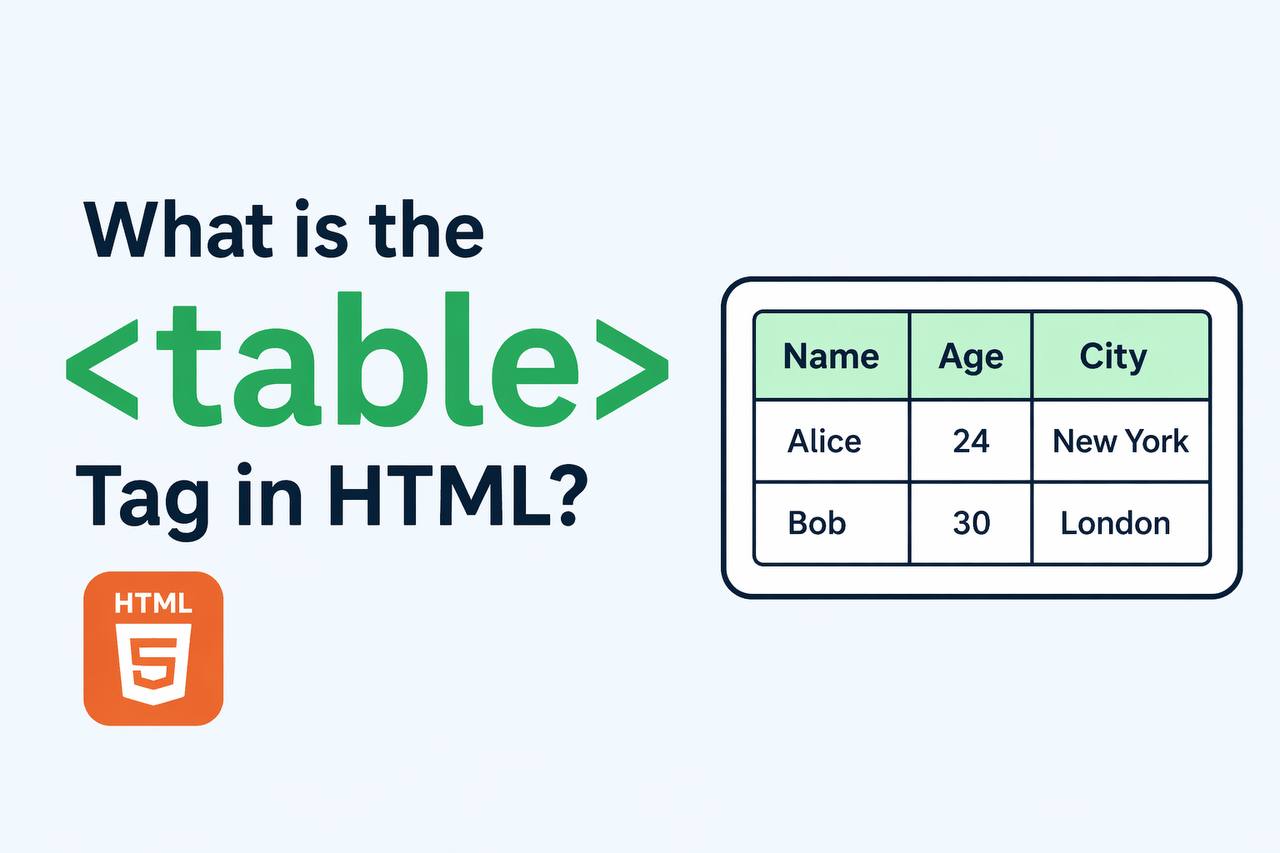
The <table> tag in HTML is used to create tables on a web page. A table is a structured way of displaying data in rows and columns. It is commonly used for things like schedules, pricing lists, reports, and any data that needs to be organized clearly.
The <table> tag is part of standard HTML and has been used for a long time. It is still very important today, especially when you need to present structured data in a clean and readable format.
In simple terms, the <table> tag helps you arrange data like a grid.
Basic Structure of a Table
A table in HTML is made up of several parts:
<table>: The main container<tr>: Table row<th>: Table header cell<td>: Table data cell
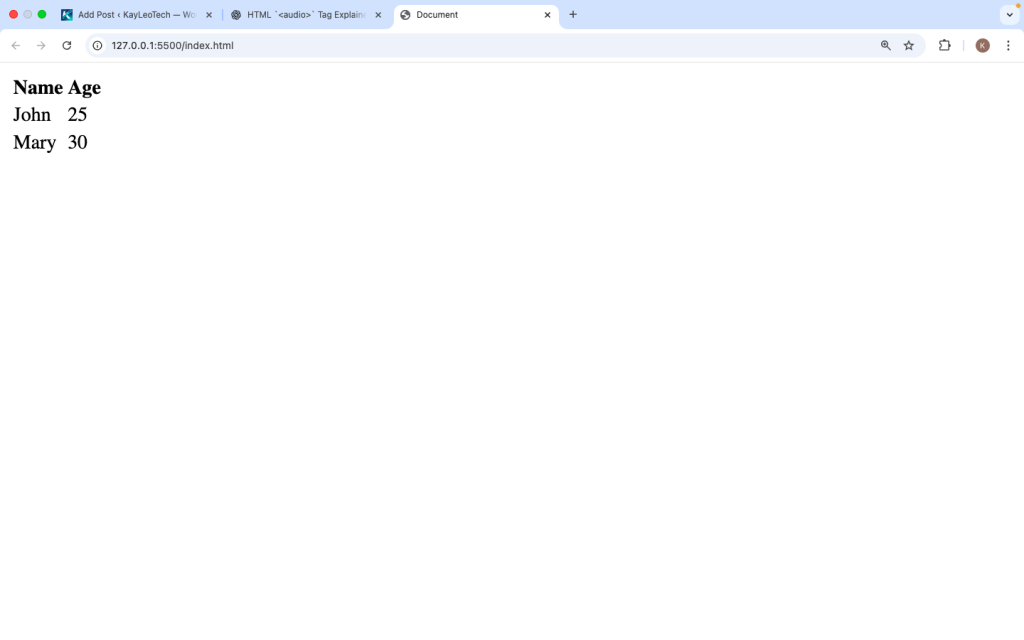
Here is a simple example:
<table>
  <tr>
    <th>Name</th>
    <th>Age</th>
  </tr>
  <tr>
    <td>John</td>
    <td>25</td>
  </tr>
  <tr>
    <td>Mary</td>
    <td>30</td>
  </tr>
</table>
Explanation:
<tr>creates a row<th>creates a header (bold by default)<td>creates normal cells
Why Use the <table> Tag
The <table> tag is useful because:
- It organizes data clearly
- It improves readability
- It helps users understand information quickly
- It is supported by all browsers
- It works well with structured data
Tables are best used when you have data that fits naturally into rows and columns.
Table Elements Explained
1. <table>
This is the main container for the table.
<table>
  <!-- Table content goes here -->
</table>
2. <tr> (Table Row)
Defines a row in the table.
<tr>
<td>Data</td>
</tr>
3. <th> (Table Header)
Defines a header cell. It is bold and centered by default.
<th>Title</th>
4. <td> (Table Data)
Defines a normal data cell.
<td>Value</td>
Adding Borders to a Table
By default, tables have no borders. You can add borders using CSS.
<table border=”1″>
<tr>
<th>Name</th>
<th>Age</th>
</tr>
<tr>
<td>John</td>
<td>25</td>
</tr>
</table>
Or using CSS (recommended):
<style>
table, th, td {
  border: 1px solid black;
  border-collapse: collapse;
}
</style>
Adding a Table Caption
You can add a title to your table using <caption>:
<table>
<caption>Student List</caption>
<tr>
<th>Name</th>
<th>Age</th>
</tr>
</table>
The caption appears above the table.
Grouping Table Content
HTML provides special tags to group parts of a table:
<thead>: Header section<tbody>: Main content<tfoot>: Footer section
Example:
<table>
<thead>
<tr>
<th>Product</th>
<th>Price</th>
</tr>
</thead>
<tbody>
<tr>
<td>Phone</td>
<td>$200</td>
</tr>
</tbody>
<tfoot>
<tr>
<td>Total</td>
<td>$200</td>
</tr>
</tfoot>
</table>
This helps organize your table better.
Merging Table Cells
You can merge cells using:
colspan (merge columns)
<td colspan="2">Merged Cell</td>
rowspan (merge rows)
<td rowspan="2">Merged Cell</td>
Example:
<table border=”1″>
<tr>
<th>Name</th>
<th colspan=”2″>Details</th>
</tr>
<tr>
<td>John</td>
<td>25</td>
<td>USA</td>
</tr>
</table>
Styling Tables with CSS
You can make tables look better using CSS.
<style>
table {
  width: 100%;
}th {
  background-color: #333;
  color: white;
}td, th {
  padding: 10px;
  text-align: left;
}tr:nth-child(even) {
  background-color: #f2f2f2;
}
</style>
What this does:
Alternates row colors
Adds spacing
Improves readability
Responsive Tables
Tables can be hard to view on small screens. You can make them responsive:
<div style=”overflow-x: auto;”>
<table>
<!– table content –>
</table>
</div>
This allows horizontal scrolling on mobile devices.
Accessibility Tips
To make tables accessible:
- Use
<th>for headers - Add
<caption> - Use
scopeattribute
Example:
<th scope="col">Name</th>
This helps screen readers understand the table.
When to Use <table>
Use <table> when:
- Displaying structured data
- Showing comparisons
- Listing values in rows and columns
Do NOT use tables for layout design. Use CSS instead.
<table> vs Layout Tables
In the past, tables were used to design web layouts. This is no longer recommended.
Wrong way:
<table>
  <tr>
    <td>Header</td>
  </tr>
</table>
Correct approach:
Use CSS (Flexbox or Grid) for layout.
Common Mistakes to Avoid
- Using tables for layout
- Not adding headers
- Forgetting accessibility
- Overcomplicated tables
- No responsive design
Keeping tables simple is always better.
Real-World Example
<table>
  <caption>Monthly Expenses</caption>
  <tr>
    <th>Item</th>
    <th>Cost</th>
  </tr>
  <tr>
    <td>Food</td>
    <td>$300</td>
  </tr>
  <tr>
    <td>Transport</td>
    <td>$100</td>
  </tr>
</table>
This example shows how tables are used in everyday situations.
Browser Support
The <table> tag works in all browsers:
- Chrome
- Firefox
- Safari
- Edge
It is one of the most reliable HTML elements.
Best Practices
- Keep tables simple
- Use captions and headers
- Style with CSS
- Make tables responsive
- Use semantic tags
The <table> tag in HTML is used to display data in a structured format using rows and columns. It is an essential tool for presenting organized information clearly and effectively.
By using elements like <tr>, <th>, and <td>, you can build simple or complex tables depending on your needs. Features like captions, grouped sections, and merged cells make tables flexible and powerful.
When used correctly, tables improve readability, accessibility, and user experience. Just remember to use them only for data, not for layout design.
Learning how to use the <table> tag properly is an important step in becoming a better web developer.
https://shorturl.fm/zBBCv