
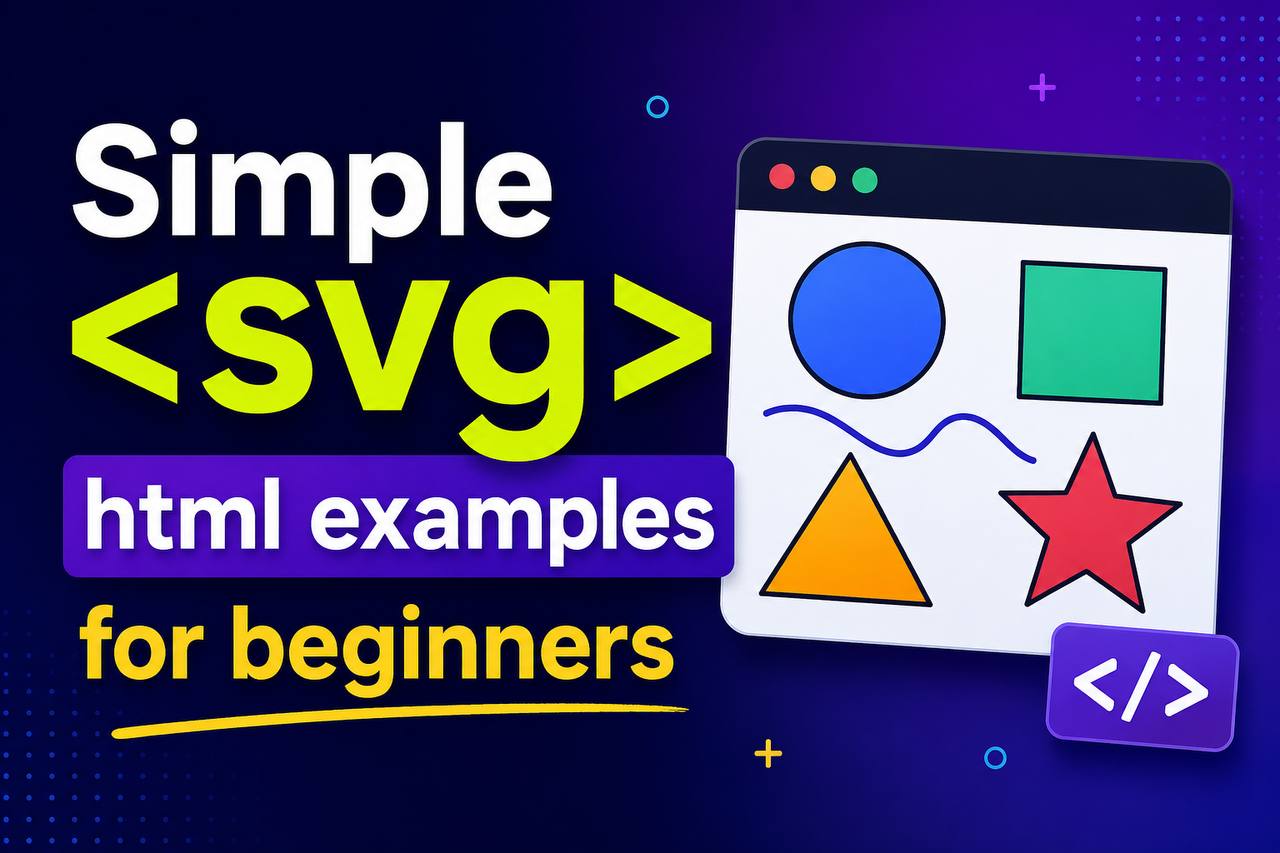
When learning HTML, most beginners focus on text, images, links, forms, and page layouts. However, HTML also provides a powerful way to create graphics directly inside a webpage without using image files. This is done with the <svg> element.
The HTML <svg> element allows developers to draw shapes, icons, illustrations, diagrams, and even animations directly in the browser. Unlike normal images, SVG graphics stay sharp at any size and can be customized using HTML, CSS, and JavaScript.
At first, SVG may seem advanced, but the basic concepts are actually easy to understand. Once you learn how it works, you can create simple graphics for practice projects without relying on external image software.
In this beginner-friendly guide, you’ll learn what the <svg> tag is, why it is useful, where it is used, and explore simple SVG examples that help you understand the basics.
This article focuses mainly on explanations rather than large amounts of code so you can learn the concept comfortably.
What is the HTML <svg> Element?
SVG stands for Scalable Vector Graphics.
The <svg> element is used to create graphics directly inside an HTML document.
Unlike regular image formats such as JPG or PNG, SVG graphics are based on mathematical shapes rather than pixels.
This means they can be enlarged or reduced without losing quality.
In simple terms:
- JPG and PNG images are made of pixels.
- SVG images are made of shapes and paths.
Because of this, SVG graphics remain crisp and sharp on all screen sizes.
Why SVG is Important
Modern websites use SVG graphics everywhere.
You can find SVG in:
- Website logos
- Icons
- Charts
- Diagrams
- Infographics
- Loading animations
- Interactive graphics
SVG has become popular because it is lightweight, flexible, and responsive.
Simple SVG Syntax
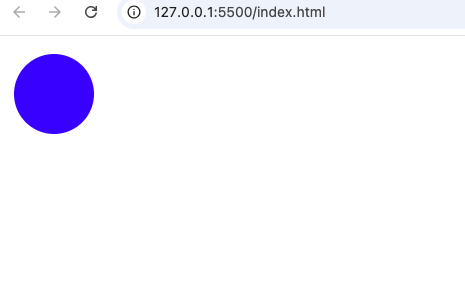
Here is a very basic SVG example:
<svg width="100" height="100">

  <circle cx="50" cy="50" r="40" fill="blue" />

</svg>
This code creates a blue circle.
Don’t worry if the code looks unfamiliar right now. The goal is simply to understand that SVG allows you to draw shapes directly inside HTML.
How SVG Works
Think of SVG as a drawing canvas inside your webpage.
Instead of placing an image file, you tell the browser exactly what shape to draw.
For example:
- Draw a circle
- Draw a rectangle
- Draw a line
- Draw a star
- Draw a triangle
The browser then creates the graphic instantly.
Benefits of Using SVG
SVG offers several advantages compared to regular images.
1. Perfect Quality at Any Size
One of SVG’s biggest strengths is scalability.
Whether the graphic is:
- 20 pixels wide
- 200 pixels wide
- 2000 pixels wide
It remains perfectly sharp.
Regular images often become blurry when enlarged.
SVG does not.
2. Smaller File Sizes
Many simple graphics require less storage space when saved as SVG.
This helps websites load faster.
3. Easy to Customize
SVG elements can be modified using:
- HTML
- CSS
- JavaScript
Developers can easily change:
- Colors
- Sizes
- Shapes
- Animations
4. Great for Responsive Design
Modern websites must work on:
- Phones
- Tablets
- Laptops
- Desktop monitors
SVG graphics automatically adapt to different screen sizes.
SVG Circle Example
A circle is one of the easiest SVG shapes.
Example:
<circle />This tells the browser to draw a circle.
Circles are commonly used for:
- Icons
- Buttons
- Profile placeholders
- Decorative graphics
This tells the browser to draw a circle.
Circles are commonly used for:
SVG Rectangle Example
Rectangles are another common SVG shape.
Example:
<rect />Rectangles are often used for:
- Cards
- Banners
- Buttons
- Layout graphics
Many website designs contain rectangle-based SVG elements.
SVG Line Example
Lines are useful for creating:
- Dividers
- Charts
- Diagrams
- Timelines
Example:
<line />Even a simple line can become part of a larger illustration.
SVG Ellipse Example
An ellipse looks similar to a circle but stretched.
Example:
<ellipse />Ellipses are often used in:
- Logos
- Decorative elements
- Creative illustrations
SVG Polygon Example
A polygon creates shapes with multiple sides.
Example:
<polygon />Polygons can create:
- Triangles
- Stars
- Hexagons
- Custom designs
Many modern logos use polygon shapes.
SVG Path Example
The <path> element is the most powerful SVG feature.
It can create almost any shape imaginable.
Many professional SVG graphics rely heavily on paths.
Examples include:
- Logos
- Illustrations
- Icons
- Maps
Although paths can be complex, beginners do not need to master them immediately.
Real-World Example: Website Logos
Many modern websites use SVG logos.
Why?
Because logos need to stay sharp at all sizes.
Imagine a logo appearing:
- On a mobile phone
- On a laptop
- On a large monitor
SVG ensures the logo always looks crisp.
Real-World Example: Website Icons
SVG is extremely popular for icons.
Common website icons include:
- Search icon
- Home icon
- User icon
- Menu icon
- Shopping cart icon
Most modern icon libraries are built using SVG.
SVG vs PNG
Beginners often wonder when to use SVG instead of PNG.
| SVG | PNG |
|---|---|
| Scalable | Pixel-based |
| Stays sharp when resized | Can become blurry |
| Smaller for simple graphics | Larger for graphics |
| Easy to customize | Harder to edit |
For logos and icons, SVG is usually the better choice.
For photographs, PNG or JPG is often better.
SVG vs JPG
SVG and JPG serve different purposes.
| SVG | JPG |
|---|---|
| Best for graphics | Best for photos |
| Sharp at all sizes | May lose quality |
| Editable with code | Not easily editable |
| Lightweight for simple designs | Better for complex images |
SVG and CSS
One reason developers love SVG is that it works well with CSS.
CSS can change:
- Color
- Size
- Border
- Animation
This gives developers tremendous control.
For example:
A blue SVG icon can instantly become red when users hover over it.
SVG and JavaScript
SVG also works with JavaScript.
JavaScript can:
- Move shapes
- Change colors
- Create animations
- Build interactive graphics
This is why SVG is often used in modern web applications.
SVG in Practice Projects
Beginners can use SVG in many simple projects.
1. Personal Portfolio Website
Create custom SVG icons for:
- Skills
- Contact information
- Social media links
2. Business Website
Use SVG for:
- Logos
- Service icons
- Decorative graphics
3. Dashboard Projects
SVG works well for:
- Charts
- Graphs
- Statistics displays
4. Landing Pages
Many modern landing pages use SVG illustrations to make designs more attractive.
Why SVG is Popular in Modern Web Design
Web designers love SVG because it combines:
- High quality
- Small file sizes
- Flexibility
- Responsiveness
This makes websites look professional without slowing them down.
Common Beginner Mistakes
Here are some mistakes beginners often make when learning SVG.
1. Thinking SVG is Just Another Image
SVG is much more than an image.
It is actually code that creates graphics.
2. Using SVG for Photographs
SVG works best for shapes and illustrations.
Photos should usually remain JPG or PNG files.
3. Making SVG Graphics Too Complex
Beginners should start with:
- Circles
- Rectangles
- Lines
Then gradually move to more advanced shapes.
4. Ignoring SVG in Practice Projects
Many beginners avoid SVG because it seems difficult.
However, learning basic SVG skills can improve your web development projects significantly.
Browser Support for SVG
SVG is supported by all modern browsers including:
- Chrome
- Firefox
- Safari
- Edge
- Opera
You can safely use SVG on modern websites.
Accessibility Benefits of SVG
SVG graphics can include meaningful descriptions and labels.
This helps screen readers understand graphics better.
Properly used SVG can improve website accessibility.
SEO Benefits of SVG
SVG graphics can contribute to better webpage performance because they often load faster than large image files.
Faster websites generally provide a better user experience.
Best Practices for Using SVG
Here are some helpful tips.
Keep Graphics Simple
Start with basic shapes before creating advanced illustrations.
Use SVG for Icons and Logos
These are the most common uses.
Combine SVG with CSS
This allows easy customization.
Optimize SVG Files
Remove unnecessary code when possible.
Focus on Learning Concepts First
Understanding what SVG does is more important than memorizing code.
The HTML <svg> element is one of the most powerful tools available for creating graphics directly inside webpages. It allows developers to build sharp, scalable, and responsive graphics without relying entirely on external image files.
For beginners, SVG may seem intimidating at first, but its basic concepts are surprisingly simple. Once you understand that SVG is simply a way to draw shapes using HTML, everything becomes much easier.
Whether you’re creating logos, icons, diagrams, charts, or practice projects, SVG can help you build cleaner and more professional websites.
As you continue learning HTML and web development, becoming comfortable with SVG will give you another valuable skill that many modern websites use every day.
ketoconazole shampoo otc
ketoconazole shampoo otc
ivermectin scabies medical summary
ivermectin scabies medical summary
ivermectin mechanism clinical
ivermectin mechanism clinical
minoxidil clinical outcomes
minoxidil clinical outcomes
vardenafil 10 mg dose
vardenafil 10 mg dose
avanafil restricted patient groups
avanafil restricted patient groups
avanafil cost influences
avanafil cost influences
vardenafil vascular effects
vardenafil vascular effects
otitis media medical reference
otitis media medical reference
amoxicillin gastrointestinal side effects
amoxicillin gastrointestinal side effects
Sildenafil vs Avanafil Evidence Review
Sildenafil vs Avanafil Evidence Review
Viagra vs sildenafil medical comparison
Viagra vs sildenafil medical comparison
Sildenafil vs Cialis Onset Pharmacology
Sildenafil vs Cialis Onset Pharmacology
Sildenafil vs Levitra Mechanism of Onset
Sildenafil vs Levitra Mechanism of Onset
Sildenafil vs Avanafil Peak Profile
Sildenafil vs Avanafil Peak Profile
sildenafil PK parameters
sildenafil PK parameters
different uses of sildenafil
different uses of sildenafil