
Learning web development in 2026 is one of the most practical skills you can invest your time in. The internet is no longer just for big companies. Individuals, creators, businesses, schools, and governments all rely on websites and web apps. Web development gives you the power to build things people actually use, solve real problems, and create income opportunities from anywhere in the world. This roadmap is written in a clear, human, and neutral way so you can follow it step by step without feeling overwhelmed. You don’t need to rush. What matters is understanding, practice, and consistency.
Web development simply means creating websites and web applications that run in a browser. Some are simple pages like blogs or portfolios, while others are complex systems like social media platforms, dashboards, e-commerce stores, or learning platforms. In 2026, web development is still divided into three major parts: frontend, backend, and full stack. Frontend is what users see and interact with. Backend is what happens behind the scenes, like databases, servers, and logic. Full stack means you understand both sides well enough to build complete projects.
The first step in this roadmap is understanding how the web works at a basic level. Before writing any code, you should know what happens when someone types a website address into a browser. A browser sends a request to a server, the server responds with files like HTML, CSS, and JavaScript, and the browser displays them. You should understand what a domain name is, what hosting means, what HTTP and HTTPS are, and the role of browsers like Chrome, Safari, and Firefox.
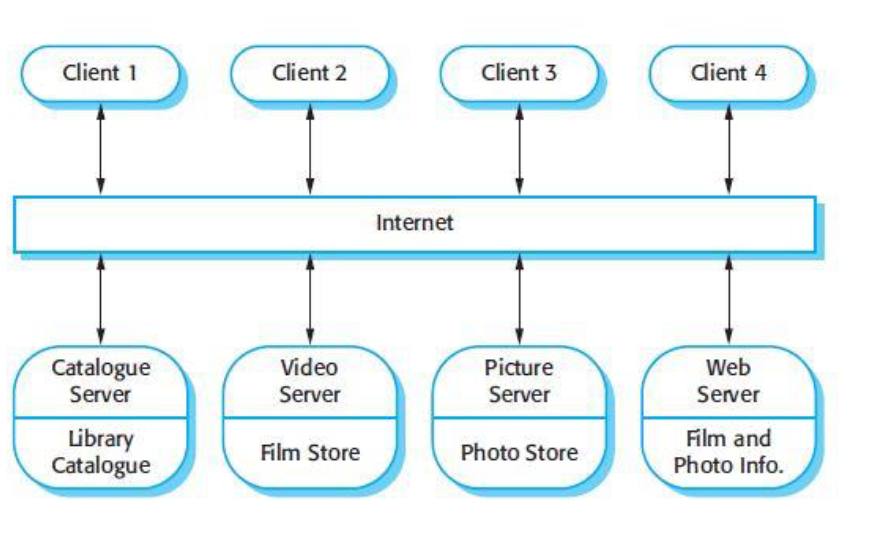
image shows a high-level view of how the internet works when many people use different services at the same time.
On the image, you see Client 1, Client 2, Client 3, and Client 4.
A client is simply a user’s device. This can be a phone, laptop, tablet, or desktop computer. Anytime someone opens a browser like Chrome or Safari, that device is acting as a client.
In the middle of the image, there is a long horizontal box labeled Internet.
This represents the internet itself. The internet is not one machine. It is a massive network that connects millions of devices and servers worldwide. It acts like a road system that carries requests and responses between clients and servers.
At the bottom of the image, you see different types of servers, each with a specific role:
• Catalogue Server (Library Catalogue)
This server stores structured information, like lists, records, or searchable data. In real life, this is similar to a database server. When a user searches for something, the request may go to a catalogue server to fetch organized data.
• Video Server (Film Store)
This server is responsible for storing and delivering video files. When you watch videos online, your device is requesting video data from a video server. These servers are optimized to handle large files and streaming.
• Picture Server (Photo Store)
This server stores images. When a website loads pictures, those images may come from a dedicated picture server instead of the main website server.
• Web Server (Film and Photo Info)
This server delivers web pages. It sends HTML, CSS, and JavaScript files to the client’s browser. This is usually the first server contacted when you type a website address.
The arrows going up and down between clients, the internet, and servers represent communication.
The client sends a request (for example: “I want this page” or “I want this video”).
The server processes the request and sends back a response (the page, image, or video).
Important idea this image teaches:
One client can talk to many servers, and many clients can talk to the same server at the same time.
This is how platforms like YouTube, Google, or Facebook serve millions of users at once.
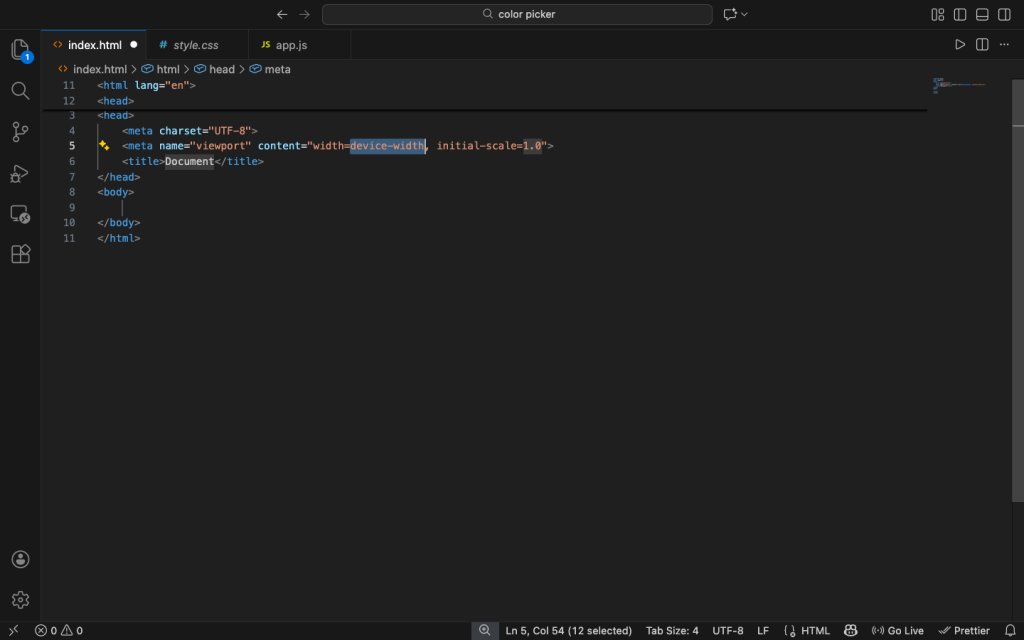
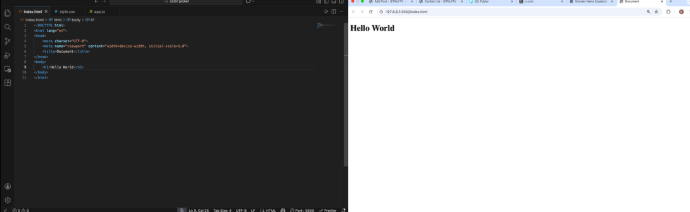
Once you understand that flow, you move into HTML. HTML is the foundation of the web. It gives structure to a webpage. In 2026, HTML is still essential and not optional. You need to understand tags, elements, attributes, and how content is organized. Learn how headings, paragraphs, images, links, lists, forms, tables, and semantic tags work. Semantic HTML is very important because it helps search engines, screen readers, and browsers understand your content better. You should practice writing clean HTML pages from scratch using a code editor like VS Code.
After HTML, you move to CSS. CSS controls how your website looks. This includes colors, fonts, spacing, layout, and responsiveness. In 2026, modern CSS is very powerful, so take time to understand it deeply. Learn how selectors work, how the box model works, how margins and padding affect layout, and how positioning works. You should also learn Flexbox and CSS Grid because they are the standard ways to build layouts now. Responsive design is critical. Your website must look good on phones, tablets, laptops, and large screens. Learn media queries and mobile-first design.
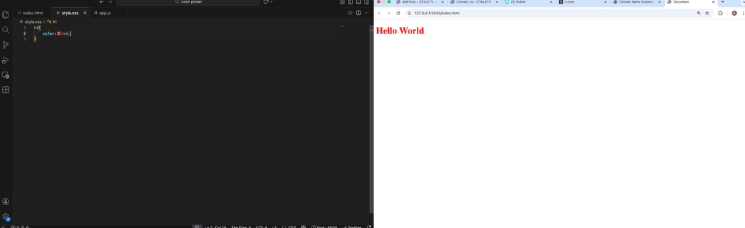
As you practice HTML and CSS together, start building small projects. Simple landing pages, personal portfolios, blog layouts, and basic forms are perfect at this stage. Don’t copy blindly. Type the code yourself and change things to see what happens. This builds real understanding. At this point, your goal is not speed but clarity.
Once you are comfortable with structure and styling, you move into JavaScript. JavaScript is what makes websites interactive. In 2026, JavaScript is still the main language of the web. Start with the basics like variables, data types, functions, conditions, loops, and arrays. Then move into the Document Object Model, which allows JavaScript to interact with HTML and CSS. This is how buttons respond to clicks, forms validate input, and content changes without reloading the page.
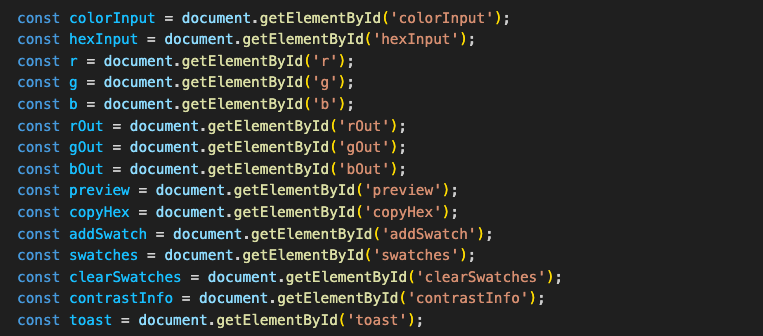
this are just simple DOM manipulations and don’t worry if you don’t understand the code at first as time goes on you will be confident in it.
As you grow in JavaScript, you should learn how events work, how to handle user input, and how to work with APIs. APIs allow your website to talk to other services, such as fetching data from a server or a third-party service. Understanding asynchronous JavaScript, promises, and async/await is very important. These concepts help you manage tasks that take time, like loading data from the internet.
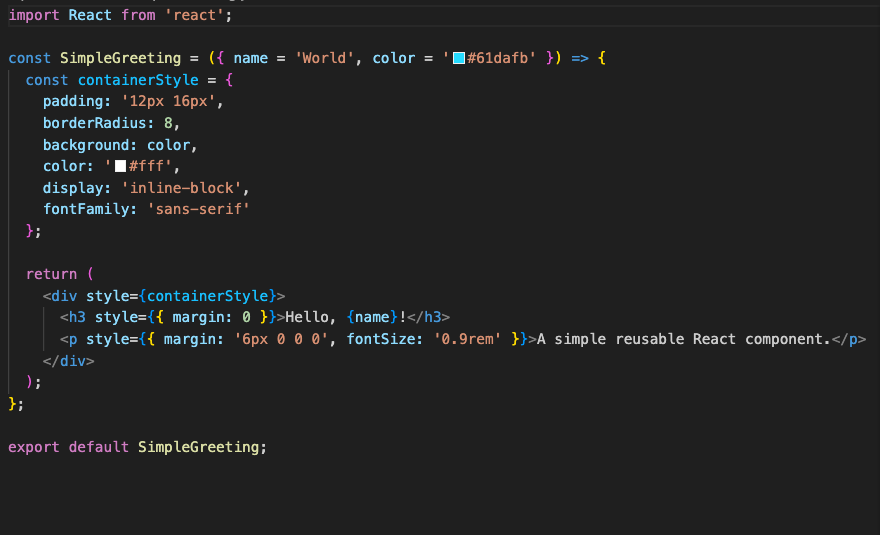
After mastering core JavaScript, you can move into modern frontend tools and frameworks. In 2026, libraries like React are still very relevant. A framework helps you organize large projects and build complex interfaces more efficiently. You should understand components, props, state, and how data flows in an application. Do not rush into frameworks before understanding JavaScript well, because frameworks are built on top of JavaScript, not replacements for it.
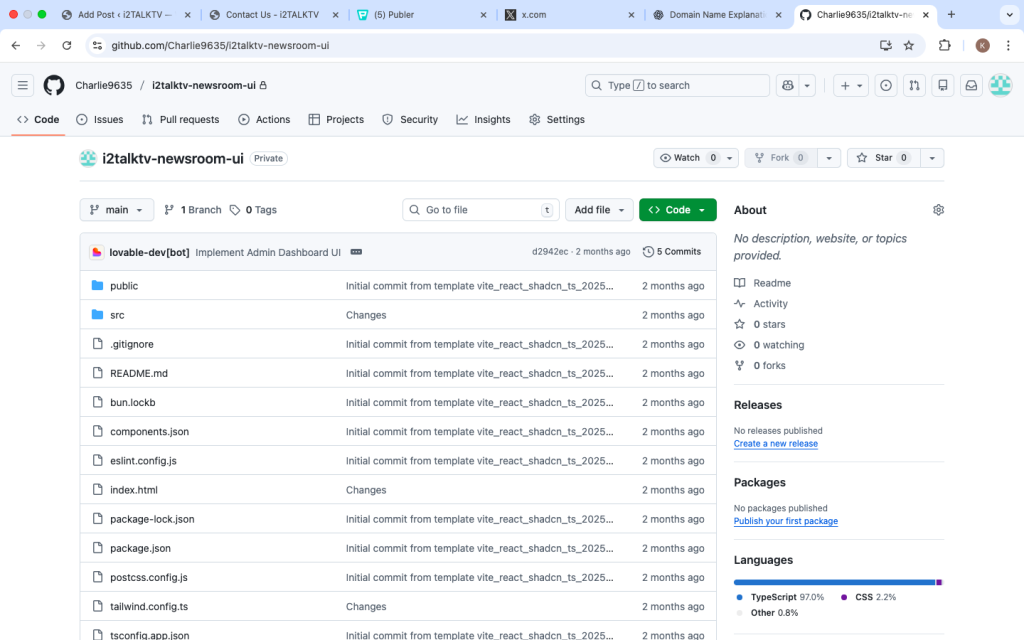
At the same time, you should learn basic version control using Git. Git helps you track changes in your code and collaborate with others. Platforms like GitHub are also important for sharing your work and building a public portfolio. Learn how to create repositories, commit changes, push code, and clone projects.
Once you are comfortable with frontend development, you can move into backend development. Backend development focuses on servers, databases, and application logic. In 2026, common backend languages include JavaScript with Node.js, Python, and others. Starting with Node.js is a natural step if you already know JavaScript. Learn how servers work, how to handle requests and responses, and how to build simple APIs.
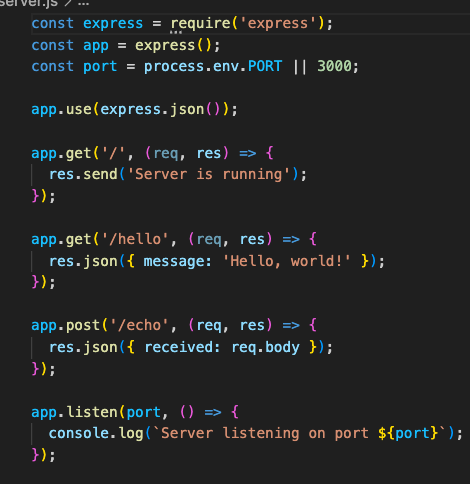
Databases are another key part of backend development. You need to understand how data is stored, retrieved, updated, and deleted. Learn the difference between relational databases and non-relational databases. Practice creating simple databases and connecting them to your backend code. This is how real applications store user accounts, posts, messages, and other data.
As you combine frontend and backend knowledge, you move closer to full stack development. At this stage, start building complete projects like a blog with login, a small e-commerce site, or a dashboard. These projects help you understand how all parts of a web application work together. Expect to feel confused sometimes. That is normal. Each project will make things clearer.
Another important part of the 2026 roadmap is understanding web performance, security, and accessibility. Performance means your website loads fast and runs smoothly. Security means protecting user data and preventing attacks. Accessibility means your website can be used by people with disabilities. These are not optional skills anymore. Learn basic best practices and apply them to your projects.
You should also learn how to deploy your websites. Deployment means putting your project online so others can access it. Learn how hosting works, how to upload files, and how to connect a domain name. Modern platforms make deployment easier, but you should still understand what is happening behind the scenes.
Throughout this roadmap, documentation reading is a key habit. In 2026, good developers are not those who memorize everything, but those who know how to read documentation and solve problems. Search, read, test, and apply. Avoid tutorial addiction. Build while learning.
Finally, consistency matters more than intensity. You don’t need to study 10 hours a day. Even 1 to 2 hours daily, done properly, can make a huge difference over months. Keep track of what you learn, write notes, and revisit concepts. Web development is not a straight line. You will revisit HTML, CSS, and JavaScript many times, and each time you will understand them better.
By following this roadmap patiently in 2026, you are not just learning how to code. You are learning how the digital world is built. This skill can support content creation, businesses, freelancing, startups, and long-term careers. The key is to start, practice honestly, and keep moving forward even when things feel slow.