
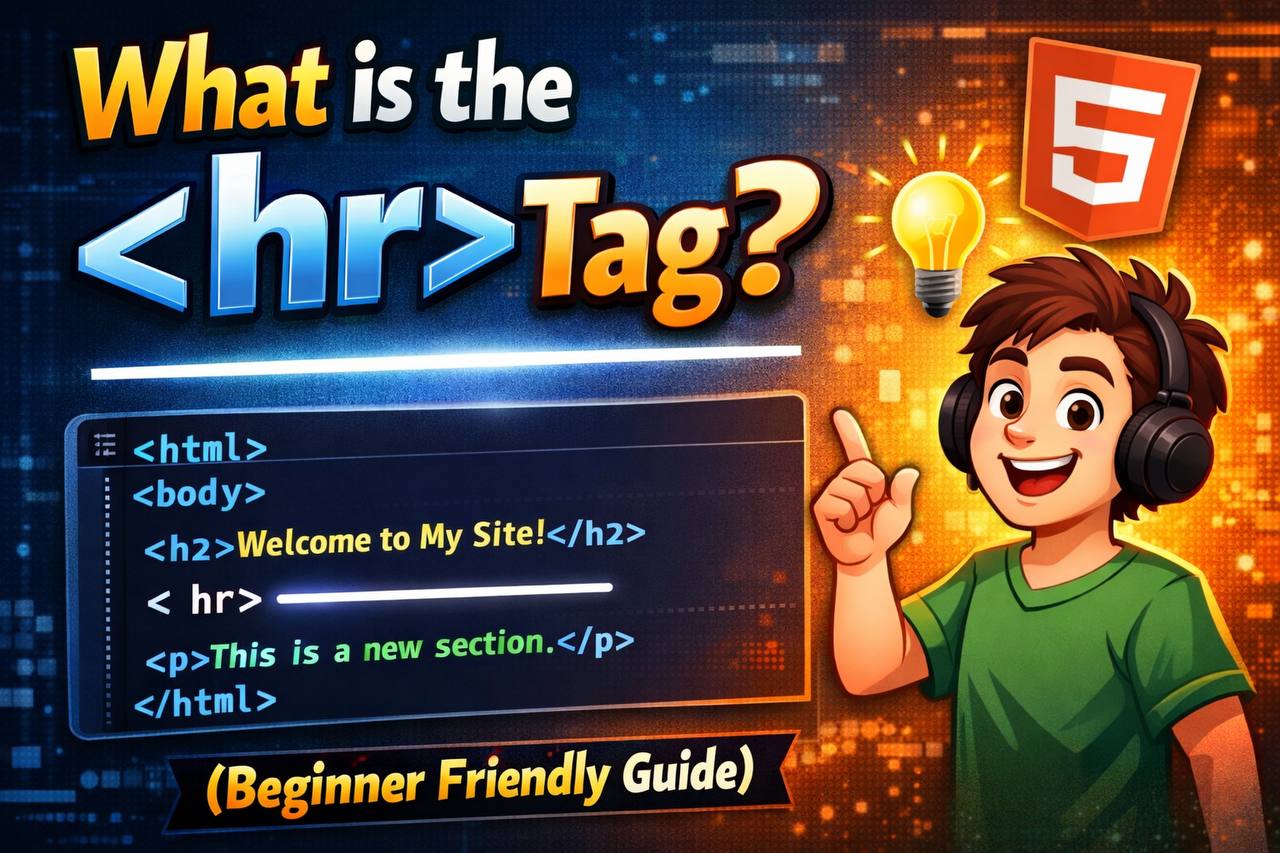
When you are learning HTML, you will see many tags that help organize and structure content on a webpage. One of the simplest but very useful ones is the <hr> tag.
It looks small, but it plays an important role in making content clearer and easier to read.
In this guide, you will learn:
- What the
<hr>tag is - What it does
- How it works
- When to use it
- How to style it
- Common mistakes beginners make
Everything is explained in simple language so you can understand it easily.
What the <hr> Tag Means
The <hr> tag stands for horizontal rule.
It creates a horizontal line across a webpage.
This line is used to separate content.
Think of it like a divider in a book or magazine. It visually shows that one section has ended and another section is starting.
So the main purpose of <hr> is:
👉 To separate sections of content
Basic Example of the <hr> Tag
Here is the simplest example:

What happens on the webpage:
- First paragraph appears
- A horizontal line appears
- Second paragraph appears
The line clearly separates the two sections.

What the <hr> Tag Looks Like
By default, browsers display <hr> as a thin horizontal line that stretches across the page.
But this appearance can be changed using CSS (we will explain that later).
The <hr> Tag Has No Closing Tag
Like the <br> tag, <hr> is a self-closing tag.
That means it works alone.
Correct:

Also acceptable:

Both work in modern HTML.
You do NOT write:

That is unnecessary.
Why the <hr> Tag Is Important
Webpages often contain many sections:
- Introduction
- Main content
- Examples
- Notes
- Conclusion
If everything is placed together without separation, it becomes hard to read.
The <hr> tag helps users visually understand:
✔ A new topic is starting
✔ One section has ended
✔ Content is grouped
It improves readability.
Real Example: Article Sections

This makes the structure clear.

<hr> Is a Thematic Break (Important Meaning)
In modern HTML, <hr> does more than draw a line.
It represents a thematic break.
This means a change in topic or subject.
So it is not just decoration — it has meaning.
Example situations:
- Moving from theory to examples
- Switching topics in an article
- Separating different ideas
- Ending one discussion and starting another
This is why <hr> is considered a structural element, not just a visual one.
When You Should Use the <hr> Tag
Use <hr> when content sections are clearly different from each other.
Good uses:
✔ Dividing article sections
✔ Separating topics
✔ Breaking long content into parts
✔ Distinguishing different information groups
✔ Marking transitions
When You Should NOT Use <hr>
Do not use <hr> just for decoration.
Bad uses:
❌ Adding lines everywhere for design style
❌ Replacing proper headings
❌ Creating layout spacing
❌ Making pages look “fancy” without meaning
Always remember:
👉 <hr> represents content separation, not just visual design.
Difference Between <hr> and <br>
Many beginners confuse these two tags.
Let’s make it simple.
<br>
- Breaks a line of text
- Used inside text
- Small spacing change
<hr>
- Separates sections
- Creates a horizontal line
- Represents topic change
Example Comparison

This just moves text down.

This separates content blocks.
Styling the <hr> Tag with CSS
The default line is simple, but you can customize it.
You can change:
- Color
- Thickness
- Width
- Style (solid, dotted, dashed)
- Alignment
- Spacing
Example: Change Color and Thickness

This makes the line thicker and darker.
Example: Dotted Line
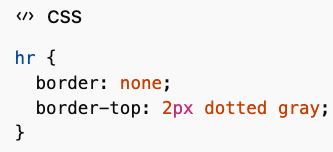

This creates a dotted divider.
Example: Short Centered Line


This makes the line shorter and centered.
Creating Decorative Section Dividers
Many modern websites use styled <hr> elements as design dividers.
Examples include:
- Gradient lines
- Double lines
- Faded lines
- Lines with icons in the center
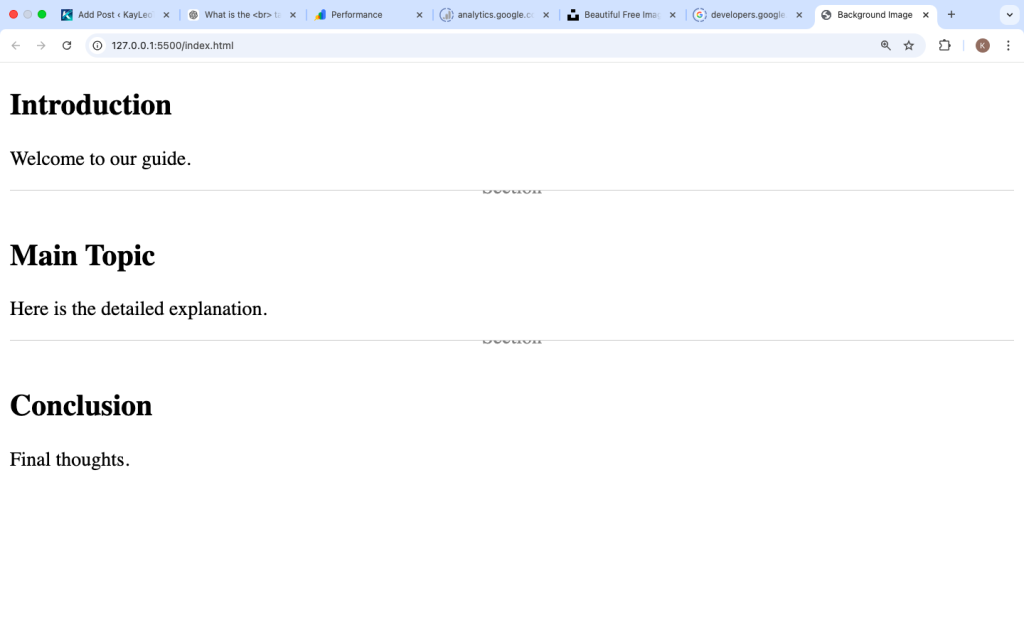
Example: Line with Text in Center

This creates a labeled divider.
Using <hr> in Blog Posts
Blog articles often use <hr> to break long reading sections.
Example structure:
- Intro
- Explanation
- Tips
- Examples
- Summary
Dividers make reading easier, especially on mobile devices.
Accessibility and <hr>
Screen readers recognize <hr> as a separator.
This helps visually impaired users understand structure.
That is why it should only be used when a real section break exists.
Using too many meaningless lines can confuse assistive technology.
Common Beginner Mistakes
1. Using <hr> for Decoration Only
Wrong:
Adding lines everywhere just for style.
Correct:
Use CSS borders or design elements for decoration.
2. Replacing Headings with <hr>
Wrong structure:

Correct structure:

Headings define structure. <hr> supports it.
3. Using Too Many <hr> Tags
Too many lines make pages look messy and cluttered.
Use only where necessary.
Example: Clean Webpage Structure

Clear, simple, organized.

HTML5 Support
The <hr> tag is fully supported in all modern browsers.
It works the same everywhere.
No compatibility problems.
Can <hr> Be Inside Other Elements?
Yes.
It can be placed inside:
- Sections
- Articles
- Div containers
- Forms
- Layout blocks
It helps separate content inside these containers.
<hr> vs CSS Border
Sometimes developers use CSS borders instead of <hr>.
Example:

This adds a line under an element.
Difference:
- CSS border is visual styling
<hr>is structural meaning
Use the right one depending on purpose.
Best Practices for Using <hr>
Follow these simple rules:
✔ Use it to separate meaningful sections
✔ Do not overuse it
✔ Combine with headings for structure
✔ Style with CSS if needed
✔ Avoid using it only for decoration
Quick Summary Table
| Feature | <hr> Tag |
|---|---|
| Purpose | Section divider |
| Visual output | Horizontal line |
| Closing tag | No |
| Adds meaning | Yes |
| Styling possible | Yes |
| Replaces headings | No |
Why the <hr> Tag Matters
The <hr> tag helps users understand content structure quickly.
It improves:
- Readability
- Organization
- Visual clarity
- Navigation
- Accessibility
Even though it is simple, it plays a strong role in clean webpage design.
The <hr> tag is one of the easiest HTML elements to use, but it should always be used with purpose.
Remember the key idea:
👉 <hr> separates sections of content.
It is not just a line. It represents a shift in topic or meaning.
When used correctly, it makes webpages easier to read and more organized. When overused or used incorrectly, it can make content confusing.
Use it carefully, combine it with proper headings, and style it with CSS when needed.
That’s all you need to understand and use the <hr> tag properly.