
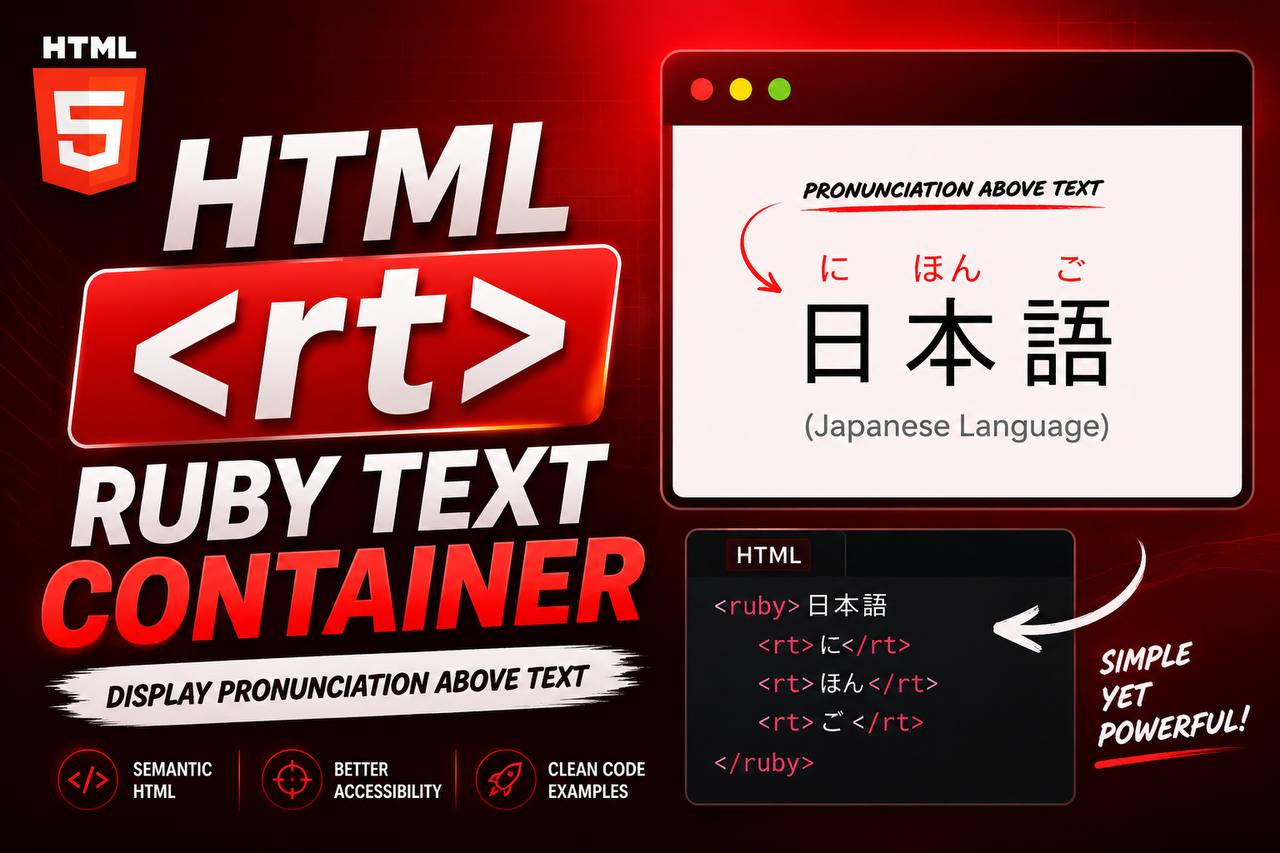
When learning HTML, you’ll come across many tags that are used every day, such as <div>, <p>, <img>, and <a>. However, HTML also includes specialized elements designed for specific purposes. One of these is the <rt> tag.
Although the <rt> element is not commonly used in personal blogs or business websites, it plays an important role in language-learning websites and educational content. It helps display pronunciation guides for characters in languages such as Japanese, Chinese, and sometimes Korean.
Understanding the <rt> tag gives you a broader understanding of HTML and shows how the language supports users from different cultures and writing systems around the world.
In this beginner-friendly guide, you’ll learn what the HTML <rt> tag is, how it works, why it is important, where it is used, and how you can practice using it in your own HTML projects. The explanations focus on concepts instead of large blocks of code, making the article easy to follow even if you’re just starting your web development journey.
What is the HTML <rt> Tag?
The HTML <rt> tag stands for Ruby Text.
It is used to provide pronunciation or reading information for text inside a <ruby> element.
In simple words, the <rt> element contains the pronunciation guide that appears above or beside a word or character.
This is especially useful for languages that use complex writing systems where readers may need help understanding how certain characters are pronounced.
Without the <rt> tag, ruby annotations would not be able to display pronunciation information.
Why Was the <rt> Tag Created?
Not every language uses an alphabet like English.
Some languages contain characters that may have multiple pronunciations depending on the context.
For example:
- Japanese Kanji
- Chinese Hanzi
These characters can sometimes be difficult for learners to read.
The <rt> element allows developers to display pronunciation guides without changing the original text.
This makes educational content much easier to understand.
Basic Syntax of the <rt> Tag
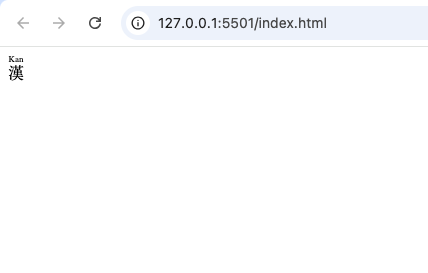
Here is a simple example of how the <rt> element works.
<ruby>
  漢
  <rt>Kan</rt>
</ruby>
In this example:
<ruby>creates the annotation container.- The character remains the main text.
<rt>provides the pronunciation.
Understanding Ruby Annotations
Before learning more about the <rt> element, it helps to understand ruby annotations.
Ruby annotations are small pieces of text placed near larger characters to explain how they should be pronounced.
They are commonly found in:
- Language-learning books
- Online dictionaries
- Educational websites
- Reading practice materials
- Children’s learning resources
The <rt> element is the part that actually contains this pronunciation guide.
How the <rt> Tag Works
Think of the <rt> element as a small pronunciation label.
Imagine reading a difficult word in another language.
Instead of guessing how to pronounce it, a pronunciation guide appears directly above the word.
The <rt> tag stores that pronunciation.
The browser then displays it in the correct position.
The Tags That Work Together
The <rt> element is usually combined with two other HTML elements.
| HTML Tag | Purpose |
|---|---|
<ruby> | Creates the ruby annotation container |
<rt> | Holds the pronunciation text |
<rp> | Provides fallback parentheses for unsupported browsers |
Each tag has its own responsibility.
Together, they create a complete ruby annotation system.
Why the <rt> Tag is Important
Although it is a specialized element, the <rt> tag offers several benefits.
1. Improves Readability
Pronunciation guides help readers understand unfamiliar words.
This is especially helpful for beginners learning new languages.
2. Supports Language Education
Many educational platforms depend on ruby annotations.
The <rt> element makes lessons easier to follow.
3. Improves Accessibility
Some readers need pronunciation guidance to understand text correctly.
Ruby annotations make educational content more accessible.
4. Follows HTML Standards
Instead of creating pronunciation guides with images or complicated styling, developers can use semantic HTML elements like <rt>.
This creates cleaner and more meaningful code.
Real-Life Uses of the <rt> Tag
The <rt> element appears in many educational situations.
Some common examples include:
- Japanese learning websites
- Chinese pronunciation guides
- Online dictionaries
- Language textbooks
- Interactive learning platforms
- Reading practice websites
Whenever pronunciation needs to appear alongside text, the <rt> element becomes useful.
Example: Learning Japanese
Imagine you’re learning Japanese.
A lesson displays a Kanji character.
Above the character appears a smaller pronunciation guide.
The large character remains unchanged.
The smaller pronunciation comes from the <rt> element.
This allows learners to read unfamiliar words with confidence.
Example: Online Dictionaries
Many digital dictionaries display:
- The original word
- Pronunciation
- Meaning
The <rt> tag can be used to display pronunciation without changing the appearance of the original word.
Difference Between <rt> and <rp>
These two elements often appear together, but they have different purposes.
<rt> | <rp> |
|---|---|
| Contains pronunciation text | Provides fallback parentheses |
| Usually visible | Usually hidden in modern browsers |
| Main annotation content | Backup display |
The pronunciation belongs inside <rt>.
The <rp> element simply supports compatibility.
Difference Between <rt> and <ruby>
Many beginners confuse these two tags.
Here is the difference.
<ruby> | <rt> |
|---|---|
| Main annotation container | Pronunciation container |
| Holds everything together | Holds only pronunciation text |
| Parent element | Child element |
Think of <ruby> as the box.
Think of <rt> as the label inside the box.
Browser Support for the <rt> Tag
The good news is that modern browsers fully support ruby annotations.
This includes:
- Google Chrome
- Mozilla Firefox
- Microsoft Edge
- Safari
- Opera
Because browser support is now very good, developers can confidently use ruby annotations for educational websites.
HTML5 and the <rt> Element
The <rt> tag became part of modern HTML standards to support international languages more effectively.
HTML5 introduced better support for semantic elements that improve accessibility and readability.
The <rt> element is one example of HTML becoming more inclusive for users worldwide.
Accessibility Benefits
Accessibility is one of the strengths of semantic HTML.
The <rt> tag provides pronunciation information that helps many readers understand complex writing systems.
Language learners, children, and users studying foreign languages all benefit from properly structured ruby annotations.
SEO Considerations
The <rt> element does not directly improve search engine rankings.
However, it contributes to better content structure and user experience.
Educational websites that provide clear pronunciation guides are often easier for visitors to understand and navigate.
A positive user experience is always beneficial for a website.
Common Beginner Mistakes
Here are some mistakes beginners often make when learning the <rt> tag.
1. Using <rt> Without <ruby>
The <rt> element should always appear inside a <ruby> element.
Using it alone is incorrect.
2. Confusing Pronunciation with Translation
The <rt> tag provides pronunciation, not translation.
For example:
Original text:
東京
Pronunciation:
Tokyo
Meaning:
Capital city of Japan.
The pronunciation belongs inside <rt>.
The meaning does not.
3. Thinking Every Website Needs <rt>
Most websites never require ruby annotations.
The <rt> element is designed for specific language-related situations.
4. Forgetting Browser Compatibility
Although modern browsers support ruby annotations, developers should still understand how related elements like <rp> help provide fallback support.
Practice Project Ideas
Even if you’re just learning HTML, you can practice using the <rt> element in simple educational projects.
Language Learning Page
Create a webpage that teaches Japanese vocabulary.
Display characters with pronunciation guides.
Online Flashcards
Build digital flashcards showing:
- Character
- Pronunciation
- Meaning
Reading Practice Website
Create reading exercises that help beginners learn difficult words.
Children’s Educational Website
Young learners often benefit from pronunciation guides.
Ruby annotations make reading easier.
Best Practices for Using the <rt> Tag
Here are some helpful tips.
Keep Pronunciations Accurate
Always verify pronunciation before publishing educational content.
Use With <ruby>
The <rt> element is designed specifically for ruby annotations.
Keep Content Simple
Pronunciation guides should be easy to read.
Avoid unnecessary symbols.
Test Across Browsers
Although browser support is excellent, always check how ruby annotations appear on different devices.
Follow Semantic HTML
Use the <rt> tag only for pronunciation guides.
Avoid using it for unrelated content.
Why Specialized HTML Tags Matter
Some HTML elements are used every day.
Examples include:
<div><img><button><p>
Others solve specialized problems.
Examples include:
<ruby><rt><rp>
Even if you rarely use these tags, learning them helps you understand the full capabilities of HTML.
How the <rt> Tag Fits Into Modern Web Development
Modern websites serve users from every corner of the world.
Supporting multiple languages is more important than ever.
The <rt> tag helps developers create educational resources that are easier to understand for learners of East Asian languages.
Although it is not required for every project, it demonstrates how HTML supports diverse writing systems and improves communication across cultures.
The HTML <rt> tag is a specialized but valuable element that provides pronunciation guides for ruby annotations. It helps readers understand how complex characters should be pronounced, making educational websites, online dictionaries, and language-learning platforms much more effective.
While many beginner websites will never need the <rt> element, learning how it works expands your understanding of semantic HTML and shows how web standards support international languages.
As you continue your HTML journey, you’ll discover that every tag has a purpose. Some are used on nearly every webpage, while others—like <rt>—solve very specific problems. Understanding both common and specialized elements will help you become a more knowledgeable and versatile web developer.