
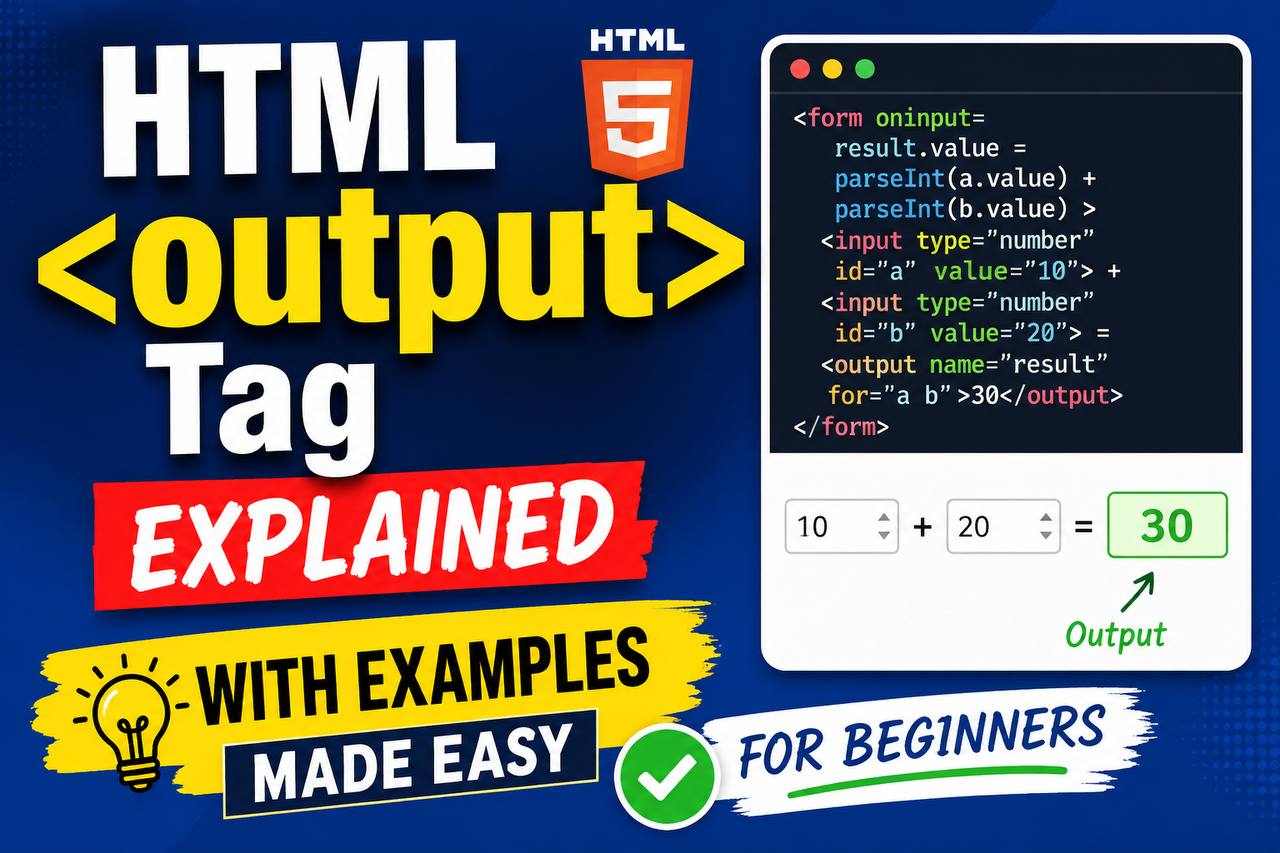
When learning HTML, most beginners focus on common elements such as headings, paragraphs, links, images, forms, and buttons. As you continue exploring HTML, you will discover specialized elements designed to make webpages more interactive and meaningful. One of these elements is the <output> tag.
The HTML <output> element is commonly used in forms and interactive web applications to display the result of a calculation or a user action. Although it is not as popular as elements like <input> or <button>, it serves an important purpose and helps create cleaner, more semantic HTML.
In this beginner-friendly guide, you’ll learn what the <output> tag is, why it exists, how it works, when to use it, and how it fits into modern web development.
This article focuses mainly on clear explanations rather than large amounts of code, making it easy to understand even if you are new to HTML.
What is the HTML <output> Tag?
The HTML <output> tag is used to display the result of a calculation, user action, or form interaction.
In simple terms, it is a container that shows information generated by the webpage.
Think of it as a place where the browser can display an answer, result, or output based on user input.
For example:
- A calculator displaying a result
- A form showing a total price
- A loan calculator displaying monthly payments
- A BMI calculator showing results
- A conversion tool displaying converted values
The <output> element provides a semantic way to display these results.
Why Was the <output> Tag Created?
Before the <output> element existed, developers often used generic elements such as:
<div></div>or
<span></span>
to display results.
While these methods worked, they did not clearly describe the purpose of the content.
The <output> tag was introduced to provide a more meaningful and semantic solution.
When another developer sees an <output> element, they immediately understand that it contains a generated result.
Basic Syntax of the <output> Tag
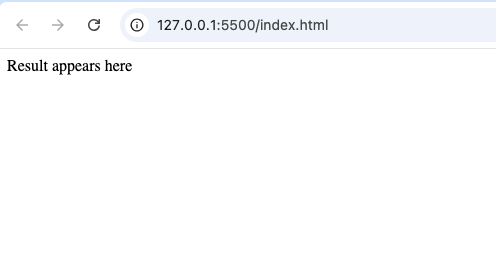
A simple example looks like this:
<output>
  Result appears here
</output>
This creates an output area where generated information can be displayed.
Understanding the Purpose of <output>
The primary purpose of the <output> element is communication.
It helps users see the result of an action they perform.
For example:
A user enters numbers into a calculator.
The calculator performs a calculation.
The result appears inside an <output> element.
This makes the webpage feel interactive.
How the <output> Tag Works
The <output> element usually works alongside:
- Forms
- Input fields
- JavaScript
- User interactions
The element itself does not perform calculations.
Instead, it acts as a display area for results generated elsewhere.
Think of it as a digital screen that shows information.
Real-World Example: Online Calculator
Imagine an online calculator.
A user enters:
- First number
- Second number
After clicking a button, the answer appears.
The answer can be displayed inside an <output> element.
This makes the purpose of the displayed content very clear.
Real-World Example: Price Calculator
Many online stores use interactive pricing tools.
For example:
A customer chooses:
- Quantity
- Product options
- Delivery method
The website calculates the final cost.
The total can then appear inside an <output> element.
Real-World Example: BMI Calculator
Health websites often include Body Mass Index calculators.
Users enter:
- Height
- Weight
The website calculates BMI.
The result can be displayed using the <output> tag.
Difference Between <output> and <div>
Beginners often wonder why they should use <output> instead of a regular <div>.
Here is the difference:
<output> | <div> |
|---|---|
| Specifically displays generated results | Generic container |
| Semantic meaning | No specific meaning |
| Designed for calculations and outputs | Designed for general layout |
| Improves readability | Less descriptive |
While both can display content, <output> provides more meaning.
Difference Between <output> and <input>
Another common question is how <output> differs from <input>.
<output> | <input> |
|---|---|
| Displays results | Collects user data |
| Read-only display area | User enters information |
| Shows generated content | Receives input content |
The two elements often work together.
Users provide data through inputs, and results appear in outputs.
Why Semantic HTML Matters
The <output> element is part of semantic HTML.
Semantic HTML means using elements that clearly describe their purpose.
Benefits include:
- Easier code maintenance
- Better accessibility
- Improved readability
- More meaningful structure
Instead of using a generic container, semantic elements communicate intent.
Accessibility Benefits of <output>
Accessibility is an important part of web development.
The <output> element helps assistive technologies understand that the displayed content represents a result.
This can improve the experience for:
- Screen reader users
- Keyboard users
- Users with disabilities
Proper semantic HTML helps create more inclusive websites.
Browser Support for <output>
The <output> element is supported by all major modern browsers, including:
- Chrome
- Firefox
- Safari
- Edge
- Opera
This makes it safe to use in modern web projects.
HTML5 and the <output> Tag
The <output> element became part of HTML5.
HTML5 introduced many new semantic elements, including:
<header><footer><article><section><details><output>
These elements help developers create more meaningful webpage structures.
Common Uses of the <output> Element
The <output> tag is useful in many situations.
1. Mathematical Calculators
Simple calculators often display results using outputs.
Examples include:
- Addition calculators
- Percentage calculators
- Tax calculators
2. Unit Conversion Tools
Conversion websites frequently use outputs.
Examples include:
- Kilometers to miles
- Celsius to Fahrenheit
- Currency conversion
3. Financial Tools
Financial websites often display calculated values.
Examples include:
- Mortgage estimates
- Loan repayments
- Savings projections
4. Interactive Forms
Forms may display:
- Totals
- Scores
- Status messages
These are ideal uses for the <output> element.
How Users Benefit from <output>
The <output> element improves user experience because it clearly separates:
- User input
- Generated results
This makes interfaces easier to understand.
Users instantly recognize where results appear.
Common Beginner Mistakes
Let’s look at mistakes beginners sometimes make.
1. Thinking <output> Performs Calculations
The <output> element does not calculate anything.
It only displays information.
The actual calculation comes from JavaScript or other logic.
2. Using <output> for Static Content
The <output> element should generally display generated information.
For regular text, use:
- Paragraphs
- Headings
- Divs
instead.
3. Confusing It with Form Inputs
Remember:
- Inputs collect data.
- Outputs display results.
They have different roles.
4. Ignoring Semantic HTML
Some beginners continue using generic containers for everything.
Learning semantic elements like <output> leads to cleaner code.
Simple Calculator
Create a calculator that displays answers inside an output area.
Grade Calculator
Allow students to enter scores and display final grades.
BMI Tool
Calculate body mass index from user measurements.
Currency Converter
Convert one currency to another and display the result.
Shopping Cart Total
Calculate and display total purchase costs.
Combining <output> with JavaScript
Although HTML provides the output container, JavaScript usually updates its content.
JavaScript can:
- Perform calculations
- Process user input
- Update the output area dynamically
This combination creates interactive webpages.
Why Modern Developers Use <output>
Professional developers appreciate elements that clearly communicate purpose.
The <output> element:
- Improves readability
- Supports accessibility
- Follows HTML standards
- Makes projects easier to understand
These advantages become increasingly important in larger projects.
SEO and the <output> Element
The <output> tag itself does not directly improve search rankings.
However, semantic HTML contributes to:
- Better website structure
- Cleaner code
- Improved accessibility
All of these support a better overall user experience.
When Not to Use <output>
There are situations where other elements make more sense.
Avoid using <output> for:
- Blog articles
- Paragraph text
- Static information
- Page layouts
The element is intended for generated results.
Best Practices for Using <output>
Here are some useful guidelines.
Use It for Results
Reserve <output> for displaying generated information.
Keep It Clear
Users should immediately understand what the displayed result represents.
Combine It with Form Elements
Outputs work best alongside inputs and interactive forms.
Follow Semantic HTML Principles
Choose elements based on their intended purpose.
Test User Interactions
Make sure outputs update correctly when users perform actions.
Understanding the Bigger Picture
The <output> element may seem small, but it represents an important concept in web development.
Modern websites often involve:
- User interaction
- Dynamic updates
- Real-time calculations
The <output> tag helps organize these interactions in a meaningful way.
Learning specialized elements like this improves your understanding of how HTML is designed.
Why Beginners Should Learn the <output> Tag
Even if you don’t use it immediately, learning about <output> helps you:
- Understand semantic HTML
- Build interactive projects
- Improve accessibility knowledge
- Write cleaner code
- Follow modern web standards
These skills become valuable as your projects grow more advanced.
The HTML <output> tag is a semantic element designed to display generated results, calculations, and user interaction outcomes. While it may not be used as frequently as headings or paragraphs, it plays an important role in modern web development.
Whether you’re building calculators, conversion tools, financial forms, or interactive applications, the <output> element provides a clear and meaningful way to present results to users.
As you continue learning HTML, remember that every element exists for a reason. The <output> tag helps separate generated information from user input, making webpages easier to understand, maintain, and use.
By learning when and how to use the <output> element correctly, you’ll take another step toward building more professional, semantic, and user-friendly websites.
toradol for migraine symptoms
toradol for migraine symptoms
ivermectin parasitic infection treatment
ivermectin parasitic infection treatment
ivermectin kinetic behavior
ivermectin kinetic behavior
sildenafil mechanism details
sildenafil mechanism details
sildenafil trusted sources
sildenafil trusted sources
avanafil food interaction explanation page
avanafil food interaction explanation page
vardenafil food interaction notes
vardenafil food interaction notes
orlistat medical risk groups
orlistat medical risk groups
orlistat side effect analysis
orlistat side effect analysis
augmentin vs amoxicillin antibiotic overview
augmentin vs amoxicillin antibiotic overview
Sildenafil Onset With Food
Sildenafil Onset With Food
Metabolism Basics Resource
Metabolism Basics Resource
tadalafil RLDs
tadalafil RLDs