
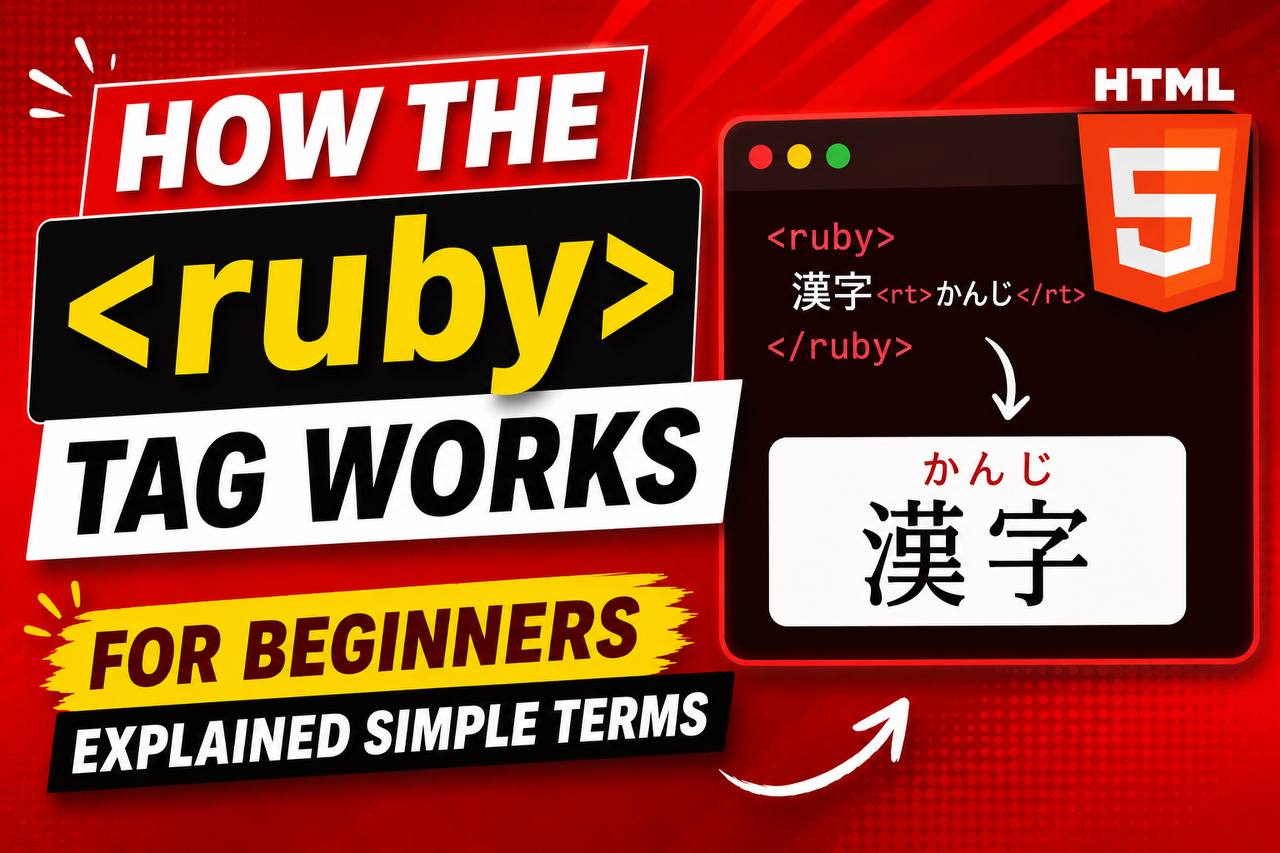
How the <ruby> Tag Works for Beginners Explained in Simple Terms
If you have been learning HTML for a while, you have probably come across common elements like headings, paragraphs, images, links, and forms. However, HTML also contains some specialized tags that are designed for specific purposes. One of these is the <ruby> tag.
The <ruby> element is not used on every website, but it is very useful for displaying pronunciation guides and reading aids, especially for languages such as Japanese, Chinese, and Korean. While it may seem unusual at first, the concept behind the <ruby> tag is actually simple.
In this beginner-friendly guide, you’ll learn what the HTML
<ruby> tag is, why it exists, how it works, where it is used, and how it can be helpful in real-world projects.
This article focuses on clear explanations and practical understanding rather than large amounts of code.
What is the HTML <ruby> Tag?
The HTML <ruby> tag is used to display pronunciation or explanatory text alongside characters.
In simple words, it allows developers to add reading guides to text.
The most common use of <ruby> is for East Asian languages where certain characters may have pronunciations that learners need help understanding.
Think of it as a way to attach a small note to a word without interrupting the normal flow of reading.
Why Was the <ruby> Tag Created?
Some writing systems use characters that can be difficult to pronounce.
For example:
- Japanese Kanji
- Chinese Characters
- Educational reading materials
Readers, especially beginners, may need help understanding how a character should be spoken.
The <ruby> element allows websites to display pronunciation information directly with the text.
This improves readability and learning.
Simple Syntax of the <ruby> Tag
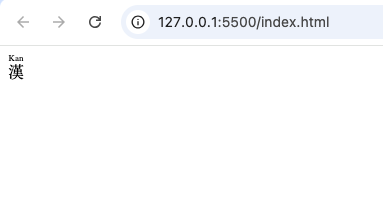
A basic ruby structure looks like this:
<ruby>
  漢
  <rt>Kan</rt>
</ruby>
In this example:
<ruby>creates the annotation container.- The main character is displayed.
<rt>contains the pronunciation guide.
The pronunciation typically appears above the character in
supporting browsers.
Understanding Ruby Annotations
Before going further, it’s helpful to understand the term ruby annotation.
A ruby annotation is a small piece of text that explains how another piece of text should be read.
Think of it as a pronunciation hint.
For example:
Main character: 漢
Pronunciation: Kan
The pronunciation appears close to the character so readers can easily understand it.
How the <ruby> Tag Works
The <ruby> element acts as a container.
Inside that container:
- The main text is placed.
- Pronunciation information is added.
- The browser displays them together.
The goal is to help readers understand the text more easily.
Unlike regular notes or footnotes, ruby annotations remain attached directly to the word they describe.
The Tags That Work with <ruby>
The <ruby> element often works together with two other tags.
| Tag | Purpose |
|---|---|
<ruby> | Creates annotation container |
<rt> | Displays pronunciation text |
<rp> | Provides fallback support |
Each tag has a specific role.
Together they create a complete ruby annotation system.
What is the <rt> Tag?
The <rt> element stands for Ruby Text.
It contains the pronunciation or explanation associated with the main text.
For example:
<rt>Kan</rt>The pronunciation guide is stored inside the <rt> tag.
Without <rt>, there would be no annotation text to display.
What is the <rp> Tag?
The <rp> element stands for Ruby Parentheses.
It helps older browsers display pronunciation information correctly.
Most modern browsers support ruby annotations well, but <rp> acts as a backup solution.
It often provides parentheses around pronunciation text when needed.
Why the <ruby> Tag is Useful
The <ruby> element offers several important benefits.
Better Learning Experience
Students can learn pronunciation while reading.
Improved Readability
Readers don’t need to search elsewhere for pronunciation guides.
Cleaner Layout
The pronunciation remains connected to the correct word.
Accessibility Support
Additional reading information becomes easier to understand.
Common Uses of the <ruby> Tag
The <ruby> element appears in many educational and language-related projects.
Language Learning Websites
This is the most common use.
Language-learning platforms often provide pronunciation guides for students.
Online Dictionaries
Many digital dictionaries use ruby annotations to help users understand character pronunciation.
Educational Materials
Schools and educational platforms often include reading aids for learners.
Languages That Commonly Use Ruby Text
Ruby annotations are especially useful in languages that use character-based writing systems.
Examples include:
- Japanese
- Chinese
- Korean educational materials
Although the feature was designed mainly for these languages, it can technically be used elsewhere if needed.
Browser Support for <ruby>
Modern browsers generally support ruby annotations very well.
Examples include:
- Chrome
- Firefox
- Safari
- Edge
- Opera
Because support is widespread, developers can use ruby annotations confidently in modern projects.
HTML5 and the <ruby> Element
The <ruby> element became part of modern HTML standards to improve international language support.
HTML is used all over the world, not just for English websites.
Adding specialized language features helps make the web more inclusive.
The <ruby> element is one example of this effort.
Difference Between <ruby> and Regular Text
Regular text displays information normally.
Ruby text provides extra information about the text itself.
| Regular Text | Ruby Text |
| Shows content only | Shows content and pronunciation |
| No annotation support | Supports annotations |
| Basic display | Enhanced readability |
This makes ruby annotations particularly useful for educational content.
Accessibility Benefits
Accessibility is an important part of modern web development.
Ruby annotations can improve accessibility by providing additional reading information.
Users who are learning a language can better understand content without leaving the page.
The closer information is to the text it explains, the easier it becomes to understand.
SEO Considerations
The <ruby> element does not directly improve search rankings.
However, it helps create a better user experience.
Better user experiences often contribute to:
- Improved engagement
- Easier reading
- Longer time spent on pages
These factors can indirectly benefit a website.
Practice Project Ideas Using <ruby>
If you want to practice using the <ruby> tag, here are some beginner-friendly projects.
Japanese Vocabulary Page
Display characters with pronunciation guides.
Language Learning Flashcards
Create digital flashcards that include ruby annotations.
Children’s Reading Page
Build a simple reading page with pronunciation support.
Online Dictionary Demo
Show words alongside their pronunciation guides.
Common Beginner Mistakes
1. Forgetting the <rt> Tag
The <ruby> element needs annotation text.
Without <rt>, the pronunciation information cannot appear.
2. Using Ruby for Unnecessary Content
Ruby annotations should provide meaningful information.
Avoid adding annotations where they are not needed.
3. Confusing Ruby with Tooltips
Ruby annotations are always connected to text.
Tooltips appear when users interact with an element.
These are different features.
4. Ignoring Browser Testing
Although support is strong, it’s still good practice to test content across browsers.
Why Most Websites Don’t Use <ruby>
Many websites focus on:
- Blogs
- Business pages
- Ecommerce stores
- Portfolios
These projects usually don’t require pronunciation guides.
As a result, many developers rarely use ruby annotations.
However, they remain valuable in the right situations.
Best Practices for Using <ruby>
Use It for Educational Content
Ruby annotations are most effective when helping readers learn.
Keep Pronunciation Clear
The annotation text should be easy to understand.
Test Readability
Ensure the annotations remain readable on different devices.
Follow Semantic HTML Principles
Use ruby annotations only when they provide meaningful information.
Understanding Specialized HTML Elements
The <ruby> tag is a good example of how HTML supports many different needs.
Some elements are used daily:
<div><p><a><img>
Others serve specialized purposes:
<ruby><rt><rp>
Learning these elements expands your understanding of what HTML can do.
Why Learning <ruby> Is Still Valuable
Even if you never build a language-learning website, understanding the <ruby> element helps you:
- Learn semantic HTML
- Understand international web standards
- Explore accessibility features
- Gain deeper HTML knowledge
Every HTML tag teaches something useful about how the web works.
The HTML <ruby> tag is a specialized but powerful element that allows developers to add pronunciation guides and reading aids to text. It is commonly used in educational materials, online dictionaries, and language-learning platforms where understanding pronunciation is important.
While most beginner websites may never need ruby annotations, learning how the <ruby> tag works helps you understand the broader capabilities of HTML and the importance of creating content for diverse audiences around the world.
As you continue your web development journey, you’ll discover that HTML contains many specialized tools. The <ruby> element is one of those tools that serves a unique purpose and demonstrates how flexible and inclusive modern HTML has become.
The game variety is top notch and the interface is super smooth on mobile. vnf1688com is definitely my new favorite go-to site.