
Learning web development is exciting, but it can also be frustrating—especially in the early stages. When I first started building websites, I believed that watching a few tutorials and copying code would be enough. Over time, I realized that many of the problems I faced were caused by simple beginner mistakes that most new developers make.
In this article, I’ll share seven web development mistakes I personally made as a beginner, explain why they caused problems, and show you how you can avoid them. Whether you are just starting with HTML and CSS or beginning to explore JavaScript, these lessons can save you time, stress, and confusion.
- Skipping the Basics and Rushing to Advanced Topics
One of the biggest mistakes I made was trying to learn everything at once. I jumped straight into JavaScript frameworks and complex layouts before fully understanding HTML and CSS.
At the time, it felt like I was making fast progress. In reality, I was building on a weak foundation. Simple tasks became confusing, and debugging felt impossible because I didn’t understand what the code was actually doing.
How to avoid this mistake:
Start with the fundamentals. Learn how HTML structures a page and how CSS controls layout and design. When you understand how elements, classes, and basic styling work, advanced topics will feel much easier.
- Copying Code Without Understanding It
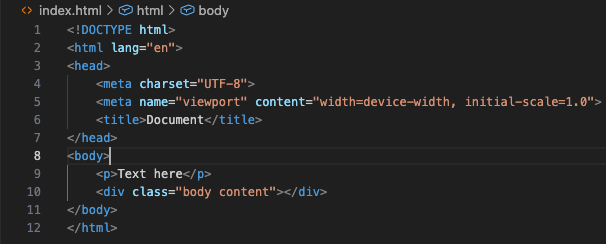
Early on, I copied code from tutorials and forums without fully understanding what each line did. The page would work, so I assumed I had learned something. But when I tried to recreate the same feature on my own, I got stuck.
Copying code is not always bad, but relying on it too much prevents real learning. It also makes debugging extremely difficult when something breaks.
How to avoid this mistake:
After copying any code, pause and read it line by line. Ask yourself what each part does. Try changing small values to see how the output changes. This turns passive copying into active learning.
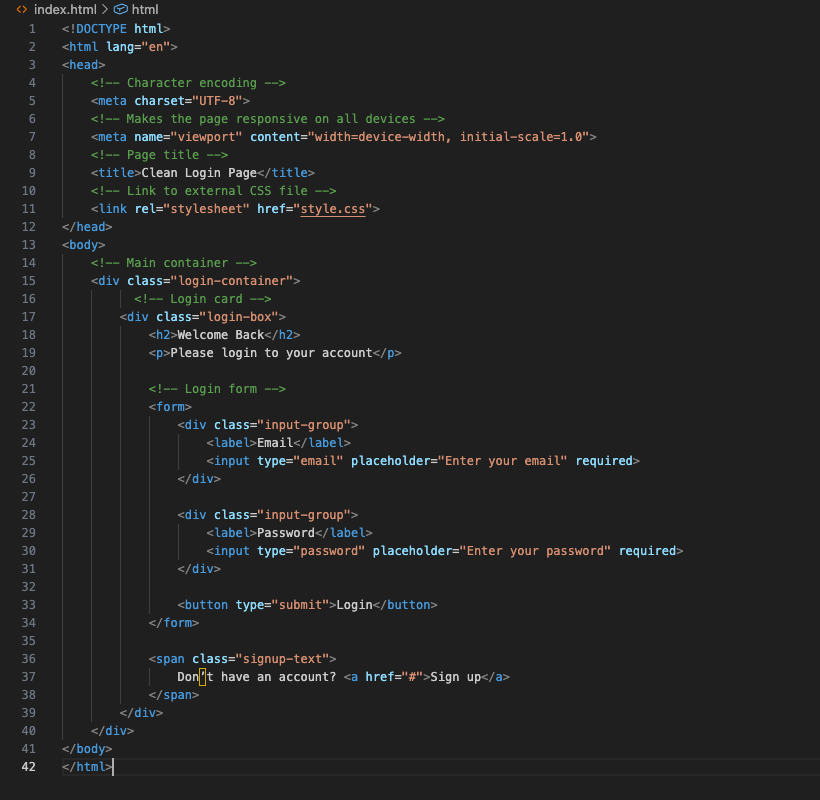
As you can see the green comment lines in the code explains each and block of code in the diagram.
- Not Making Websites Mobile-Friendly Early
Another mistake I made was designing websites only for desktop screens. Everything looked perfect on my laptop, but the layout completely broke on mobile devices.
With most users browsing on phones, ignoring mobile responsiveness is a serious problem. Fixing it later also takes more effort than planning for it from the start.
How to avoid this mistake:
Always design with mobile in mind. Use responsive units, flexible layouts, and test your site on different screen sizes early. Learning basic responsive design concepts will greatly improve your projects.

- Writing Messy and Unorganized Code
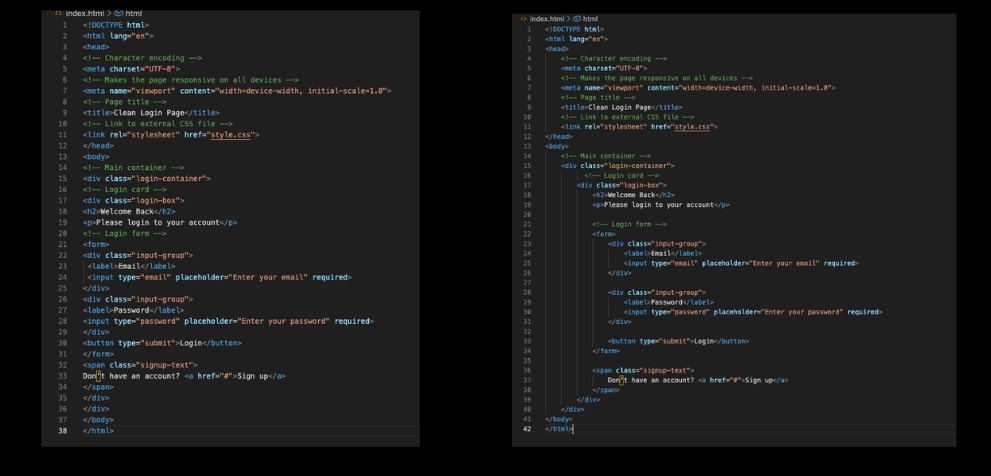
As a beginner, I didn’t pay attention to how my code was structured. I used random class names, inconsistent indentation, and long blocks of code without spacing. The website worked, but the code was difficult to read and maintain.
When I returned to the project later, I struggled to understand my own code. This slowed me down and made simple updates stressful.
How to avoid this mistake:
Write clean and organized code from the beginning. Use meaningful class names, proper indentation, and spacing. Clean code is easier to read, debug, and improve over time.
- Ignoring Browser Developer Tools
For a long time, I didn’t use browser developer tools. Whenever something didn’t work, I guessed what the problem might be and randomly changed code until it worked.
This approach wasted a lot of time and made debugging frustrating. I later discovered that developer tools can show errors, inspect elements, and test styles instantly.
How to avoid this mistake:
Learn how to use your browser’s developer tools. They help you inspect HTML, adjust CSS in real time, and identify errors quickly. Even basic knowledge of these tools can dramatically improve your workflow.
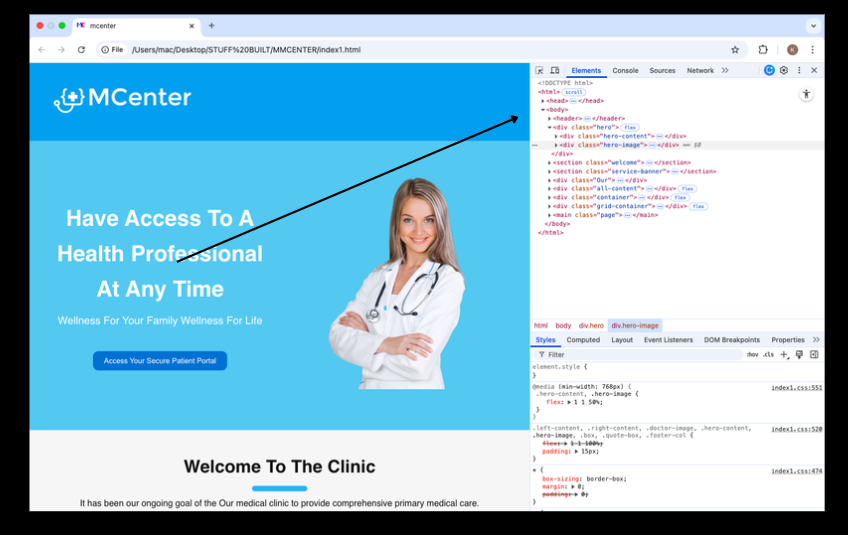
note: if you are using firefox you can easily see that below if you right click on your mouse, click on the inspect option then you will see the developer tool right there.
- Not Testing Projects Enough
When I finished a project, I often assumed everything worked correctly. I didn’t test forms, buttons, or layouts thoroughly. Later, I discovered broken features that users would definitely notice.
Testing may seem boring, but it is essential. A small error can affect user experience and credibility.
How to avoid this mistake:
Test your website carefully before considering it complete. Click every button, fill out every form, and view the site on different browsers and devices. Consistent testing helps catch issues early.
- Comparing My Progress to Others
This was one of the most discouraging mistakes I made. I constantly compared my learning speed and projects to other developers online. Seeing advanced projects made me feel behind and unmotivated.
Everyone learns at a different pace, and most developers online are showing years of experience, not their beginner phase.
How to avoid this mistake:
Focus on your own progress. Compare where you are today to where you were a few weeks ago. Consistency matters more than speed, and steady improvement always pays off.
Making mistakes is a natural part of learning web development. Every error you encounter is an opportunity to improve your skills and understanding. The mistakes I shared in this article slowed me down at first, but they also taught me valuable lessons that made me a better developer.
If you are just starting out, remember that progress takes time. Focus on building strong fundamentals, writing clean code, and learning from each project you create. With patience and consistency, you’ll see real improvement.If you’re learning web development, feel free to explore more beginner-friendly tutorials and guides on this site. Each article is written to help you learn step by step with clarity and confidence.