
When learning HTML, you will come across many tags that help structure and format content. Some tags are used every day, such as headings, paragraphs, images, and links. Others are less common but still very useful in specific situations. One of those tags is the <s> tag.
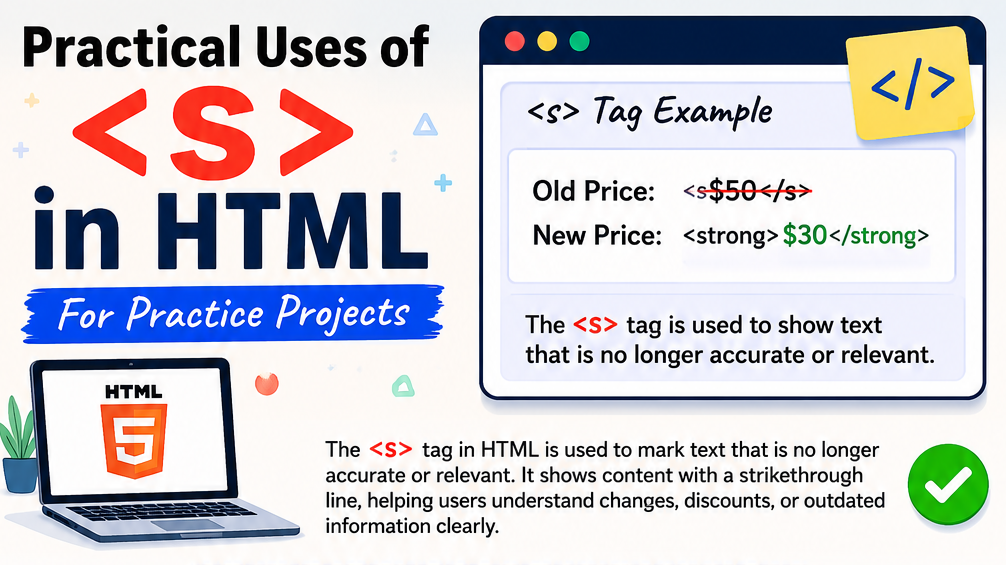
The HTML <s> element is used to show text that is no longer accurate, relevant, or valid. Browsers usually display this text with a line running through the middle, often called a strikethrough.
Many beginners assume the <s> tag exists only to make text look crossed out. While that is partly true, the tag actually carries meaning. It tells readers that the information is outdated or no longer applies.
In this beginner-friendly guide, you’ll learn what the <s> tag does, why it exists, and several practical ways to use it in your HTML practice projects. The explanations focus on real-world understanding rather than large amounts of code.
What is the HTML <s> Tag?
The <s> tag is a text-level HTML element that represents content that is no longer correct, relevant, or accurate.
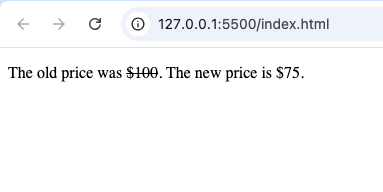
When browsers display text inside an <s> element, the text usually appears with a horizontal line through it.
For example:
<p>The old price was <s>$100</s>. The new price is $75.</p>The crossed-out price tells visitors that the original value is no longer valid.
Why the <s> Tag Matters
Imagine visiting a website that has changed information but doesn’t clearly show what was updated.
You might become confused about:
- Old prices
- Expired promotions
- Updated dates
- Discontinued products
- Replaced information
The <s> tag helps solve this problem by visually indicating that certain content should no longer be considered current.
Understanding the Purpose of <s>
The main purpose of the <s> tag is communication.
It tells users:
“This information existed before, but it is no longer correct.”
This is different from simply deleting content because the old information may still provide useful context.
For example:
- A customer can see the original price before a discount.
- A reader can see a previous event date before it changed.
- A user can compare old and new information.
How Browsers Display the <s> Tag
Most browsers automatically render text inside the <s> element with a strikethrough line.
For example:
Old Price: $49.99
This visual cue immediately tells users that something has changed.
No extra styling is required.
Practical Use #1: Displaying Original Prices
One of the most common uses of the <s> tag is in online stores.
When products go on sale, websites often show:
- Original price
- Discounted price
Example:
<p>
<s>$120</s> $89
</p>
This helps customers see the savings clearly.
For practice projects, creating a simple product card with old and new prices is an excellent way to learn how the <s> element works.
Practical Use #2: Showing Expired Promotions
Businesses often update special offers.
Instead of completely removing an old promotion, they may display it as expired.
Example:
<p>
<s>Free shipping on orders over $20</s>
</p>
This lets visitors know the offer has ended.
For a practice project, you could build a promotional section that displays expired and current offers.
Practical Use #3: Updating Event Information
Event websites frequently change schedules.
Suppose a conference changes its starting date.
Instead of removing the original date entirely, it can be shown with the <s> tag.
Example:
<p>
<s>June 10</s> June 17
</p>
This helps visitors understand that a change has occurred.
Practical Use #4: Showing Replaced Instructions
Tutorial websites sometimes update instructions.
Old steps may become outdated after software updates.
The <s> element can indicate which instructions should no longer be followed.
For example:
<p>
<s>Click the Settings menu.</s>
Use the Account menu instead.
</p>
This creates a clear distinction between old and new guidance.
Practical Use #5: Product Availability Notices
Online stores occasionally discontinue products.
Instead of removing product information completely, websites may show the discontinued status.
Example:
<p>
<s>Available in Blue</s>
</p>
Customers immediately understand that the option is no longer available.
Practical Use #6: Tracking Changes in Practice Projects
If you’re building practice projects for learning HTML, the <s> tag can help demonstrate content updates.
Examples include:
- Updated prices
- Revised schedules
- New product features
- Changed service plans
This allows you to create more realistic project examples.
Difference Between <s> and <del>
Many beginners confuse these two elements.
Although they look similar in browsers, they have different meanings.
<s> | <del> |
|---|---|
| No longer accurate or relevant | Deleted from a document |
| Shows outdated information | Shows removed content |
| Common in websites | Common in document revisions |
Use <s> when information is outdated.
Use <del> when content has been removed from a document.
Difference Between <s> and CSS Strikethrough
Some developers create strikethrough text using CSS.
Example:
text-decoration: line-through;While this creates a similar appearance, it does not carry the same semantic meaning.
The <s> element tells browsers and assistive technologies that the information is outdated.
Pure CSS only changes appearance.
Using <s> in Event Websites
Another useful practice project is an event page.
Event schedules often change.
Examples include:
- Concerts
- Conferences
- Workshops
- Training sessions
The <s> tag can display previous dates while highlighting updated information.
Using <s> in Portfolio Projects
Personal portfolio websites can also use the <s> element creatively.
For example:
<s>Available for freelance work</s>
Currently accepting full-time opportunities.
This demonstrates content updates while preserving context.
Why Users Understand Strikethrough Text Quickly
One reason the <s> tag remains useful is that people instantly recognize what it means.
When users see crossed-out text, they naturally understand:
- The information changed.
- The information is outdated.
- A replacement exists.
This improves communication without requiring extra explanation.
Accessibility Considerations
Accessibility is an important part of web development.
The <s> element provides semantic meaning that helps assistive technologies interpret content properly.
However, developers should not rely solely on visual strikethrough effects to communicate important information.
Supporting text often improves clarity.
SEO and the <s> Tag
The <s> tag does not directly improve search engine rankings.
However, it helps create clear and understandable content.
Good user experience often contributes to better website performance overall.
Common Beginner Mistakes
Let’s look at mistakes beginners often make.
Mistake 1: Using <s> for Decoration
Some beginners use the <s> tag simply because they like the appearance.
This is not its intended purpose.
The tag should indicate outdated or irrelevant information.
Mistake 2: Confusing It with <del>
Remember:
<s>= no longer accurate.<del>= removed content.
Understanding the difference helps create more meaningful HTML.
Mistake 3: Overusing Strikethrough Text
Too much crossed-out text can make content difficult to read.
Use the <s> tag only when it genuinely helps users understand changes.
Mistake 4: Forgetting Context
Strikethrough text works best when accompanied by updated information.
For example:
Bad:
<s>Price</s>Better:
<s>$100</s> $75Users immediately understand the update.
Beginner Project Ideas Using <s>
Here are some simple projects where you can practice using the <s> tag.
1. Online Store Product Card
Display:
- Product image
- Product name
- Old price
- New price
2. Restaurant Menu
Show:
- Previous menu prices
- Updated prices
3. Event Announcement Page
Display:
- Original event date
- Updated event date
4. Service Pricing Table
Show:
- Previous subscription plans
- New pricing structure
5. Portfolio Update Section
Display:
- Old services
- Current services
Best Practices for Using the <s> Tag
Follow these guidelines:
- Use it only for outdated content.
- Provide updated information nearby.
- Keep content easy to understand.
- Avoid excessive strikethrough text.
- Use semantic HTML whenever possible.
Why Learning Small HTML Tags Matters
Many beginners focus only on major elements like:
<div><section><article><form>
However, smaller tags like <s> also contribute to better communication and user experience.
Learning these elements helps you build more professional websites.
The HTML <s> tag is a simple yet useful element that helps indicate information that is no longer accurate or relevant. While it may seem like a small feature, it plays an important role in communicating updates, changes, and replacements clearly to users.
Whether you’re building ecommerce pages, event websites, portfolios, or learning projects, the <s> element can help make your content easier to understand.
As you continue learning HTML, don’t overlook smaller semantic elements like <s>. They may not appear in every project, but understanding how and when to use them will make you a more skilled and thoughtful web developer.