
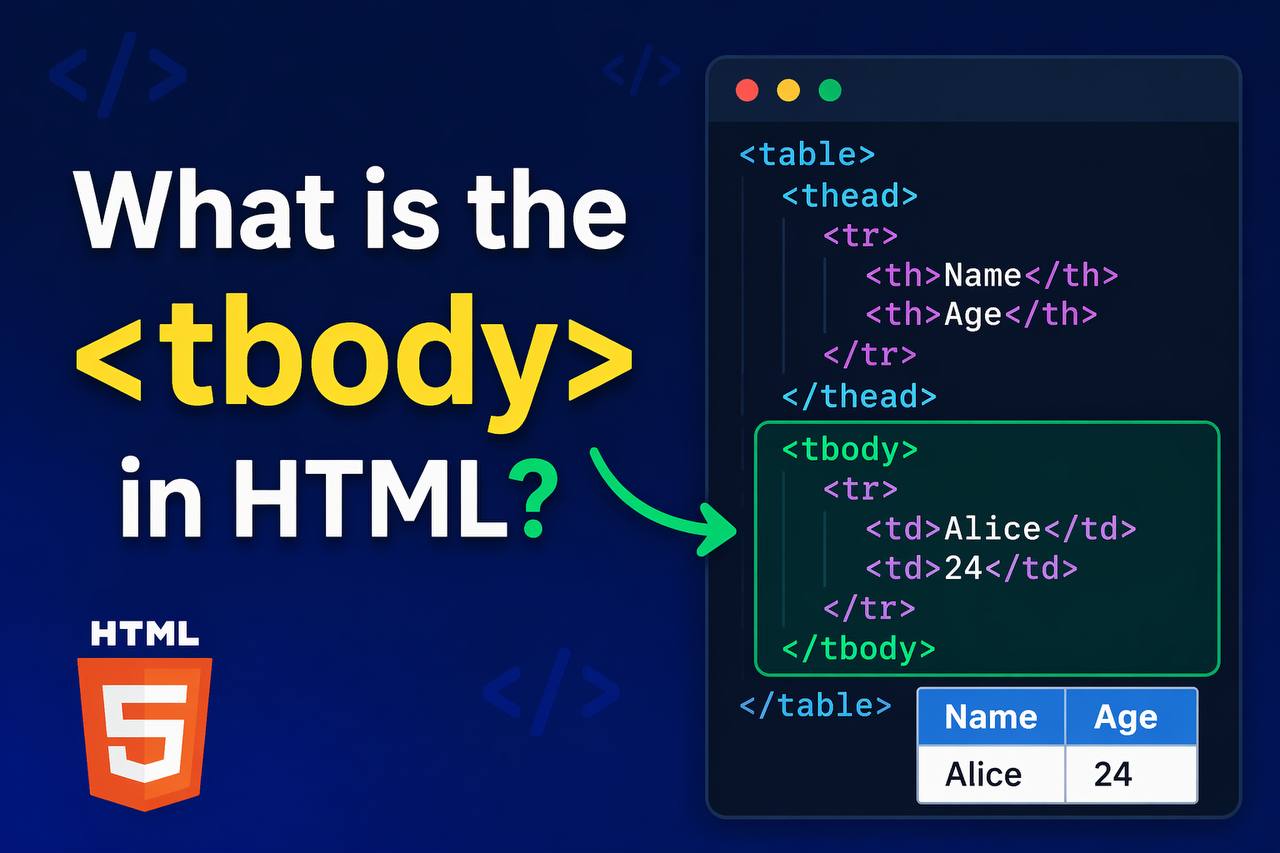
The <tbody> tag in HTML is used to group the main content (body) of a table. It is placed inside a <table> element and wraps the rows (<tr>) that contain the actual data of the table.
In simple terms, <tbody> helps organize table data into a clear structure. It separates the main data from the table header (<thead>) and footer (<tfoot>), making the table easier to read, manage, and style.
Basic Syntax of the <tbody> Tag
Here is a simple example:
<table>
<tbody>
<tr>
<td>John</td>
<td>25</td>
</tr>
</tbody>
</table>
Explanation:
<table>: The container for the table<tbody>: Holds the main data<tr>: Table row<td>: Table data (cell)
Full Table Structure
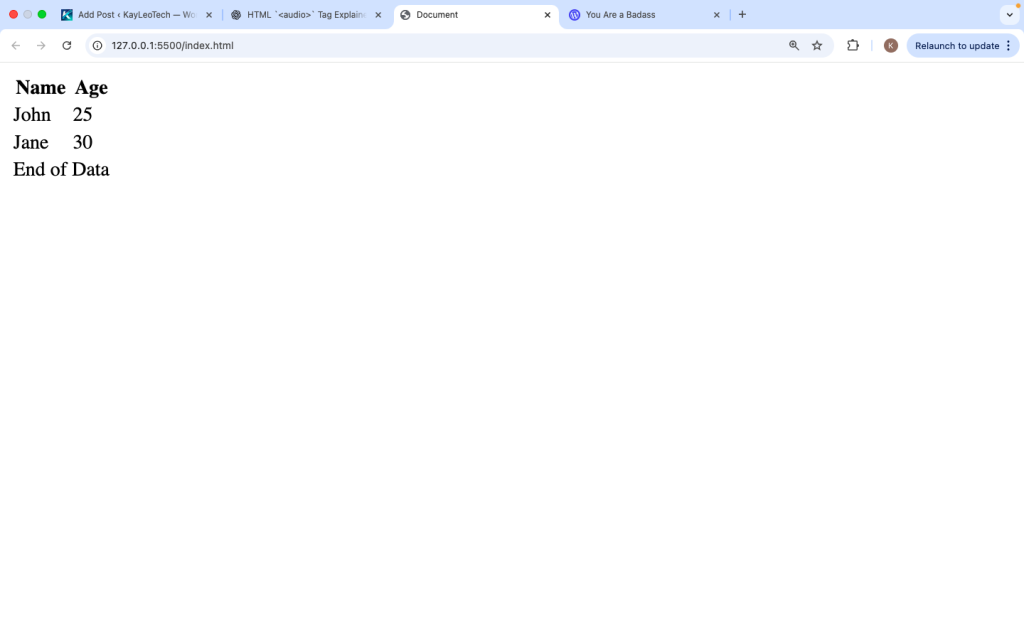
To understand <tbody> better, you need to see how it fits into a full table structure:
<tbody>
<tr>
<td>John</td>
<td>25</td>
</tr>
<tr>
<td>Jane</td>
<td>30</td>
</tr>
</tbody>
<tfoot>
<tr>
<td colspan=”2″>End of Data</td>
</tr>
</tfoot>
</table>
Why Use the <tbody> Tag
You might wonder why <tbody> is needed when you can just use <tr> directly inside <table>.
Here is why <tbody> is important:
1. Better Structure
It organizes your table into sections, making your code cleaner.
2. Easier Styling
You can apply CSS styles specifically to the body of the table.
3. Improved Readability
Other developers can easily understand your table layout.
4. Browser Behavior
Browsers automatically add <tbody> even if you don’t write it.
Is <tbody> Required?
Technically, you can write this:
<table>
<tr>
<td>Data</td>
</tr>
</table>
And it will still work.
But browsers will automatically insert a <tbody> behind the scenes. So it is better to include it yourself for clarity and control.
Multiple <tbody> Sections
You can use more than one <tbody> in a table.
Example:
<table>
  <tbody>
    <tr>
      <td>Group 1 - Row 1</td>
    </tr>
  </tbody>

  <tbody>
    <tr>
      <td>Group 2 - Row 1</td>
    </tr>
  </tbody>
</table>
Why use multiple <tbody>?
- To group related data
- To apply different styles to different sections
- To improve organization in large tables
Styling <tbody> with CSS
You can style the <tbody> separately from other parts of the table.
Example:
<style>
tbody {
  background-color: #f9f9f9;
}

tbody tr:nth-child(even) {
  background-color: #e0e0e0;
}
</style>
What this does:
- Sets a background color for the table body
- Alternates row colors (striped table)
Example with Styling
<table border="1">
  <thead>
    <tr>
      <th>Name</th>
      <th>Score</th>
    </tr>
  </thead>

  <tbody>
    <tr>
      <td>Mike</td>
      <td>80</td>
    </tr>
    <tr>
      <td>Anna</td>
      <td>90</td>
    </tr>
  </tbody>
</table>
This example shows how <tbody> holds the actual data rows.
Difference Between <thead>, <tbody>, and <tfoot>
| Tag | Purpose |
|---|---|
<thead> | Table header (titles) |
<tbody> | Main data content |
<tfoot> | Summary or footer section |
Each tag has a specific role in structuring tables.
Accessibility Benefits
Using <tbody> helps screen readers and assistive tools understand your table better.
- It clearly separates sections
- Makes navigation easier for users with disabilities
- Improves overall accessibility
JavaScript and <tbody>
You can target <tbody> using JavaScript.
Example:
<table id="myTable">
  <tbody>
    <tr><td>Data</td></tr>
  </tbody>
</table>

<script>
let tbody = document.querySelector("#myTable tbody");
console.log(tbody);
</script>
This allows you to:
- Add new rows
- Remove rows
- Update table content dynamically
Adding Rows Dynamically
Example:
<script>
let table = document.getElementById(“myTable”).getElementsByTagName(‘tbody’)[0];
let newRow = table.insertRow();
let cell = newRow.insertCell(0);
cell.innerHTML = “New Data”;
</script>
This is useful for apps that update data in real time.
Common Mistakes to Avoid
1. Forgetting <tbody>
Even though browsers add it, always include it yourself.
2. Placing <tbody> in the Wrong Position
Correct order:
<thead> → <tbody> → <tfoot>
3. Using <th> Inside <tbody> Incorrectly
<th> is mainly for headers, not regular data.
4. Not Using It for Large Tables
For big tables, <tbody> is very important for structure.
Best Practices
- Always include
<tbody>even if optional - Use it with
<thead>and<tfoot> - Keep your table clean and organized
- Use CSS to style it for better design
- Use multiple
<tbody>for grouped data if needed
Real-Life Use Cases
The <tbody> tag is used in many real-world scenarios:
1. Student Records
- Names, scores, grades
2. Product Tables
- Product name, price, stock
3. Financial Data
- Transactions, balances
4. Dashboard Tables
- Analytics and reports
In all these cases, <tbody> holds the main data.
Browser Support
The <tbody> tag is supported in all browsers, including:
- Chrome
- Firefox
- Safari
- Edge
It has been part of HTML for a long time, so compatibility is not an issue.
The <tbody> tag is a simple but important part of HTML tables. It groups the main data rows and helps organize your table structure clearly.
Even though browsers automatically add <tbody>, it is always best to include it yourself. This gives you better control, cleaner code, and easier styling.
When used together with <thead> and <tfoot>, it creates a well-structured and professional table layout.
If you are working with tables in HTML, understanding <tbody> is essential. It improves readability, accessibility, and maintainability of your code.
In short, <tbody> is where your table’s main content lives, and using it properly will make your tables better in every way.