

The <cite> tag in HTML is used to define the title of a creative work. It helps browsers, search engines, and developers understand that a specific piece of text refers to a source, such as a book, movie, song, article, or any other form of creative content.
This tag is simple but important for writing clean, meaningful, and semantic HTML. If you are building websites or writing articles, understanding how to use <cite> properly will improve both your code quality and content structure.
What Does the <cite> Tag Do?
The <cite> tag marks up the title of a work. It tells the browser:
“This text represents the name of something that has been created.”
For example:
- Book titles
- Movie names
- Research papers
- Songs
- Blog posts
- TV shows
By default, most browsers display text inside <cite> in italic style, but this can be changed using CSS.
Basic Syntax of the <cite> Tag
Here is the basic way to use the <cite> tag:

n this example:
<cite>wraps the title of the book- The browser will usually show it in italics
Example with Output

Output:
My favorite movie is Inception.

When Should You Use the <cite> Tag?
Use the <cite> tag when you are referring to the title of a creative work. Here are some common situations:
1. Books

2. Movies

3. Articles or Blog Posts

4. Songs or Albums


What Should NOT Be Inside <cite>?
Many beginners misuse the <cite> tag. It is important to understand what it is not meant for.
❌ Do NOT use <cite> for:
- People’s names
- Quotes
- URLs
- General text
Example of incorrect usage:

This is wrong because “John Doe” is a person, not a creative work.
Correct Way to Handle Quotes
If you are quoting someone, use <blockquote> or <q> instead of <cite>.
Example:

In this case:
- The quote is inside
<blockquote> - The source of the quote can be referenced using
<cite>

<cite> vs <q> vs <blockquote>
It is easy to confuse these tags. Here is a simple breakdown:
| Tag | Purpose |
|---|---|
<cite> | Title of a work |
<q> | Short inline quote |
<blockquote> | Long quote |
Example:

Default Styling of <cite>
Browsers usually apply italic styling automatically:

But you can change this using CSS.
Custom Styling Example

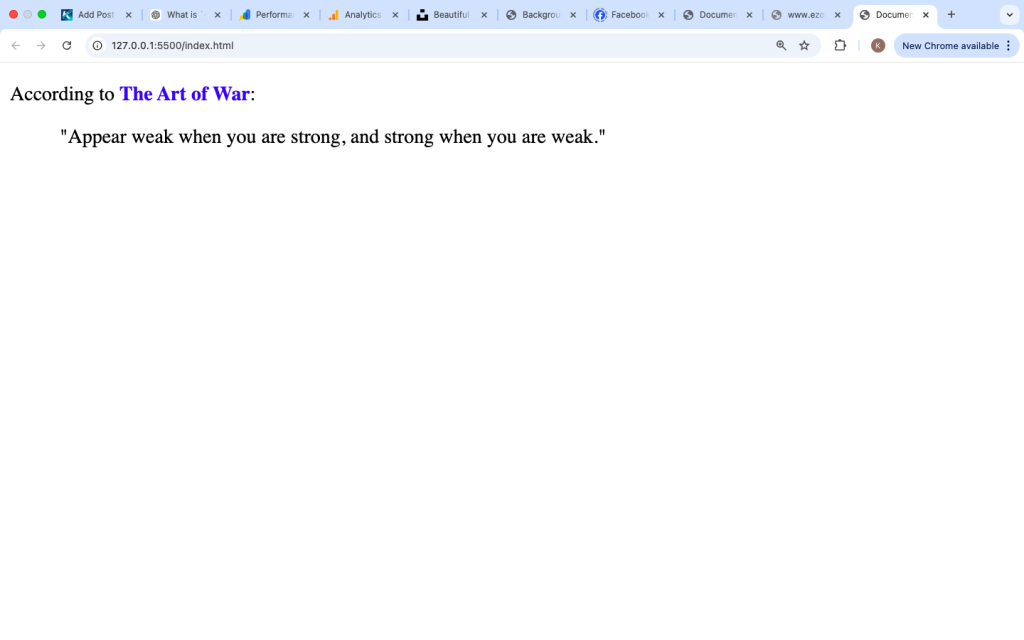
Why the <cite> Tag is Important
Using <cite> correctly helps in several ways:
1. Semantic HTML
It improves the meaning of your code. This makes it easier for:
- Developers to understand your code
- Tools to process your content
2. SEO Benefits
Search engines can better understand your content when you use proper tags. While <cite> alone won’t boost rankings, it contributes to clean structure.
3. Accessibility
Screen readers may treat <cite> differently, helping visually impaired users understand context.
Real-World Example
Here is a practical example of how <cite> can be used in an article:

This makes your content structured and meaningful.
Combining <cite> with Links
Sometimes you want to link to the source. You can combine <cite> with <a>:

This shows:
- The title is clickable
- The meaning is still preserved

HTML5 and <cite>
In modern HTML (HTML5), the <cite> tag specifically refers to titles of works, not the author’s name.
Older practices sometimes used <cite> for authors, but that is no longer recommended.
Common Mistakes to Avoid
Here are some mistakes beginners often make:
1. Using <cite> for Names

❌ Wrong — this is a person, not a work
2. Using <cite> for Quotes

❌ Wrong — use <q> or <blockquote>
3. Forgetting Semantic Meaning
Some people use <cite> just for styling (italics). That is not the correct purpose.
If you only want styling, use CSS instead.
Best Practices
To use <cite> correctly, follow these simple rules:
- Use it only for titles of creative works
- Do not use it for authors or people
- Combine with
<blockquote>when referencing quotes - Style it with CSS if needed
- Keep your HTML semantic and clean
Simple Practice Example
Try this yourself:

The <cite> tag may look small, but it plays an important role in writing clean and meaningful HTML. It helps define titles of creative works and improves the structure of your content.
If you are creating blog posts, tutorials, or any kind of web content, using <cite> properly will make your work more professional and easier to understand.
Focus on using it the right way:
- Only for titles
- Not for people or quotes
- Combined with other tags when needed
With consistent practice, it becomes a natural part of your HTML writing.