
When learning HTML, you will come across different tags that help structure and give meaning to your content. One of those tags is the <em> tag. This tag is simple, but it plays an important role in how text is understood by browsers, search engines, and even screen readers.
In this guide, you will learn what the <em> tag in HTML is, why it is used, how it works, and when you should use it. The explanation is written in a simple and human-readable tone so beginners can easily understand it and it’s evergreen as well.
Understanding the <em> Tag in HTML
The <em> tag in HTML is used to add emphasis to text. When you wrap a word or sentence inside the <em> tag, it tells the browser that the text should be stressed or emphasized.
By default, most browsers display emphasized text in italic style, but the main purpose of the <em> tag is not just styling. It is meant to show importance or emphasis in meaning.
Basic Example
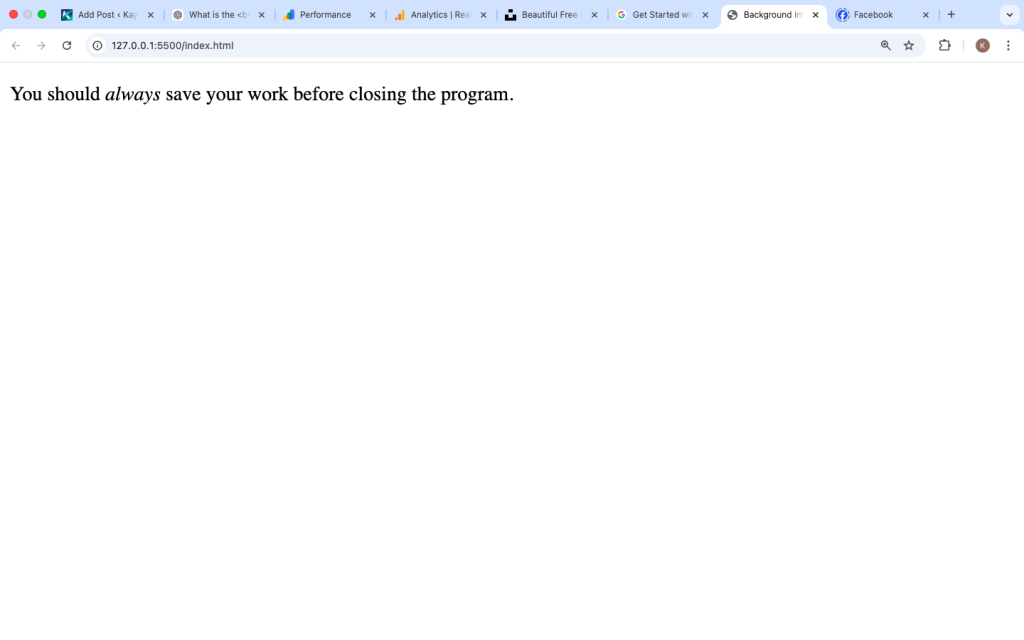
Here is a simple example of how the <em> tag works.

In this example, the word “always” is emphasized. The browser will usually display it in italic text.
What the <em> Tag Means in HTML
HTML is not only about how content looks; it is also about what the content means. The <em> tag tells browsers and assistive technologies that the text should be spoken or read with emphasis.
For example, screen readers used by visually impaired users will change their voice tone when reading emphasized text.
This makes your website more accessible and meaningful.
How Browsers Display the <em> Tag
Most browsers automatically display <em> text in italic style.
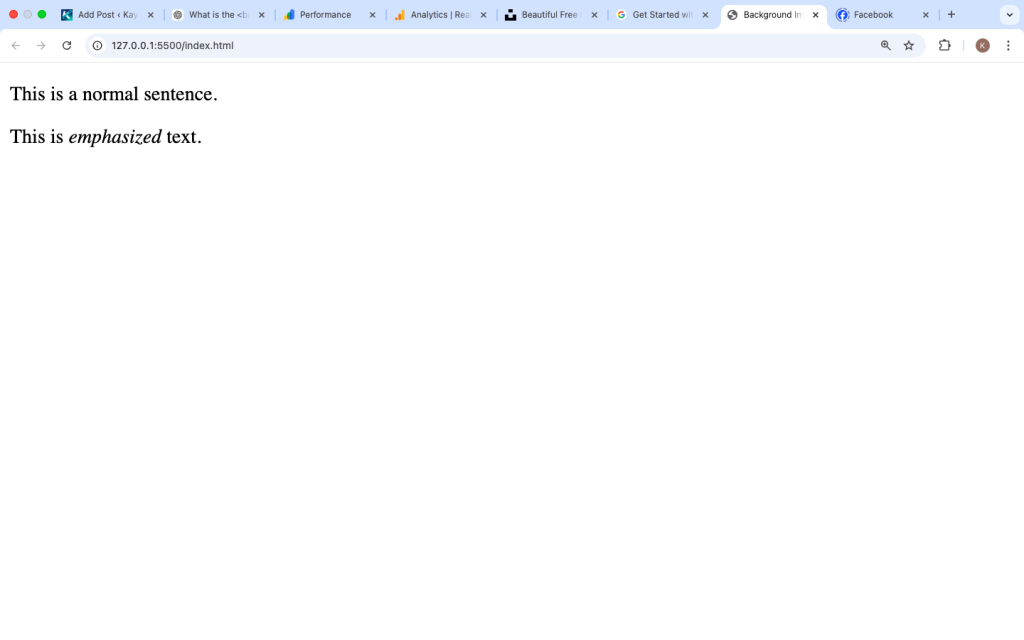
Example:

The second sentence will show the word “emphasized” in italic.
However, developers can change the appearance using CSS if they want.
Why the <em> Tag Is Important
Many beginners think the <em> tag is only used to make text italic, but it actually serves a deeper purpose.
Here are some reasons why the <em> tag is important.
1. Adds Meaning to Text
The <em> tag adds semantic meaning to your content. It tells the browser that a word or phrase should be emphasized.
Example:

The emphasis changes the meaning of the sentence.
2. Improves Accessibility
Screen readers recognize the <em> tag and read the text with emphasis. This helps users who rely on assistive technology understand the message better.
Accessibility is an important part of modern web development.
3. Helps Search Engines Understand Content
Search engines analyze HTML structure to understand your content better. Using semantic tags like <em> helps search engines interpret your text more clearly.
While it does not directly boost rankings, it improves content structure and clarity.
Difference Between <em> and <i> Tags
Beginners often confuse the <em> tag with the <i> tag because both usually display text in italic.
However, they are not the same.
<em> Tag
- Used to add emphasis
- Has semantic meaning
- Helps accessibility
Example:

i> Tag
The <i> tag is mostly used for styling purposes.
Example:

The <i> tag does not necessarily add meaning to the text.
Quick Comparison
| Tag | Purpose | Meaning |
|---|---|---|
<em> | Emphasizes text | Semantic meaning |
<i> | Italic styling | Mostly visual |
Using <em> is usually better when the text needs emphasis.
Nested Emphasis in HTML
One interesting feature of the <em> tag is that it can be nested. This means you can place one <em> tag inside another.
This creates stronger emphasis.
Example:

Browsers may display nested emphasis differently depending on styling.

Using <em> with CSS
Even though browsers show <em> text in italic by default, you can change the style using CSS.
Example:

In this example, the emphasized text becomes red and bold instead of italic.
This shows that the <em> tag focuses on meaning, while CSS controls appearance.
When You Should Use the <em> Tag
The <em> tag should be used when you want to stress a word or phrase in a sentence.
Here are some common cases.
Highlighting Important Words
Example:

Changing Sentence Meaning
Example:

Writing Instructions
Example:

Using emphasis makes the message clearer to the reader.

Common Mistakes When Using <em>
Beginners sometimes misuse the <em> tag. Here are some mistakes to avoid.
1. Using <em> Just for Italic Style
If you only want italic text for design purposes, you should use CSS instead.
Example:

2. Overusing the <em> Tag
If you emphasize too many words, the emphasis loses its meaning.
Example of bad usage:

Use emphasis only when it is truly needed.
3. Forgetting Closing Tags
Every <em> tag must have a closing tag.
Correct example:

Incorrect example:

Always close your tags to avoid errors.
Combining <em> with Other HTML Tags
The <em> tag can be used together with other HTML tags like <strong>, <p>, and <span>.
Example:

In this example:
<strong>adds strong importance<em>adds emphasis
Both work together to highlight the message.

Real-World Example of the <em> Tag
Here is a more realistic example you might see on a website.

In this sentence, “first step” is emphasized because it highlights the most important idea.
Small details like this make content easier to understand.
Best Practices for Using the <em> Tag
To use the <em> tag properly, follow these simple best practices.
Use It for Meaning, Not Just Design
The <em> tag should highlight meaning in the sentence.
Use It Sparingly
Only emphasize words that truly need attention.
Combine It with CSS for Better Design
Use CSS if you want to control how the emphasized text looks.
Write Clear Content
The <em> tag should support clear writing, not replace it.
The <em> tag in HTML is used to emphasize text and add meaning to content. While browsers usually display it in italic style, its real purpose is to show that a word or phrase should be stressed.
Using the <em> tag correctly improves:
- Content clarity
- Website accessibility
- Semantic HTML structure
For beginners learning HTML, understanding tags like <em> is an important step toward writing better and more meaningful code.
When used properly, the <em> tag helps readers focus on key parts of your message without making your content confusing.
As you continue learning HTML, combining semantic tags like <em>, <strong>, and others will help you build cleaner and more professional web pages.