
HTML symbols are special characters that are not easily typed using a keyboard or may cause problems if written directly in HTML code. These symbols include things like copyright signs, arrows, mathematical symbols, currency signs, and many others.
In this article, you will learn what HTML symbols are, why they are needed, how they work, and how to use them correctly in real projects. Everything is explained in a simple, direct way, without complex grammar or unnecessary theory.
What Are HTML Symbols?
HTML symbols are special characters written using HTML entities. An HTML entity is a code that represents a character instead of typing the character directly.
For example:
- © (copyright symbol)
- ™ (trademark)
- → (arrow)
- € (euro sign)
Some of these symbols may:
- Not appear correctly in browsers
- Break your HTML code
- Be confused with HTML tags
To avoid these problems, HTML provides entities to display symbols safely.
Why HTML Symbols Are Important
HTML symbols are important for several reasons:
- Browser compatibility
Not all browsers handle special characters the same way. - Avoiding HTML errors
Some characters like<,>and&are part of HTML syntax. - Clear communication
Symbols help express meaning faster than text. - Professional websites
Copyright notices, prices, math formulas, and UI icons often require symbols.
What Is an HTML Entity?
An HTML entity is a string that starts with an ampersand (&) and ends with a semicolon (;).
Example:
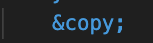
This displays as:
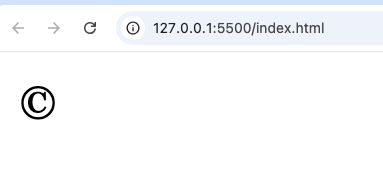
HTML entities come in two main forms:
- Named entities
- Numeric entities
Named HTML Entities
Named entities use a readable name for the symbol.
Example:
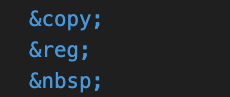
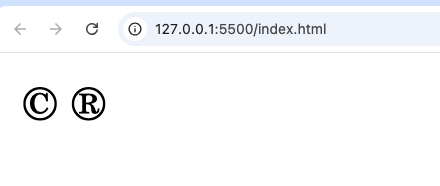
(non-breaking space)
Named entities are easier to read and remember.
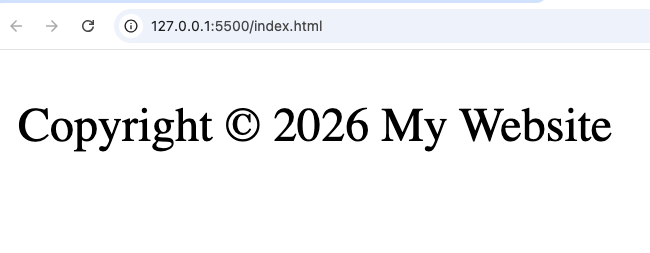
Example in HTML

This will show:
Numeric HTML Entities
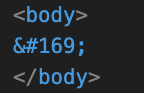
Numeric entities use numbers instead of names. They can be written in decimal or hexadecimal format.
Decimal format
Hexadecimal format
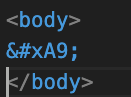
Both represent:
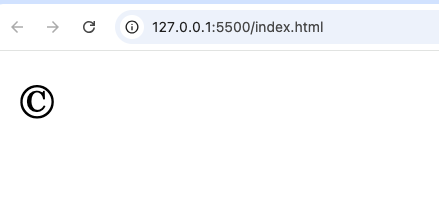
Numeric entities are useful when:
- A named entity does not exist
- You want maximum compatibility
Reserved HTML Symbols
Some characters are reserved in HTML and must always be written using entities.
Less Than and Greater Than
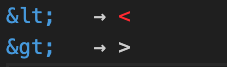
Example:

Ampersand Symbol
The ampersand (&) starts an HTML entity, so it must be written as:

Example:

Quotation Marks
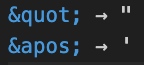
These are useful inside attributes.
Example:

Commonly Used HTML Symbols
Below are some commonly used HTML symbols and their entities.
Copyright and Legal Symbols
| Symbol | Entity |
|---|---|
| © | © |
| ® | ® |
| ™ | ™ |
Currency Symbols
| Symbol | Entity |
|---|---|
| $ | $ |
| € | € |
| £ | £ |
| ¥ | ¥ |
| ₦ | ₦ |
Mathematical Symbols in HTML
Math symbols are very common in educational and technical websites.
Basic Math Symbols
| Symbol | Entity |
|---|---|
| + | + |
| − | − |
| × | × |
| ÷ | ÷ |
| = | = |
Advanced Math Symbols
| Symbol | Entity |
|---|---|
| ≤ | ≤ |
| ≥ | ≥ |
| ≠ | ≠ |
| ∞ | ∞ |
| √ | √ |
Example:

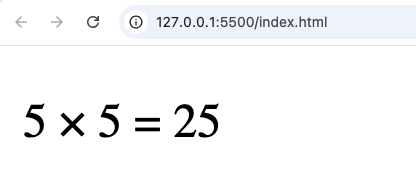
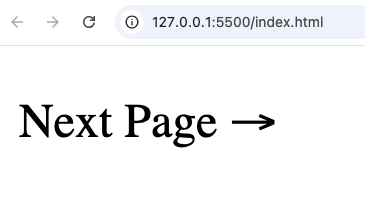
Arrow Symbols in HTML
Arrows are useful for navigation, UI design, and explanations.
Common Arrow Entities
| Symbol | Entity |
|---|---|
| ← | ← |
| → | → |
| ↑ | ↑ |
| ↓ | ↓ |
| ↔ | ↔ |
Example:

Space and Invisible Symbols
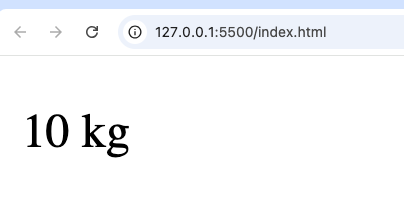
Non-Breaking Space

This prevents line breaks between words.
Example:

Em Space and En Space
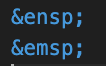
Used for spacing text manually.
Emoji and Special Icons
Some emojis can be written directly, but numeric entities are safer.
Example:
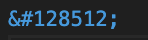
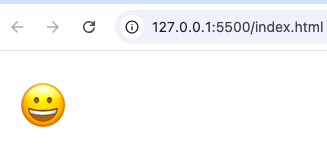
Emojis are useful, but avoid overusing them on professional websites.
When Should You Use HTML Symbols?
You should use HTML symbols when:
- Writing special characters inside text
- Displaying prices or currencies
- Showing math formulas
- Avoiding broken HTML
- Creating UI elements like arrows
- Writing documentation or tutorials
HTML Symbols vs UTF-8 Characters
Modern HTML supports UTF-8, which allows you to write symbols directly.
Example:
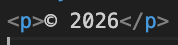
However, using HTML entities is still recommended when:
- You want consistency
- You want to avoid encoding issues
- You are writing tutorials or documentation
Best practice:
- Use entities for reserved characters
- Use entities when unsure
Testing HTML Symbols in VS Code
When working in VS Code:
- Create an
index.htmlfile - Type HTML entities
- Open the file in your browser
- Confirm symbols display correctly
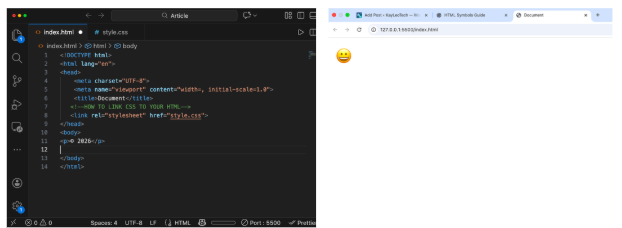
Common Mistakes to Avoid
- Forgetting the semicolon
; - Writing
©instead of© - Mixing entity names incorrectly
- Using raw
<and>in text - Overusing symbols where text is clearer
Best Practices for Using HTML Symbols
- Keep it readable
- Use named entities when available
- Be consistent across your site
- Test in multiple browsers
- Avoid unnecessary symbols
HTML symbols are a small but very important part of web development. They help prevent errors, improve clarity, and make your website look professional. Whether you are showing prices, legal text, math formulas, or navigation arrows, HTML entities ensure everything works correctly across browsers.
Once you understand HTML symbols, you will write cleaner HTML, avoid common mistakes, and build better websites with confidence.