
One of the most common questions beginners ask in web development is simple but surprisingly tricky:
“How do I center a div?”
At first glance, centering a div sounds like it should be easy. After all, centering text is straightforward, so why not a div? The confusion comes from the fact that a div is a block-level element, and CSS gives us multiple ways to center it depending on the situation.
In this guide, we will walk through every practical and commonly used way to center a div, explain why each method works, and help you understand when to use which one. You’ll also see exact places where you can insert screenshots of your code and browser output if you’re writing this as an article or tutorial.
Understanding What “Centering a Div” Really Means
Before touching any code, it’s important to understand what kind of centering you want. There are three common cases:
- Center horizontally
- Center vertically
- Center both horizontally and vertically
Many beginners struggle because they try one solution for all cases. CSS does not work that way.
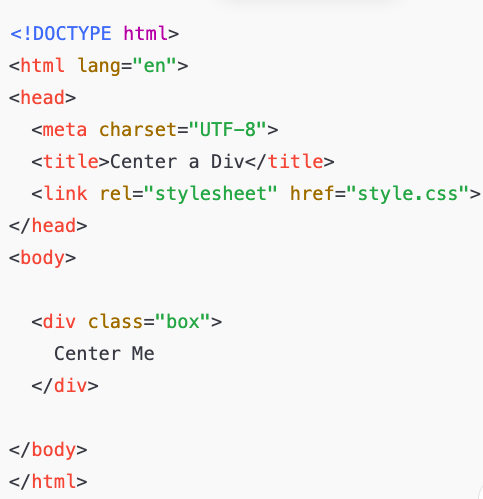
Basic HTML Setup (Starting Point)
We’ll use the same HTML structure for most examples so the focus stays on CSS.
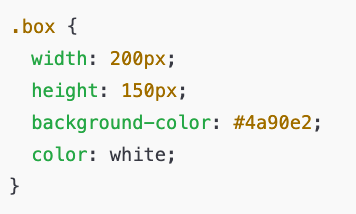
Styling the Div for Visibility
Before centering anything, give the div visible dimensions and color.
Method 1: Center a Div Horizontally Using margin: auto
This is the most classic and beginner-friendly method.
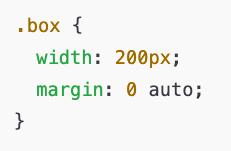
Why This Works
margin: autotells the browser to distribute equal space on both sides- This only works if the div has a defined width
When to Use It
- You only need horizontal centering
- Simple layouts
- Blog content blocks

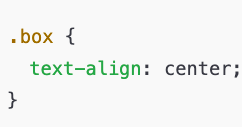
Method 2: Center Text Inside a Div (Common Confusion)
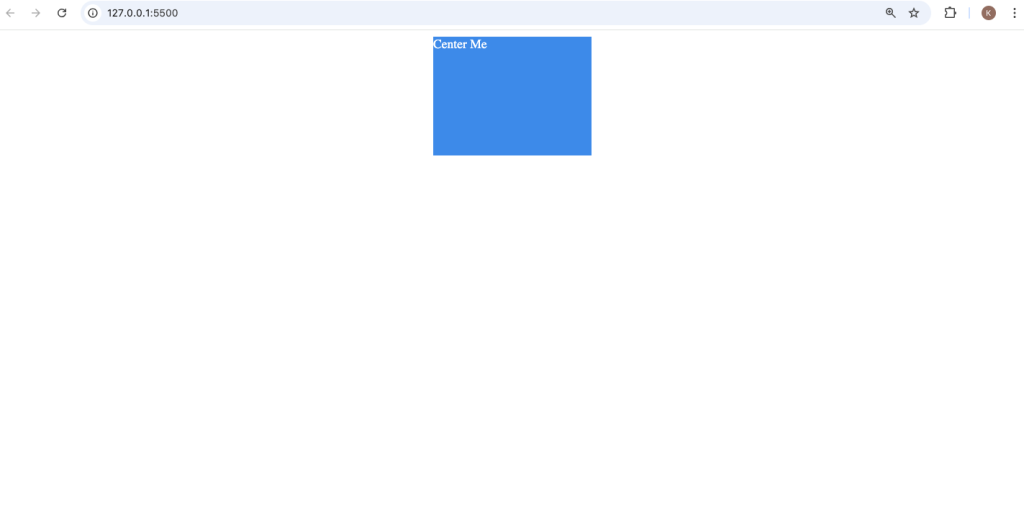
Many beginners confuse centering a div with centering text inside a div.
Important Note
This does not center the div itself only the text inside it.
Method 3: Center a Div Using Flexbox (Modern & Recommended)
Flexbox is the most flexible and widely used method today.
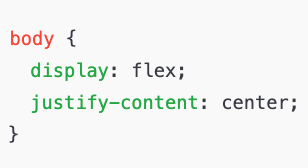
Horizontal Centering with Flexbox
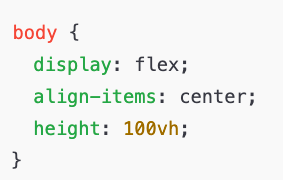
Vertical Centering with Flexbox
Why Flexbox Is Powerful
- Works for any screen size
- No fixed margins
- Easy to read and maintain

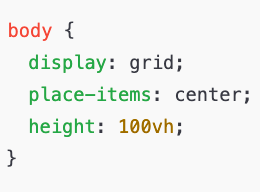
Method 4: Center a Div Using CSS Grid
CSS Grid is another modern approach and is very clean.
Why This Works
place-items: centeris shorthand for both horizontal and vertical centering- Minimal code
When to Use Grid
- You’re already using CSS Grid
- You want the shortest centering solution
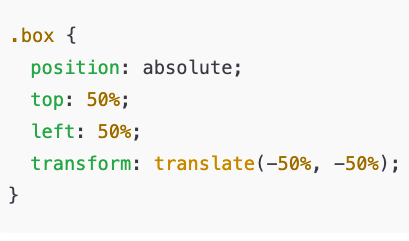
Method 5: Absolute Positioning (Old but Still Useful)
This method uses positioning and transforms.
Why This Works
top: 50%andleft: 50%move the div halfwaytransformshifts it back by half of its own size
Downsides
- Harder to maintain
- Not ideal for responsive layouts
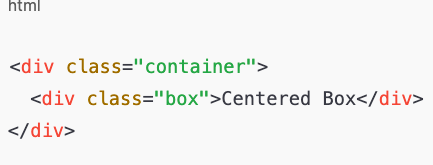
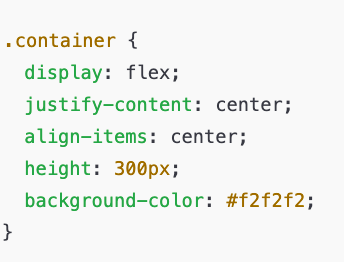
Method 6: Center a Div Inside Another Div
This is common in real projects.
CSS (Flexbox)
Common Beginner Mistakes
1. Forgetting to Set Width
margin: auto won’t work without a width.
2. Using text-align: center for Divs
This centers text, not block elements.
3. Mixing Positioning Without Understanding
Using position: absolute without knowing the parent context causes layout issues.
Which Method Should You Use?
| Situation | Best Method |
|---|---|
| Horizontal only | margin: auto |
| Full page centering | Flexbox |
| Modern layouts | Flexbox or Grid |
| Old browser support | Positioning |
| Inside container | Flexbox |
Centering a div is not difficult but it depends on context. Once you understand how CSS layout systems work, centering becomes a simple design decision instead of a frustrating problem.
Flexbox and Grid are now the recommended standards, but older methods still matter because you’ll see them in real projects.
If you understand why each method works, you won’t just copy code you’ll know how to fix layout issues confidently.