
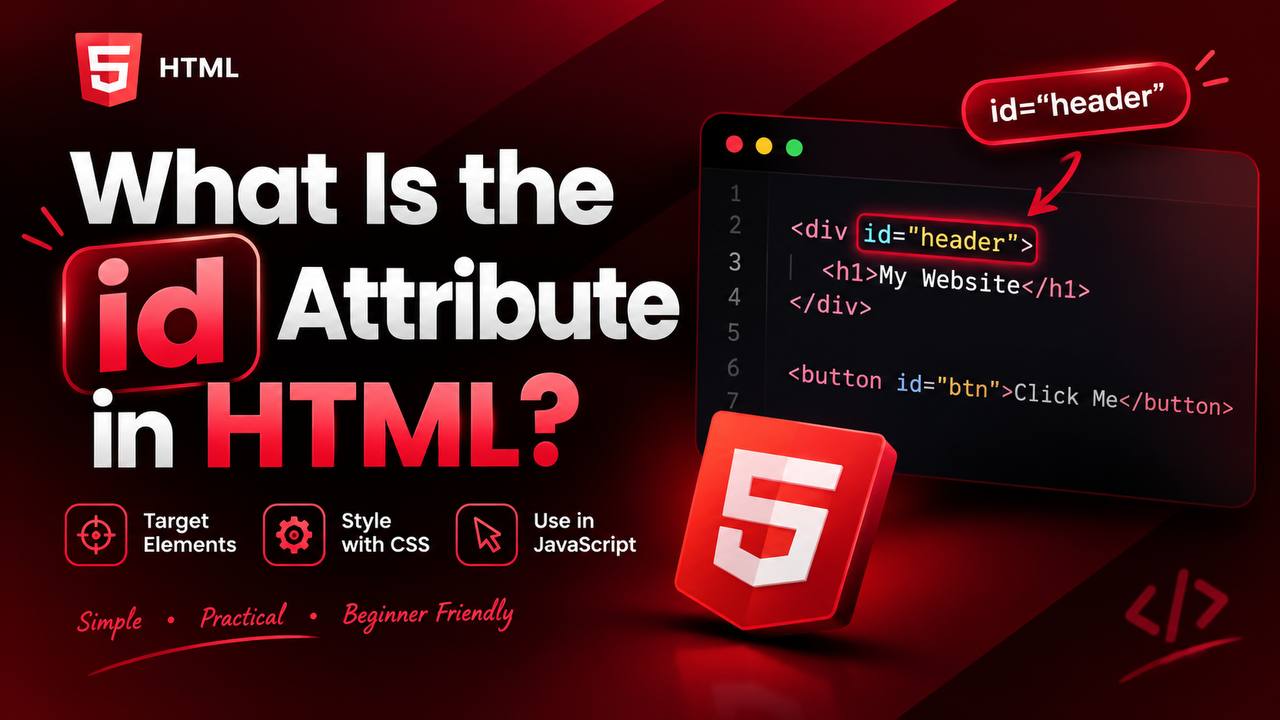
When you start learning HTML, you will quickly come across attributes such as class, href, src, and id. These attributes provide additional information about HTML elements and help developers control how webpages work.
Among them, the id attribute is especially important because it gives a particular HTML element a unique identifier. This identifier can then be used by CSS, JavaScript, links, and other parts of a webpage to find or target that specific element.
At first, the id attribute may seem similar to the class attribute. However, they have an important difference. An id is normally intended to identify one specific element, while a class can be shared by many elements.
In this guide, you will learn what the HTML id attribute means, how it works, where to use it, how it differs from class, and some practical examples you can use while practicing HTML.
The goal is not to memorize complicated code. Instead, you will understand the idea behind the id attribute so you can confidently use it in your own projects.
What Is the id Attribute?
The HTML id attribute is used to give an HTML element a unique name or identifier.
The word id is short for identifier.
Think of it like giving one particular element its own name tag.
For example, imagine a classroom containing 30 students. Many students may wear the same school uniform, but each student has a unique student ID.
The HTML id attribute works in a similar way.
You might have many paragraphs, buttons, sections, or headings on a webpage, but an id can identify one particular element.
A simple example looks like this:
<h1 id="page-title">Welcome to My Website</h1>
Here, page-title is the identifier assigned to the heading.
The browser now knows that this particular heading has an id called page-title.
Why Is the id Attribute Important?
The id attribute is useful because different technologies can use it to locate a specific HTML element.
For example, you can use an id to:
- Create links that jump to a specific part of a page
- Apply CSS to one particular element
- Find an element with JavaScript
- Identify form fields
- Connect labels to form controls
- Create unique sections within a webpage
This makes the id attribute an important part of HTML development.
The Basic Structure of an id
An id is written inside the opening HTML tag.
For example:
<div id="about">About Us</div>
There are three important parts here.
The first part is the HTML element, which is the <div>.
The second part is the attribute name, which is id.
The third part is the identifier value, which is about.
Together, they tell the browser that this particular <div> has been given the unique identifier about.
An id Should Normally Be Unique
One of the most important rules to understand is that an id should identify a unique element within a webpage.
For example, imagine you have a page with an introduction, services section, and contact section.
You could give them identifiers such as:
introservicescontact
Each name points to a different element.
This makes it easier to target a particular section.
You should avoid giving several unrelated elements the same id.
For example, using the same id for several different buttons can create problems when JavaScript, CSS, or links try to identify one specific element.
What Can an id Be Used For?
The id attribute has several important uses. Understanding these uses will make the concept much easier.
1. Identifying a Specific Element
The most basic purpose of an id is to identify an individual HTML element.
For example, a website might have a particular heading identified as main-heading.
This allows other parts of the webpage to refer specifically to that heading.
2. Creating Links to a Specific Section
One of the most useful features of id is creating links that jump to a specific location on the same webpage.
Imagine you have a long article with sections such as:
You can give a section an id and create a link that points directly to it.
For example, a section could have an identifier called html-basics.
A link can then point to that identifier using the # symbol.
When a visitor clicks the link, the browser can move directly to that section.
This is commonly used for:
- Table of contents
- Documentation
- Long tutorials
- FAQ pages
- Navigation menus
This is one reason you will often see URLs containing something like #contact or #about.
3. Targeting an Element With CSS
The id attribute can also be used by CSS.
For example, if you have one special heading that needs a different style from the other headings, you can give it a unique id.
CSS can then target that identifier.
The important idea is that an id allows CSS to say:
“Apply this styling specifically to this element.”
However, developers should not automatically use IDs for every styling purpose. Classes are often more appropriate when the same style needs to be reused.
4. Finding an Element With JavaScript
JavaScript frequently uses IDs to find specific HTML elements.
Imagine you have a button with an id called menu-button.
JavaScript can locate that button and respond when a visitor interacts with it.
For example, JavaScript might use an element’s ID to:
- Change its text
- Hide it
- Show it
- Change its content
- Add an event
- Update information
This is one of the reasons IDs become increasingly important when you move from basic HTML into JavaScript.
The Difference Between id and class
This is probably the most important comparison beginners need to understand.
Both id and class are HTML attributes, but they are designed for different purposes.
An id normally identifies one specific element.
A class can be assigned to multiple elements.
Think about a school again.
An id is like a student’s unique student number.
A class is like the student’s classroom.
Many students can belong to the same classroom, but each student has a different identification number.
The same idea applies to HTML.
For example, several buttons could share a class called button, while one particular button could have an id such as submit-button.
When Should You Use id Instead of class?
Use an id when you need to identify a particular element.
Examples include:
- A unique page section
- A specific form field
- A particular button
- A unique heading
- A specific navigation target
Use a class when several elements need to share the same styling or behavior.
For example, if you have ten product cards that all look the same, giving them the same class is more appropriate than giving them the same ID.
IDs and HTML Forms
The id attribute is also commonly used with forms.
For example, a label can be associated with a particular input field using the input’s id.
This makes the relationship between the label and input clear.
It can also improve accessibility because assistive technologies can understand which label belongs to which form control.
This is another example of how an attribute that looks simple can play an important role in a real website.
Rules for Naming IDs
When creating IDs, it is important to choose clear and sensible names.
Good examples include:
headermain-contentcontactabout-uslogin-formproduct-list
These names tell you something about the element.
Avoid meaningless names such as:
box1thingabcx123
A descriptive ID makes your HTML easier to understand later.
Can IDs Contain Spaces?
It is best to avoid spaces when naming IDs.
Instead of:
id="main content"
use something like:
id="main-content"
Hyphens are commonly used because they make multi-word IDs easy to read.
You can also use names such as mainContent, depending on your preferred naming style.
The important thing is to be consistent.
IDs Are Case-Sensitive
It is also important to pay attention to uppercase and lowercase letters.
For example:
main-content
and
Main-Content
should not be treated as casually interchangeable.
A small difference in capitalization can cause problems when another part of your code tries to reference the ID.
For beginners, using lowercase IDs with hyphens is a simple and readable approach.
Using IDs for Page Navigation
One of the easiest ways to practice IDs is by creating a long webpage.
Imagine you are building a tutorial page.
You could create sections for:
Each section can have its own ID.
Then you can create navigation links that take visitors directly to those sections.
This is especially useful when building:
- Portfolio websites
- Documentation pages
- Tutorials
- Single-page websites
It also helps visitors move around long pages more easily.
IDs in JavaScript Projects
Once you start learning JavaScript, you will see IDs used frequently.
JavaScript needs ways to locate elements on a webpage.
An ID gives JavaScript a direct way to identify a particular element.
For example, imagine you create a simple counter project.
The page might contain:
- A number showing the current count
- An increase button
- A decrease button
- A reset button
Each important element can have a meaningful identifier.
JavaScript can then locate those elements and change them when users interact with the page.
This makes the id attribute especially useful for beginner practice projects.
Common Beginner Mistakes With IDs
There are several mistakes beginners commonly make.
Using the Same ID Repeatedly
Because an ID is meant to identify a unique element, avoid assigning the same ID to multiple elements.
If several elements need the same style, use a class instead.
Using IDs for Everything
You do not need to give every HTML element an ID.
Only use an ID when there is a genuine reason to uniquely identify that element.
Choosing Unclear Names
Names like a, box, or item1 may make sense temporarily, but descriptive names are much easier to understand.
Inconsistent Naming
Changing naming styles throughout a project can make your HTML difficult to maintain.
Choose a style and stick with it.
Are IDs Important for SEO?
The id attribute itself is not a magic SEO ranking factor.
Giving a section an ID does not automatically make that section rank higher in search engines.
However, IDs can contribute to a well-organized webpage.
They can also support internal page navigation, which can improve the experience for visitors.
For SEO, focus on meaningful content, useful headings, good structure, accessibility, performance, and a positive user experience.
Are IDs Important for Accessibility?
Yes, IDs can support accessibility when used correctly.
One example is connecting form labels with their corresponding input fields.
IDs can also help create clear relationships between elements in certain accessibility implementations.
However, simply adding IDs everywhere does not automatically make a webpage accessible.
Good accessibility comes from using appropriate HTML elements, clear labels, logical structure, keyboard support, and other accessibility practices.
Practical Projects You Can Build With IDs
The best way to understand the id attribute is to practice using it.
Here are some simple projects.
1. Table of Contents
Create a long article and use IDs to allow visitors to jump between sections.
2. Personal Portfolio
Give sections such as About, Projects, Skills, and Contact unique IDs.
3. Simple Calculator
Use IDs to identify the display and buttons so JavaScript can interact with them.
4. FAQ Page
Create unique section identifiers that can be used for navigation.
5. Contact Form
Use IDs to connect labels with form fields.
6. Single-Page Website
Create navigation links that scroll visitors to different parts of the page.
These projects will help you understand why IDs are useful beyond simple HTML exercises.
Best Practices for Using the id Attribute
Keep your IDs meaningful and descriptive.
Use an ID when an element genuinely needs to be uniquely identified.
Use classes when several elements need the same styling or behavior.
Avoid unnecessary IDs.
Keep your naming style consistent.
Avoid spaces in IDs.
Use simple names that another developer can understand quickly.
Most importantly, remember that an ID is an identifier, not simply another way to style an element.
A Simple Way to Remember id
If you are struggling to remember the difference between id and class, use this simple idea:
ID = one specific thing.
Class = a group of things.
For example, imagine a page containing ten cards.
All ten cards could have the same class because they share the same design.
But if you need to identify one special card, you could give that particular card an ID.
This simple rule will help you make better decisions as you write HTML.
The HTML id attribute may look like a small part of HTML, but it plays an important role in modern web development. It gives an element a unique identifier that can be used for navigation, CSS, JavaScript, forms, and other webpage functionality.
The most important thing to remember is that an ID should normally identify one specific element. When several elements need to share a style or behavior, a class is usually the better choice.
As you continue learning HTML, CSS, and JavaScript, you will use IDs in many different situations. Start with simple projects such as a table of contents, portfolio website, contact form, or calculator, and you will quickly see how useful the attribute can be.
You do not need to memorize complicated rules. Understand the basic idea: the id attribute gives a specific HTML element its own identifier. Once that concept is clear, using IDs throughout your practice projects becomes much easier.