
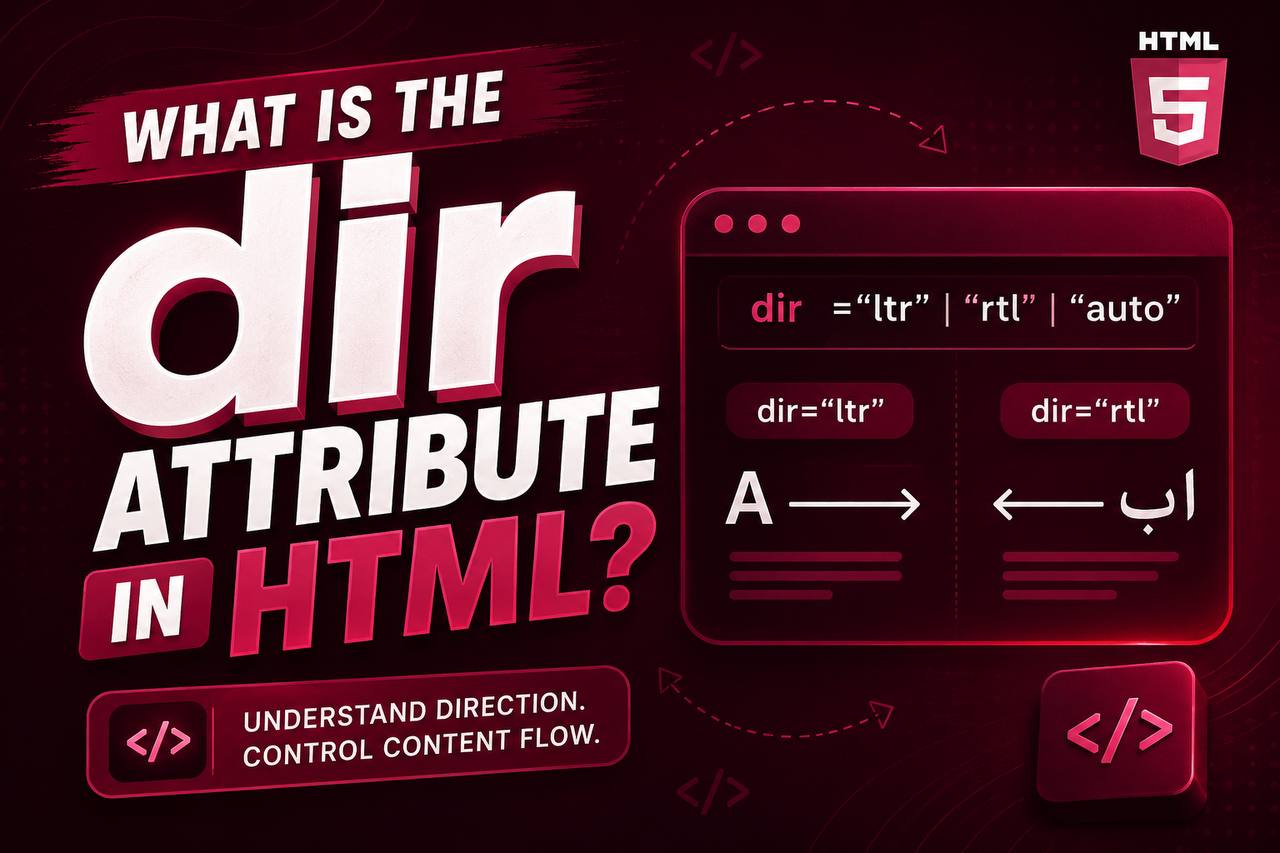
When building websites, developers usually focus on creating content that looks attractive and is easy to read. However, there is another important aspect of web design that beginners often overlook text direction. Not every language is read from left to right. Some languages are written from right to left, and HTML provides a built-in way to handle these differences using the dir attribute.
The dir attribute is a simple but powerful feature in HTML that tells the browser which direction text should flow. Although it may seem like a small detail, using the correct text direction improves readability, accessibility, and the overall user experience.
If you’re creating websites for people around the world or simply want to learn HTML properly, understanding the dir attribute is an important step.
In this beginner-friendly guide, you’ll learn what the dir attribute is, how it works, when to use it, and how it helps create websites that support multiple languages. This article focuses on easy-to-understand explanations rather than large amounts of code, making it suitable for beginners.
Dir Text Direction Rules in HTML
The dir attribute stands for direction.
It tells the browser the direction in which text should be displayed.
In simple terms, it answers this question:
Should the text be read from left to right or from right to left?
Most English websites naturally display text from left to right, but languages such as Arabic and Hebrew require text to flow from right to left.
The dir attribute allows HTML to handle both situations correctly.
Why Text Direction Matters
Imagine reading an English sentence backwards. It would feel confusing and difficult to understand.
The same happens when a language that should be displayed from right to left is forced to appear from left to right.
Correct text direction helps users:
- Read comfortably
- Understand content faster
- Navigate webpages more easily
- Enjoy a better browsing experience
This is why proper text direction is an important part of modern web development.
Basic Syntax of the dir Attribute
A simple example looks like this:
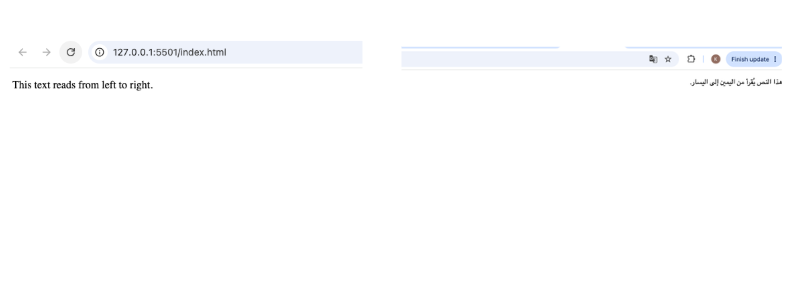
<p dir="ltr">This text reads from left to right.</p>
Or:
<p dir="rtl">هذا النص يُقرأ من اليمين إلى اليسار.</p>
The important part is the value assigned to the dir attribute.
The Three Main Direction Values
The dir attribute supports three common values.
1. ltr
ltr stands for Left to Right.
This is the default direction for many languages including:
- English
- French
- Spanish
- German
- Portuguese
Characters begin on the left side of the page and continue toward the right.
2. rtl
rtl means Right to Left.
This direction is commonly used for languages such as:
- Arabic
- Hebrew
- Persian (Farsi)
- Urdu
In these languages, sentences begin on the right side of the page.
3. auto
The auto value tells the browser to determine the correct direction automatically based on the first strong character it encounters.
This is useful when displaying user-generated content because you may not know which language the visitor will type.
How the Browser Uses the dir Attribute
When a browser encounters the dir attribute, it adjusts how content is displayed.
It can affect:
- Text alignment
- Cursor movement
- Punctuation placement
- Ordered lists
- Tables
- Forms
- Navigation
This ensures that content feels natural to readers of different languages.
Languages That Use Left-to-Right Text
Many of the world’s languages use left-to-right writing.
Examples include:
- English
- Italian
- Dutch
- Swedish
- Indonesian
- Yoruba
- Igbo
These languages typically do not require special direction settings because ltr is often the default.
Languages That Use Right-to-Left Text
Several widely spoken languages use right-to-left writing.
These include:
- Arabic
- Hebrew
- Persian
- Urdu
When building multilingual websites, supporting these languages correctly is essential.
Where Can the dir Attribute Be Used?
The dir attribute can be added to many HTML elements.
Some common examples include:
<html><body><div><section><article><p><span><table><input>
Applying it to different elements lets you control text direction for an entire page or just a small portion of content.
Setting Text Direction for an Entire Webpage
If every piece of content on a page uses the same writing direction, developers often apply the dir attribute to the root HTML element.
This allows every section of the webpage to inherit the same direction automatically.
This approach keeps your code cleaner and easier to manage.
Setting Direction for Individual Sections
Sometimes only one part of a webpage uses a different language.
For example, an English article might include a quotation written in Arabic.
Instead of changing the direction of the entire page, you can apply the dir attribute only to that specific section.
This allows multiple writing directions to exist on the same webpage.
Why Multilingual Websites Need the dir Attribute
Many businesses serve customers from different countries.
Their websites may display:
- Product descriptions
- Customer reviews
- Blog posts
- Help articles
Some of this content may be written in left-to-right languages, while other parts may be written in right-to-left languages.
Using the dir attribute ensures each language is displayed correctly.
Difference Between dir and CSS Text Alignment
Beginners often confuse text direction with text alignment.
Although they are related, they are not the same.
dir Attribute | CSS Text Alignment |
|---|---|
| Controls reading direction | Controls visual alignment |
| Affects text flow | Affects where text appears |
| Important for language support | Mainly for design |
For example, aligning text to the right does not automatically make it read from right to left.
Real-World Examples of the dir Attribute
The dir attribute appears in many modern websites.
Examples include:
- International news websites
- Government portals
- Online stores
- Educational platforms
- Language-learning websites
Any website that supports multiple languages may rely on proper text direction.
Accessibility Benefits
Accessibility means making websites usable for everyone.
The dir attribute helps assistive technologies understand how text should be read.
Screen readers, for example, can interpret content more accurately when the correct text direction is provided.
This creates a better experience for users who rely on accessibility tools.
SEO Benefits
The dir attribute is not a direct search engine ranking factor.
However, it contributes to:
- Better user experience
- Improved readability
- Lower confusion for multilingual visitors
Well-structured websites often perform better because visitors spend more time reading their content.
Using dir with Forms
Forms often contain user input.
Imagine a registration form used by both English-speaking and Arabic-speaking visitors.
Applying the correct direction ensures names, addresses, and messages appear naturally as users type.
This improves usability.
Using dir with Tables
Tables may contain multilingual information.
For example:
- Product names
- Prices
- Descriptions
If some rows use right-to-left languages, the dir attribute helps preserve readability.
Using dir with Navigation Menus
Navigation menus can also benefit from proper text direction.
When creating multilingual websites, menus should match the reading direction of the language being displayed.
This creates a more intuitive browsing experience.
Common Beginner Mistakes
Here are some mistakes beginners often make when using the dir attribute.
1. Assuming English Rules Apply to Every Language
Not every language reads from left to right.
Always consider the language your audience uses.
2. Using CSS Instead of dir
Changing text alignment with CSS is not the same as changing text direction.
Use the dir attribute when you need proper language support.
3. Forgetting Multilingual Content
If your page contains multiple languages, make sure each section uses the appropriate text direction.
4. Applying the Wrong Direction
Using rtl for English or ltr for Arabic can make text difficult to read.
Always match the direction to the language.
Practical Practice Projects
Here are some beginner-friendly projects where you can practice using the dir attribute.
Personal Portfolio
Create a portfolio with an English version and an Arabic version.
Language Learning Website
Display words and translations using different text directions.
Online Store
Show product descriptions in multiple languages.
Blog
Publish articles in English and Arabic on the same website.
Contact Form
Allow visitors from different regions to enter information naturally.
Best Practices for Using the dir Attribute
Follow these tips when working with text direction.
Understand Your Audience
Know which languages your visitors use before choosing a direction.
Use ltr for Left-to-Right Languages
This is suitable for English and many other Western languages.
Use rtl for Right-to-Left Languages
This is necessary for Arabic, Hebrew, Persian, and similar languages.
Use auto for User Input
When users can enter content in different languages, letting the browser determine the direction automatically is often the best solution.
Test Your Website
Always preview your webpage using different languages to ensure the layout remains readable.
Why Every HTML Beginner Should Learn the dir Attribute
The dir attribute may seem like a small feature, but it teaches an important lesson: websites should work for people everywhere.
Learning how text direction works helps you:
- Build multilingual websites
- Improve accessibility
- Create professional layouts
- Understand international web standards
As the internet continues to connect people from different cultures and languages, these skills become increasingly valuable.
The HTML dir attribute is a simple yet essential tool for controlling text direction on a webpage. Whether you’re building a basic personal website or a multilingual application, using the correct text direction ensures that your content is readable, accessible, and user-friendly.
While many beginners may only work with left-to-right languages at first, understanding how the dir attribute supports right-to-left languages prepares you for more advanced and inclusive web development projects.
As you continue learning HTML, remember that good websites are designed for all users—not just those who speak one language. Mastering the dir attribute is one more step toward creating professional, globally accessible websites that stand the test of time.