
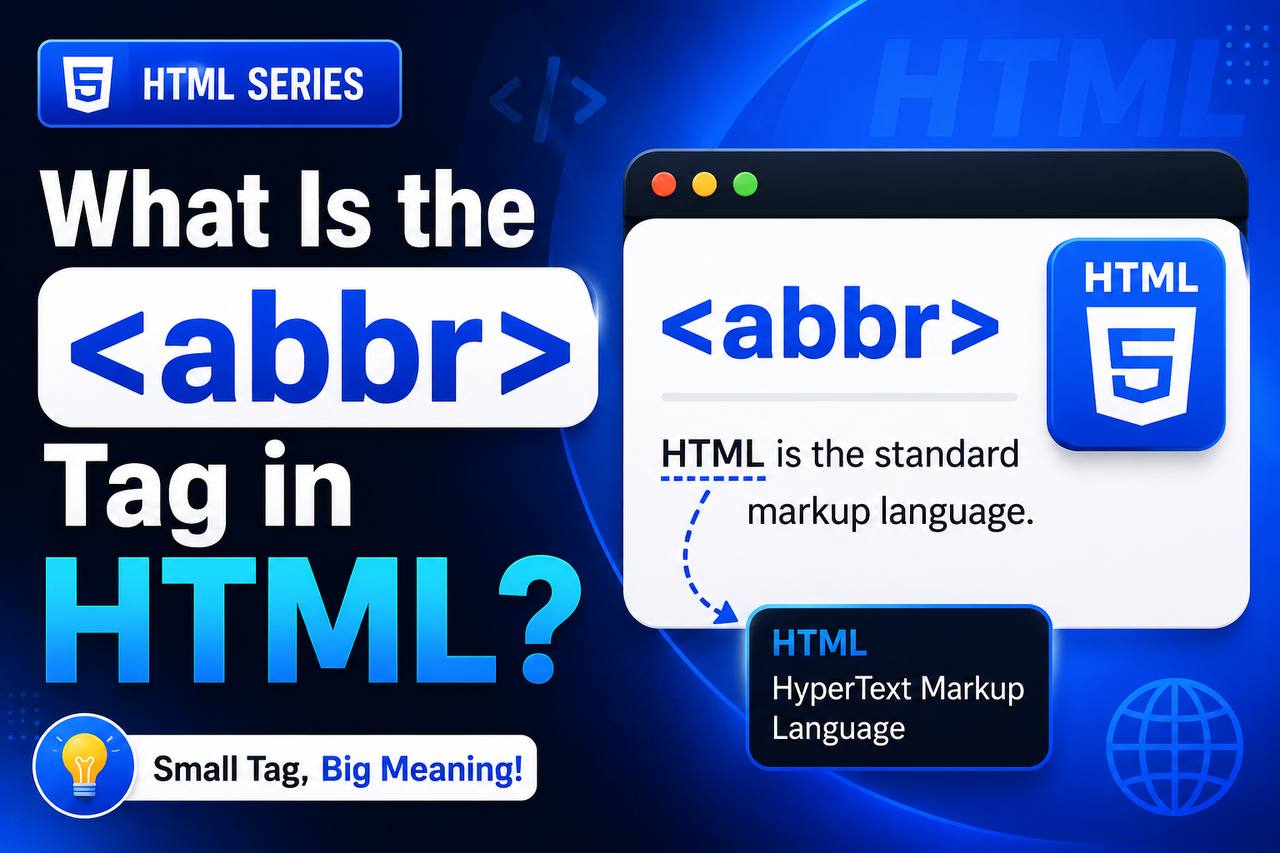
When you browse websites, you often come across shortened words like HTML, CSS, NASA, WHO, or SEO. These shortened forms are known as abbreviations or acronyms. While most people may recognize some of them, not every visitor will understand what they mean.
This is where the HTML <abbr> tag becomes useful.
The <abbr> element allows web developers to identify abbreviations and provide their full meaning. Although it is a small HTML tag, it improves readability, accessibility, and the overall user experience of a website.
Many beginners overlook the <abbr> tag because it seems simple, but it is actually a good example of semantic HTML—HTML that gives meaning to content instead of only controlling how it looks.
In this beginner-friendly guide, you’ll learn what the <abbr> tag is, why it’s important, how it works, where you can use it, and how it can improve your HTML projects. The explanations focus on real-world understanding with only a few simple code examples.
What Is the HTML <abbr> Tag?
The <abbr> tag stands for abbreviation.
It is used to identify an abbreviation or acronym in a webpage so that browsers and assistive technologies understand that the shortened word has a full meaning.
For example, the abbreviation HTML stands for HyperText Markup Language.
Instead of simply writing “HTML” in your webpage, you can use the <abbr> element to indicate that it is an abbreviation.
This helps both users and technologies such as screen readers understand your content more accurately.
Basic Syntax of the <abbr> Tag
Here is a simple example:
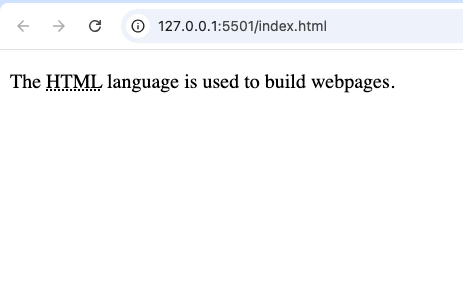
<p>The <abbr title="HyperText Markup Language">HTML</abbr> language is used to build webpages.</p>
In this example:
- The visible text is HTML.
- The full meaning is stored in the
titleattribute. - Many browsers display the full meaning as a tooltip when users hover over the abbreviation.
Why Is the <abbr> Tag Important?
At first, the <abbr> tag may not seem very important. After all, you could simply write the abbreviation without any special HTML.
However, using the <abbr> element offers several benefits.
It makes your content:
- Easier to understand
- More accessible
- More professional
- Better organized
- More semantic
Even though it doesn’t dramatically change how a webpage looks, it improves how information is communicated.
Understanding Abbreviations and Acronyms
Before using the <abbr> tag, it helps to know the difference between abbreviations and acronyms.
An abbreviation is a shortened version of a word or phrase.
Examples include:
- Dr.
- Ave.
- Prof.
- Dept.
An acronym is formed from the first letters of several words.
Examples include:
- HTML
- CSS
- NASA
- WHO
- FIFA
- UNESCO
The <abbr> element works well for both abbreviations and acronyms.
How the <abbr> Tag Works
The <abbr> element tells browsers that a piece of text is an abbreviation.
The optional title attribute stores the complete meaning.
When users place their mouse pointer over the abbreviation, many browsers display the explanation automatically.
This creates a helpful user experience without adding extra text to the page.
Real-Life Examples of the <abbr> Tag
Many websites naturally contain abbreviations.
For example:
Technology websites may mention:
- HTML
- CSS
- JavaScript
- API
- UI
- UX
Medical websites may include:
- MRI
- ECG
- CPR
- ICU
Business websites often use:
- CEO
- CFO
- ROI
- KPI
Educational websites frequently explain abbreviations to students using the <abbr> element.
Why Beginners Should Learn the <abbr> Tag
Many beginner developers focus only on visual design.
However, professional web development also involves creating meaningful content.
The <abbr> element teaches an important lesson:
HTML is not just about making websites look good.
It is also about making websites understandable.
Learning semantic HTML early helps you write cleaner and more professional code.
Accessibility Benefits of the <abbr> Tag
Accessibility means designing websites that everyone can use, including people who rely on assistive technologies.
The <abbr> element contributes to accessibility because it clearly identifies abbreviations.
Some screen readers can announce that a word is an abbreviation or provide additional information from the title attribute.
This helps users who may not recognize shortened terms.
Accessible websites are generally easier for everyone to use.
SEO Benefits of the <abbr> Tag
The <abbr> element is not a direct ranking factor for search engines.
However, it helps improve the quality and clarity of your content.
Clearer content often creates a better user experience, which supports good SEO practices.
Semantic HTML also makes webpages easier to understand for browsers and search engines.
Browser Support
The <abbr> element has excellent browser support.
It works correctly in all major modern browsers, including:
- Google Chrome
- Mozilla Firefox
- Microsoft Edge
- Safari
- Opera
Because it has been part of HTML for many years, compatibility is rarely a concern.
Common Places to Use the <abbr> Tag
There are many situations where this element is useful.
Some common examples include:
Technical Articles
Technology tutorials often introduce abbreviations such as:
- HTML
- CSS
- SQL
- PHP
- JSON
Using <abbr> helps beginners understand these terms.
Educational Websites
Online learning platforms often explain:
- Scientific terms
- Academic abbreviations
- Historical organizations
- Government agencies
The <abbr> element makes lessons clearer.
Business Websites
Businesses commonly mention:
- CEO
- CRM
- ERP
- ROI
- KPI
Providing the full meaning helps visitors understand industry terminology.
Medical Websites
Healthcare websites often use abbreviations that many readers may not know.
Examples include:
- MRI
- ICU
- CPR
- ECG
Using the <abbr> tag makes medical information easier to understand.
Difference Between <abbr> and Normal Text
Many beginners wonder why they shouldn’t simply write the abbreviation.
Here is the difference:
| Normal Text | <abbr> Element |
|---|---|
| No additional meaning | Clearly identifies abbreviations |
| No tooltip | Can display full meaning |
| Less semantic | More semantic |
| Limited accessibility | Improved accessibility |
The <abbr> tag adds meaning without changing the visible text.
Difference Between <abbr> and <acronym>
Older HTML versions included an <acronym> element.
However, HTML5 no longer recommends using it.
Instead, developers use the <abbr> element for both abbreviations and acronyms.
This simplifies HTML while maintaining semantic meaning.
Practical Uses in Beginner Projects
You can use the <abbr> tag in many beginner-friendly projects.
For example:
Personal Portfolio
If you describe your skills, you may mention:
- HTML
- CSS
- JavaScript
- SEO
Adding the <abbr> element makes your portfolio more professional.
Blog Articles
Technology blogs often contain dozens of abbreviations.
Explaining them helps readers who are new to the subject.
Online Resume
You may list:
- B.Sc.
- MBA
- CEO
- GPA
The <abbr> element can clarify these terms.
Educational Website
Learning platforms frequently introduce unfamiliar abbreviations.
Providing explanations improves understanding.
Common Beginner Mistakes
Here are some mistakes beginners make when using the <abbr> tag.
Forgetting the title Attribute
The title attribute usually contains the full meaning.
Without it, users may not receive additional information.
Explaining Very Common Words
Not every short word needs an abbreviation tag.
For example, words that everyone understands may not require extra explanation.
Use the <abbr> element when clarification is helpful.
Overusing the Tag
If every sentence contains multiple abbreviations, the page can become cluttered.
Use the <abbr> element only where it adds value.
Using Incorrect Meanings
Always verify that the full meaning of an abbreviation is accurate.
Incorrect explanations may confuse readers.
Best Practices for Using the <abbr> Tag
Here are some helpful tips.
Explain Unfamiliar Terms
If your audience may not know an abbreviation, consider using <abbr>.
Keep the Title Accurate
Always provide the correct expansion of the abbreviation.
Think About Your Audience
A beginner tutorial may require more explanations than an advanced technical guide.
Use Semantic HTML
The <abbr> element is part of writing meaningful HTML.
Using semantic elements helps improve website quality.
Real-World Websites That Use the <abbr> Tag
Many types of websites benefit from abbreviation tags.
Examples include:
- Technology blogs
- Online schools
- Medical websites
- Government websites
- Business websites
- Documentation websites
- News websites
Whenever specialized terminology appears, the <abbr> element can help readers understand it.
Combining <abbr> with Other HTML Elements
The <abbr> element works well with many other HTML tags, including:
<p><article><section><div><li><table>
Because it is an inline element, it fits naturally within normal text.
Why Semantic HTML Matters
The <abbr> tag is a good example of semantic HTML.
Semantic elements describe the purpose of content rather than simply controlling its appearance.
Other semantic HTML elements include:
<header><nav><main><section><article><aside><footer>
Together, these elements create webpages that are easier to read, maintain, and understand.
Practice Project Ideas
To become comfortable using the <abbr> element, try including it in projects such as:
- A technology glossary
- A programming tutorial website
- A medical information page
- A business terminology guide
- A student revision website
- A portfolio explaining technical skills
These projects give you practical experience while improving your HTML knowledge.
The HTML <abbr> tag may be small, but it plays an important role in creating clear, accessible, and professional webpages. It allows developers to identify abbreviations and provide their full meanings without interrupting the flow of the content.
Although beginners often overlook this element, learning how to use it properly helps you understand one of the key ideas behind semantic HTML—adding meaning to your content rather than simply displaying text.
As you continue building websites, remember that good web development is not only about attractive layouts and colorful designs. It is also about helping users understand your content as easily as possible.
By using the <abbr> tag appropriately, you can make your HTML projects more informative, more accessible, and better prepared for real-world web development.