
When building websites, most developers focus on content, layouts, colors, and functionality. However, one important aspect of web design is often overlooked: the direction in which text is displayed.
Not all languages are written from left to right. While English, French, Spanish, and many other languages are read from left to right, languages such as Arabic and Hebrew are read from right to left.
This is where the HTML dir attribute becomes important.
The dir attribute helps browsers understand the correct direction for displaying text and content. It plays a major role in accessibility, readability, and creating websites that work for users around the world.
In this beginner-friendly guide, you’ll learn what the HTML dir attribute is, why it matters, when to use it, and how it can improve your web projects.
This article focuses mainly on practical explanations rather than large amounts of code, making it easy for beginners to understand.
What is the HTML dir Attribute?
The dir attribute is an HTML global attribute that specifies the direction of text within an element.
The word “dir” stands for direction.
It tells the browser whether content should be displayed:
- From left to right
- From right to left
- Automatically based on the content
Without the correct text direction, some languages can become difficult or confusing to read.
Why Text Direction Matters
Many beginners assume all websites use the same reading direction.
However, the internet serves people from all over the world.
Different languages follow different writing systems.
For example:
Left-to-Right Languages (LTR)
These include:
- English
- French
- German
- Spanish
- Portuguese
Text begins on the left side and moves toward the right.
Example:
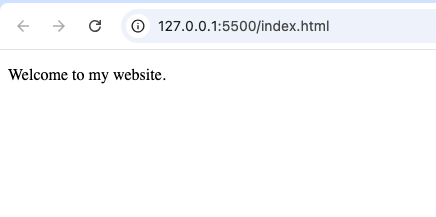
Welcome to my website
Right-to-Left Languages (RTL)
These include:
- Arabic
- Hebrew
- Persian
- Urdu
Text begins on the right side and moves toward the left.
Example:
مرحبا بكم في موقعي
The dir attribute helps browsers display these languages correctly.
Basic Syntax of the dir Attribute
The attribute is added directly to an HTML element.
Example:
<p dir="ltr">Welcome to my website.</p>
or
<p dir="rtl">مرحبا بكم في موقعي.</p>
The browser uses the specified direction when displaying the content.

The Main Values of the dir Attribute
The dir attribute supports three primary values.
| Value | Meaning |
|---|---|
ltr | Left-to-right |
rtl | Right-to-left |
auto | Browser determines direction automatically |
Let’s explore each one.
Understanding ltr
The ltr value means:
Left-to-right
This is the default direction for many websites because English and many other languages use this format.
Example use cases:
- Blogs
- Business websites
- Portfolios
- Documentation
- Tutorials
Most beginner projects naturally use ltr.
Understanding rtl
The rtl value means:
Right-to-left
This is used for languages that begin on the right side of the page.
Examples include:
- Arabic websites
- Hebrew educational resources
- Urdu news sites
Without rtl, these languages may appear incorrectly formatted.
Understanding auto
The auto value allows the browser to determine the text direction automatically.
This is useful when:
- Content is generated by users
- Language is unknown beforehand
- Websites support multiple languages
The browser analyzes the content and chooses the appropriate direction.
Why the dir Attribute is Important
The dir attribute offers several important benefits.
1. Improves Readability
Correct text direction makes content easier to read.
Users naturally expect text to follow the writing system of their language.
2. Supports International Audiences
Websites today often serve global visitors.
The dir attribute helps create a better experience for users worldwide.
3. Enhances Accessibility
Accessibility involves making websites usable for everyone.
Correct text direction helps assistive technologies interpret content properly.
4. Prevents Layout Confusion
Without proper direction settings, mixed-language content can become difficult to understand.
Real-World Example: Multilingual Websites
Imagine a website available in:
- English
- Arabic
- French
Each language may require different text directions.
English:
Left-to-right
Arabic:
Right-to-left
The dir attribute helps ensure each language appears correctly.
Common Places Where dir is Used
The attribute can be applied to many HTML elements.
Entire HTML Document
Some websites apply direction to the entire page.
This is common for websites written entirely in Arabic or Hebrew.
Paragraphs
Individual paragraphs can have their own direction settings.
This is useful when a page contains multiple languages.
Forms
Forms often need correct text direction for user input.
Examples:
- Contact forms
- Registration forms
- Search boxes
Tables
Table content may require specific text directions when displaying multilingual information.
Navigation Menus
Menus can also benefit from proper direction settings.
This helps maintain a natural reading flow.
Understanding Mixed-Language Content
Modern websites sometimes display multiple languages together.
For example:
A website may show:
- English product descriptions
- Arabic customer comments
The dir attribute helps each section display correctly.
How the Browser Uses the Attribute
When a browser encounters a dir attribute, it adjusts:
- Text alignment
- Reading flow
- Character positioning
- Layout behavior
This creates a more natural experience for users.
Difference Between Text Direction and Text Alignment
Beginners often confuse these concepts.
They are not the same.
Text Direction
Controls reading order.
Example:
- Left-to-right
- Right-to-left
Text Alignment
Controls visual positioning.
Example:
- Left aligned
- Center aligned
- Right aligned
The dir attribute affects direction, not simply alignment.
The Relationship Between dir and CSS
CSS can also influence text presentation.
However, the dir attribute provides semantic meaning that browsers and assistive technologies understand.
Using the correct HTML attribute is generally better than relying entirely on CSS for language direction.
Real-World Example: Online Stores
Imagine an international ecommerce website.
The site supports:
- English
- Arabic
- Hebrew
Product descriptions, prices, reviews, and navigation may need different text directions depending on the user’s language.
The dir attribute helps maintain consistency.
Accessibility Benefits
Accessibility is one of the strongest reasons to use the dir attribute correctly.
Screen readers and assistive technologies often rely on text direction information.
Proper direction settings help users:
- Understand content more easily
- Navigate pages correctly
- Read multilingual content accurately
Browser Support
The dir attribute is supported by all modern browsers, including:
- Chrome
- Firefox
- Safari
- Edge
- Opera
It has been part of HTML for many years and remains widely supported.
SEO Considerations
The dir attribute does not directly improve search engine rankings.
However, it contributes to:
- Better user experience
- Improved readability
- More accessible content
These factors support overall website quality.
Common Beginner Mistakes
Here are mistakes beginners often make.
1. Ignoring Language Direction
Some developers assume every language uses left-to-right formatting.
This can cause problems for international users.
2. Using Alignment Instead of Direction
Text alignment does not replace proper direction settings.
Both serve different purposes.
3. Forgetting Multilingual Content
Pages containing multiple languages often require careful direction management.
4. Overusing Manual Formatting
The dir attribute provides a cleaner solution than manually adjusting layouts.
When Should You Use dir="ltr"?
Use ltr when working with languages such as:
- English
- French
- German
- Italian
- Spanish
This is the default choice for many websites.
When Should You Use dir="rtl"?
Use rtl when working with languages such as:
- Arabic
- Hebrew
- Persian
- Urdu
This ensures natural reading flow.
When Should You Use dir="auto"?
Use auto when:
- Content comes from users
- Language is unpredictable
- Websites support many languages
This allows the browser to make the decision automatically.
Practice Projects for Learning the dir Attribute
Here are some beginner-friendly projects.
Multilingual Blog
Create articles in different languages and apply appropriate text directions.
International Business Website
Build a website that supports both English and Arabic content.
User Comment System
Allow users to submit content in different languages and use automatic direction detection.
Language Learning Website
Display examples from multiple writing systems.
News Portal
Create sections for different languages using proper text direction.
Best Practices for Using the dir Attribute
Follow these guidelines for better results.
Use the Correct Direction for the Language
Always match the text direction to the language being displayed.
Consider International Users
If your audience is global, plan for multilingual support early.
Use auto When Appropriate
Automatic detection can simplify dynamic content handling.
Test Across Browsers
Verify that multilingual content appears correctly.
Combine with Semantic HTML
Using proper HTML structure improves readability and accessibility.
Why Global Web Design Matters
The web is used by billions of people worldwide.
Not everyone reads text in the same direction.
Supporting multiple writing systems helps create:
- More inclusive websites
- Better user experiences
- More professional projects
The dir attribute is a small feature that contributes significantly to these goals.
Understanding HTML Beyond Basic Tags
Many beginners focus only on popular elements like:
<div><p><img><a>
However, HTML also contains useful attributes like dir that improve how content is presented.
Learning these features helps you become a more capable web developer.
The HTML dir attribute is a simple but important tool for controlling text direction on webpages. It helps browsers display content correctly for languages that read from left to right, right to left, or require automatic direction detection.
Although many beginner websites may only use English and never need special direction settings, understanding the dir attribute prepares you for building websites that serve a wider audience.
As you continue learning HTML, remember that good web development is not only about making pages look attractive. It is also about ensuring content is accessible, readable, and usable for people from different languages and cultures.
The dir attribute is a small feature, but it plays a big role in creating truly global and user-friendly websites.
There’s definately a great deal to know about this topic.
I love all of the points you made.
It’s a shame you don’t have a donate button! I’d certainly donate to this
outstanding blog! I guess for now i’ll settle for bookmarking
and adding your RSS feed to my Google account. I look forward to brand
new updates and will share this site with my Facebook group.
Chat soon!