
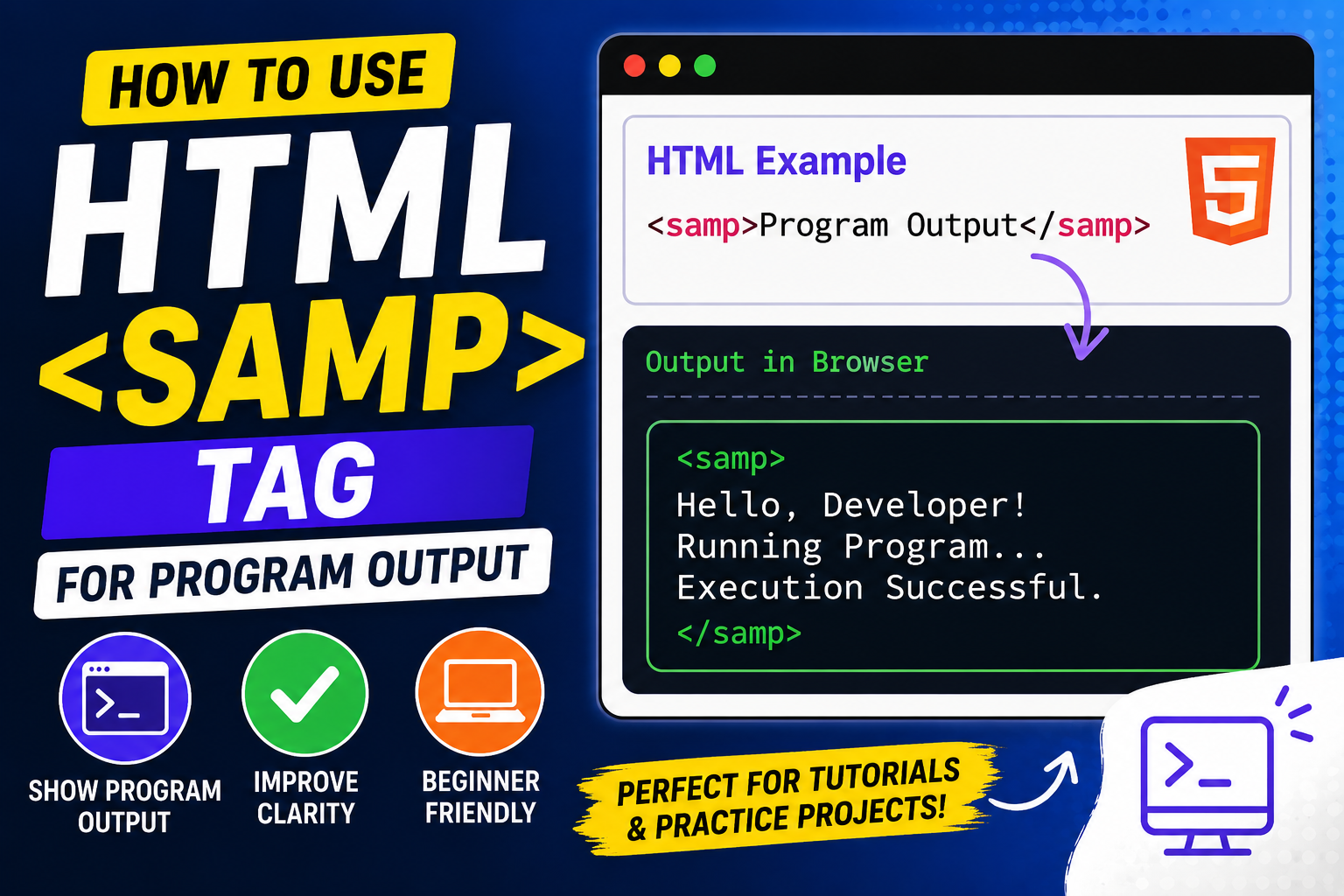
When learning HTML, you’ll come across many tags designed for specific purposes. Some tags structure content, some create links, and others help display information in a meaningful way. One HTML element that is often overlooked by beginners is the <samp> tag.
The <samp> element is used to represent output from a computer program. It tells browsers and developers that a particular piece of text is an example of what a program, application, command line, or system might display after performing an action.
Although many beginners don’t use it right away, understanding the <samp> tag can help you create better tutorials, coding documentation, technical guides, and educational projects.
In this beginner-friendly guide, you’ll learn what the <samp> tag is, why it exists, how it works, and how to use it effectively in your practice projects.
This article focuses on clear explanations rather than large amounts of code so you can understand the concept easily.
What is the HTML <samp> Tag?
The HTML <samp> tag stands for Sample Output.
It is used to display text that represents output produced by a computer program or system.
In simple words, whenever you want to show users what a computer would display after running a command or performing an action, the <samp> tag is often the correct choice.
Think of it as a way of saying:
“This text came from a computer program.”
Simple Syntax of the <samp> Tag
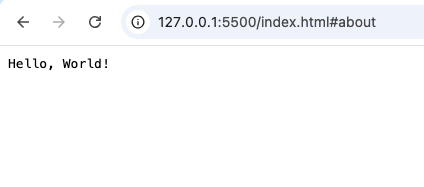
A basic example looks like this:
<samp>Hello, World!</samp>
In this example, “Hello, World!” is treated as output generated by a program.
Most browsers display <samp> content using a monospace font, which resembles the appearance of text in terminals and programming environments.
Why the <samp> Tag is Important
Some beginners wonder why they should use <samp> instead of a normal paragraph.
The answer is meaning.
HTML is not only about displaying content. It is also about describing what that content represents.
The <samp> element tells browsers, developers, and assistive technologies that the text is program output rather than ordinary text.
This improves:
- Readability
- Semantic meaning
- Documentation quality
- Accessibility
Understanding Program Output
Before using <samp>, it’s important to understand what program output means.
Program output is information generated by a computer system after processing a command or action.
Examples include:
- Error messages
- Success messages
- Terminal responses
- Console output
- Application notifications
- System feedback
Whenever software displays information to users, that information may qualify as output.
Real-Life Example
Imagine you run a simple calculator program.
You enter:
2 + 2
The program displays:
4
The number 4 is output generated by the program.
This output can be represented using the <samp> tag.
Common Uses of the <samp> Tag
The <samp> element is especially useful in educational and technical content.
Let’s explore some common situations where it can be used.
1. Programming Tutorials
Coding tutorials often show what a program should display after execution.
For example:
<samp>Welcome to the Program</samp>
This helps readers understand the expected result.
2. Command Line Examples
Many tutorials teach terminal commands.
After a command is entered, the resulting output can be shown using <samp>.
This creates a clear distinction between:
- User input
- System output
3. Error Messages
Applications often display messages when something goes wrong.
Examples include:
- File not found
- Connection failed
- Invalid input
These messages are examples of program output.
4. Success Messages
Software also displays confirmation messages.
Examples:
- Upload complete
- Payment successful
- File saved successfully
These can be represented with the <samp> tag.
How <samp> Differs from Normal Text
At first glance, <samp> may look similar to ordinary text.
The difference lies in its meaning.
A paragraph simply displays information.
The <samp> element identifies information as computer-generated output.
This additional meaning makes HTML more descriptive.
Difference Between <samp> and <code>
Beginners often confuse these two tags.
They look similar but serve different purposes.
<samp> | <code> |
|---|---|
| Displays program output | Displays source code |
| Represents results | Represents instructions |
| Shows what the computer produced | Shows what the developer wrote |
Think of it this way:
<code>= input<samp>= output
Example Scenario
Imagine a programming lesson.
The code:
print("Hello")
would typically use <code>.
The result:
Hello
would typically use <samp>.
This distinction helps readers understand what they are looking at.
Difference Between <samp> and <kbd>
Another commonly confused tag is <kbd>.
Here is the difference:
<samp> | <kbd> |
|---|---|
| Program output | User input |
| Generated by computer | Entered by user |
| Shows system response | Shows keyboard actions |
For example:
User presses:
<kbd>Enter</kbd>
Computer responds:
<samp>Command Executed Successfully</samp>
These tags often work together.
Combining <kbd>, <code>, and <samp>
Technical documentation often uses all three tags.
Each serves a unique purpose.
<kbd>shows what users type.<code>shows programming code.<samp>shows program output.
Using the correct element improves clarity.
Why Semantic HTML Matters
The <samp> tag is considered a semantic HTML element.
Semantic elements describe the meaning of content.
Benefits include:
- Better accessibility
- Improved organization
- Easier maintenance
- Clearer documentation
Rather than simply styling text, semantic HTML explains its purpose.
HTML5 and the <samp> Tag
The <samp> element has been part of HTML for many years and remains supported in modern HTML standards.
It continues to be useful because software documentation and technical content are still common on the web.
Despite being a specialized element, it remains relevant.
Browser Support
The <samp> element works in all major browsers including:
- Chrome
- Firefox
- Safari
- Edge
- Opera
Because it is widely supported, developers can use it confidently.
Accessibility Benefits
Accessibility involves making content understandable for everyone.
The <samp> tag helps assistive technologies recognize that specific text represents system-generated output.
This additional context can improve the experience for users who rely on screen readers.
Semantic HTML often contributes to better accessibility.
Real-World Example: Software Documentation
Imagine you’re writing instructions for installing software.
A user enters a command.
The system displays:
Installation completed successfully.
That message is output from the computer.
Using <samp> helps identify it correctly.
Many software manuals use this approach.
Real-World Example: Troubleshooting Guides
Troubleshooting guides often display system messages.
Examples include:
- Error 404
- Access denied
- Connection timed out
These are all examples of computer-generated output.
The <samp> tag is well suited for such content.
Real-World Example: Educational Websites
Programming education websites frequently show:
- Code examples
- Console output
- Error messages
- Terminal responses
The <samp> element helps separate outputs from other content.
This improves readability for learners.
Styling the <samp> Tag
Most browsers automatically display <samp> content using a monospace font.
This resembles the appearance of text in terminals and code editors.
Developers can also apply CSS to customize:
- Colors
- Borders
- Backgrounds
- Spacing
This can make output sections easier to notice.
Common Beginner Mistakes
Here are some mistakes beginners often make when using <samp>.
1. Using <samp> for Source Code
Remember:
Source code belongs inside <code>.
Program output belongs inside <samp>.
Mixing them can confuse readers.
2. Using <samp> for Normal Paragraphs
Not all text is program output.
Only use <samp> when the content genuinely represents output generated by a system.
3. Ignoring Semantic Meaning
Some beginners use generic elements for everything.
Using specialized elements like <samp> makes content more meaningful.
4. Forgetting Context
Always make it clear where the output came from.
Readers should understand what generated the message.
Practice Project Ideas Using <samp>
Here are some beginner-friendly project ideas.
1. Programming Tutorial Website
Show code examples alongside their outputs.
The <samp> element can display results clearly.
2. Command Line Learning Project
Create a page that teaches terminal commands and displays sample outputs.
3. Error Message Reference Page
Build a guide explaining common system messages.
Use <samp> to display each message.
4. Software Documentation Practice
Create fictional software instructions and display system responses.
5. Coding Portfolio
If you showcase coding tutorials, <samp> can help present output examples professionally.
SEO and the <samp> Tag
The <samp> element does not directly improve search engine rankings.
However, semantic HTML contributes to:
- Better content organization
- Improved readability
- Enhanced user experience
These factors support overall website quality.
Best Practices for Using <samp>
Here are some useful guidelines.
Use It Only for Program Output
Keep its purpose specific.
Combine It with Other Semantic Elements
Technical documentation often benefits from proper semantic structure.
Keep Output Readable
Readers should easily distinguish output from surrounding content.
Use Consistent Formatting
Consistency helps users understand documentation faster.
Focus on Clarity
The goal is to make technical information easier to understand.
Why Learning <samp> is Useful
The <samp> element may not be used every day, but it teaches an important lesson:
HTML contains specialized tags designed for specific types of content.
Learning these tags helps you:
- Write cleaner HTML
- Create better tutorials
- Build professional documentation
- Improve accessibility
- Understand semantic web design
Even if you only use <samp> occasionally, knowing its purpose strengthens your HTML knowledge.
The HTML <samp> tag is a specialized but valuable element used to represent output generated by computer programs. Whether you’re creating coding tutorials, technical documentation, troubleshooting guides, or educational projects, it helps distinguish system-generated responses from ordinary text.
Although many beginners focus on more common HTML tags first, learning how to use <samp> correctly can make your projects more professional and easier to understand.
As you continue exploring HTML, you’ll discover that semantic elements like <samp> provide more than just appearance—they add meaning to your content. That meaning helps both humans and machines understand your webpages more effectively.
The more you practice using semantic HTML elements, the better equipped you’ll be to create organized, accessible, and high-quality web content.